How to Convert XMP to IPTC with ExifTool on Windows 🖥️
Learn step-by-step how to easily convert your metadata from XMP to IPTC format using ExifTool on Windows, ensuring your photo information stays intact during your switch to Mac.

MetaExtension
7.5K views • Feb 23, 2011
About this video
Switching to Mac from Windows is NOT as easy as all that if you have to drag over all your precious metadata, Windows Vista uses XMP to store that data and Mac uses IPTC, neither OS will natively read he other.
So to remedy this you'll need to employ the super tool released by Phil Harvey called ExifTool, which allows you to convert between the two standards.
This tutorial will show you how to batch convert a group of photos/images from XMP to IPTC using the DOS tool, don't be too afraid, there is a GUI version that I touch on, but this tutorial is for the DOS guys. Its probably faster too.
Steps:
№1: BACK-UP YOUR PHOTOS!
№2: Download ExifTool and install (your on your own with this): http://www.sno.phy.queensu.ca/~phil/exiftool/
№3: Get the ARGS files I used that tell ExifTool what metadata to substitute:
General images/photos from the internet:
http://www.meta.projectmio.com/xmp2iptcN.args
Photos from a Kodak DX6490/V610:
http://www.meta.projectmio.com/xmp2iptcK.args
-Or-
Use the default ones that come with ExifTool, mod your own if you want, experiment.
№4: Create two folders, the first "OLD_jpg" where the photos you want to convert go into, then create a folder called "NEW_jpg" **remember: only 500~1000 img per batch**
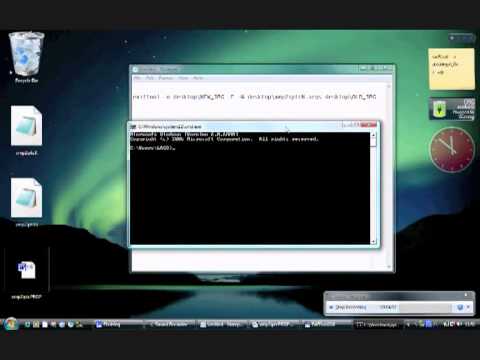
№5: type "cmd" in the Windows Start Menu to bring up DOS, then type:
"exiftool -o desktop\NEW_JPG -F -@ desktop\xmp2iptcN.args desktop\OLD_JPG"
№6: If you've got your shiny new Mac copy them over and type some of the metadata in Spotlight and the images should show up, if not, try, try again.... I did!
Tips:
ExifTool GUI is here: http://freeweb.siol.net/hrastni3/foto/exif/exiftoolgui.htm
Only convert 500~1000 photos/images at any one time, else it might fall over
Photos with foreign characters (i.e. not standard English) might be problematic, check the FAQ (yea, I hate it when people say that too). But if you do run into problems just set them aside and do them separately, failing that (if ExifTool has better friends to play with) then do its the RSI way with copy&paste
Ratings cannot be copied unless temporarily commandeering an exiting field, I think its far easier to place the number of stars in numerical format into the Tag field (e.g. *** = "3") and then group those when on your Mac and rate them there, deleting the "3" tag (or Keyword as they're known on Macs). It's be in a proprietary format on the Mac anyway
So to remedy this you'll need to employ the super tool released by Phil Harvey called ExifTool, which allows you to convert between the two standards.
This tutorial will show you how to batch convert a group of photos/images from XMP to IPTC using the DOS tool, don't be too afraid, there is a GUI version that I touch on, but this tutorial is for the DOS guys. Its probably faster too.
Steps:
№1: BACK-UP YOUR PHOTOS!
№2: Download ExifTool and install (your on your own with this): http://www.sno.phy.queensu.ca/~phil/exiftool/
№3: Get the ARGS files I used that tell ExifTool what metadata to substitute:
General images/photos from the internet:
http://www.meta.projectmio.com/xmp2iptcN.args
Photos from a Kodak DX6490/V610:
http://www.meta.projectmio.com/xmp2iptcK.args
-Or-
Use the default ones that come with ExifTool, mod your own if you want, experiment.
№4: Create two folders, the first "OLD_jpg" where the photos you want to convert go into, then create a folder called "NEW_jpg" **remember: only 500~1000 img per batch**
№5: type "cmd" in the Windows Start Menu to bring up DOS, then type:
"exiftool -o desktop\NEW_JPG -F -@ desktop\xmp2iptcN.args desktop\OLD_JPG"
№6: If you've got your shiny new Mac copy them over and type some of the metadata in Spotlight and the images should show up, if not, try, try again.... I did!
Tips:
ExifTool GUI is here: http://freeweb.siol.net/hrastni3/foto/exif/exiftoolgui.htm
Only convert 500~1000 photos/images at any one time, else it might fall over
Photos with foreign characters (i.e. not standard English) might be problematic, check the FAQ (yea, I hate it when people say that too). But if you do run into problems just set them aside and do them separately, failing that (if ExifTool has better friends to play with) then do its the RSI way with copy&paste
Ratings cannot be copied unless temporarily commandeering an exiting field, I think its far easier to place the number of stars in numerical format into the Tag field (e.g. *** = "3") and then group those when on your Mac and rate them there, deleting the "3" tag (or Keyword as they're known on Macs). It's be in a proprietary format on the Mac anyway
Tags and Topics
Browse our collection to discover more content in these categories.
Video Information
Views
7.5K
Likes
3
Duration
9:26
Published
Feb 23, 2011
User Reviews
3.8
(1) Related Trending Topics
LIVE TRENDSRelated trending topics. Click any trend to explore more videos.
No specific trending topics match this video yet.
Explore All Trends