Clean C Drive in Windows 11 for Better Speed 🚀
Learn how to clean your C Drive in Windows 11 to free space, boost load times, and improve overall PC performance.
Geeks Tutorial
1.1M views • Apr 13, 2022
About this video
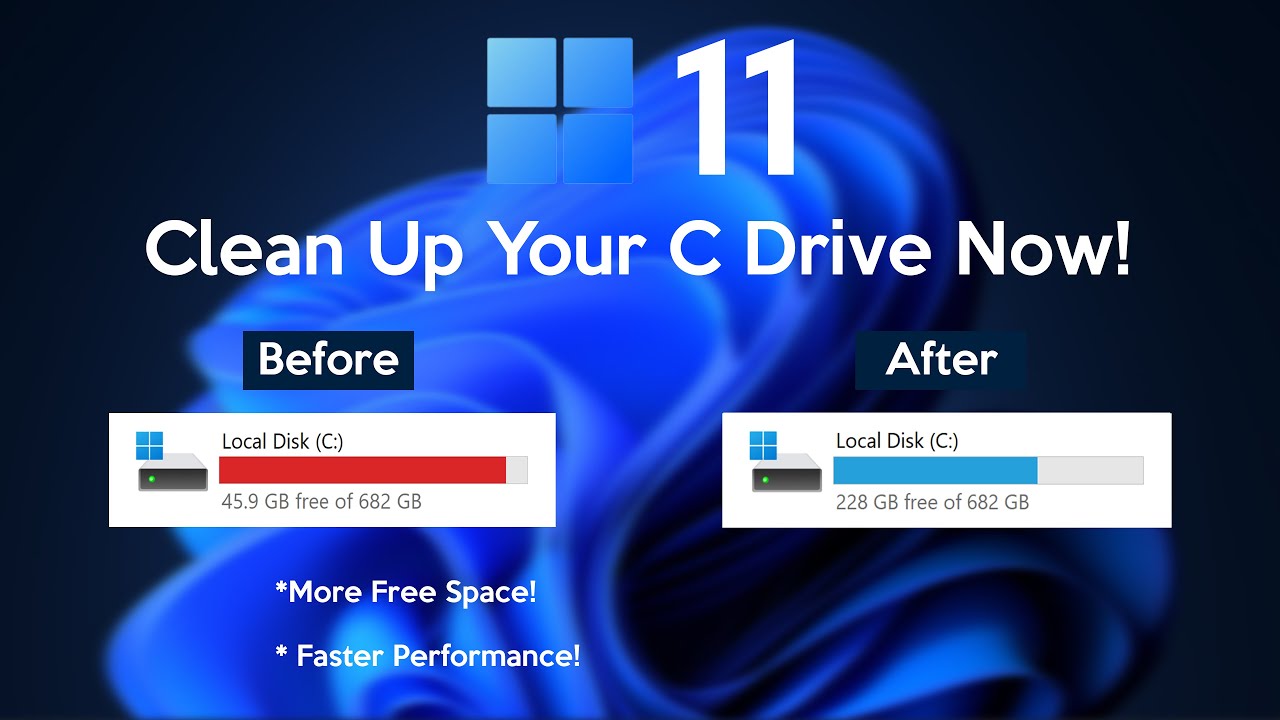
This video shows you how to clean the C Drive (Local Disk C) in Windows 11 for more free space, improved load times, and enhanced system performance. This method is absolutely free, doesn't require any system formatting, and we don't use any third-party software to achieve this! (This is a Complete Step-by-Step Tutorial)
Want to Speed Up Your Windows 11? ⚡ Watch This Guide https://youtu.be/a8SmRRKnOs8
☕️ Support Geeks Tutorial
If you enjoy our content and would like to help us create more high-quality tutorials, consider supporting us:
💳 Make a one-time donation: paypal.me/geekstutorial
🎓 Become a Patron: patreon.com/geekstutorial
Your support helps us keep making valuable educational content for the community. Thank you!
Content Disclaimer
This video is intended for educational and entertainment purposes only. Viewers are advised to follow the visual and verbal instructions at their own discretion and risk. We do not assume responsibility for any loss, damage, or injury that may result. In compliance with YouTube's Terms of Service, we have not utilized or recommended any content that violates these guidelines. Furthermore, we do not endorse or promote any illegal, harmful, or dangerous activities within this video.
Copyright Disclaimer
In accordance with Section 107 of the Copyright Act of 1976, this video may qualify for fair use, which permits the use of copyrighted material for purposes such as criticism, comment, news reporting, scholarship, and research. Fair use is a provision that allows limited use of copyrighted content without permission, provided the use is non-commercial, educational, or personal in nature.
This channel operates within a social and informational context, and as such, may feature third-party copyrighted content. The channel owner does not claim ownership of such material. The broadcaster serves solely as a distributor and presenter of information, making reasonable efforts to ensure the accuracy of the content. However, we cannot guarantee the copyright status or completeness of all materials presented on this channel.
If you believe that your copyrighted work has been used inappropriately, please contact the broadcaster directly before submitting a formal copyright claim. Any potential infringement is unintentional and will be addressed promptly and in good faith to reach a fair and satisfactory resolution for all parties involved.
Join the Conversation:
Stay connected and informed by following us across our platforms:
• Twitter: Follow us on X https://x.com/GeeksTutorial
• Facebook: Like us on Facebook https://www.facebook.com/geekstutorial/
• Instagram: Follow us on Instagram https://www.instagram.com/GeeksTutorial/
Contact Us:
For business inquiries, please reach us at:
Email: geekstutorial@outlook.com
(Note: Non-business inquiries will not be responded to.)
Music & Digital Assets
• Music: Royalty-free music provided by Epidemic Sound https://www.epidemicsound.com/
• Digital Assets: Resources sourced from Envato Elements https://elements.envato.com/
-~-~~-~~~-~~-~-
Please watch: "How to Speed Up Your Android Phone (Best Settings)"
https://www.youtube.com/watch?v=a5-60XbBrcc
-~-~~-~~~-~~-~-
Want to Speed Up Your Windows 11? ⚡ Watch This Guide https://youtu.be/a8SmRRKnOs8
☕️ Support Geeks Tutorial
If you enjoy our content and would like to help us create more high-quality tutorials, consider supporting us:
💳 Make a one-time donation: paypal.me/geekstutorial
🎓 Become a Patron: patreon.com/geekstutorial
Your support helps us keep making valuable educational content for the community. Thank you!
Content Disclaimer
This video is intended for educational and entertainment purposes only. Viewers are advised to follow the visual and verbal instructions at their own discretion and risk. We do not assume responsibility for any loss, damage, or injury that may result. In compliance with YouTube's Terms of Service, we have not utilized or recommended any content that violates these guidelines. Furthermore, we do not endorse or promote any illegal, harmful, or dangerous activities within this video.
Copyright Disclaimer
In accordance with Section 107 of the Copyright Act of 1976, this video may qualify for fair use, which permits the use of copyrighted material for purposes such as criticism, comment, news reporting, scholarship, and research. Fair use is a provision that allows limited use of copyrighted content without permission, provided the use is non-commercial, educational, or personal in nature.
This channel operates within a social and informational context, and as such, may feature third-party copyrighted content. The channel owner does not claim ownership of such material. The broadcaster serves solely as a distributor and presenter of information, making reasonable efforts to ensure the accuracy of the content. However, we cannot guarantee the copyright status or completeness of all materials presented on this channel.
If you believe that your copyrighted work has been used inappropriately, please contact the broadcaster directly before submitting a formal copyright claim. Any potential infringement is unintentional and will be addressed promptly and in good faith to reach a fair and satisfactory resolution for all parties involved.
Join the Conversation:
Stay connected and informed by following us across our platforms:
• Twitter: Follow us on X https://x.com/GeeksTutorial
• Facebook: Like us on Facebook https://www.facebook.com/geekstutorial/
• Instagram: Follow us on Instagram https://www.instagram.com/GeeksTutorial/
Contact Us:
For business inquiries, please reach us at:
Email: geekstutorial@outlook.com
(Note: Non-business inquiries will not be responded to.)
Music & Digital Assets
• Music: Royalty-free music provided by Epidemic Sound https://www.epidemicsound.com/
• Digital Assets: Resources sourced from Envato Elements https://elements.envato.com/
-~-~~-~~~-~~-~-
Please watch: "How to Speed Up Your Android Phone (Best Settings)"
https://www.youtube.com/watch?v=a5-60XbBrcc
-~-~~-~~~-~~-~-
Tags and Topics
Browse our collection to discover more content in these categories.
Video Information
Views
1.1M
Likes
18.3K
Duration
8:05
Published
Apr 13, 2022
User Reviews
4.8
(210) Related Trending Topics
LIVE TRENDSRelated trending topics. Click any trend to explore more videos.
No specific trending topics match this video yet.
Explore All Trends