how to add auto numbering in word table
How to Insert a Series of Numbers in a Microsoft Word Table : Microsoft Word Doc Tips. How to Auto Insert Sequential Numbers in a MS Word Table | Automatic N...

how to Tech tips
908 views • Jan 6, 2025
About this video
How to Insert a Series of Numbers in a Microsoft Word Table : Microsoft Word Doc Tips.
How to Auto Insert Sequential Numbers in a MS Word Table | Automatic Numbering in Table Column
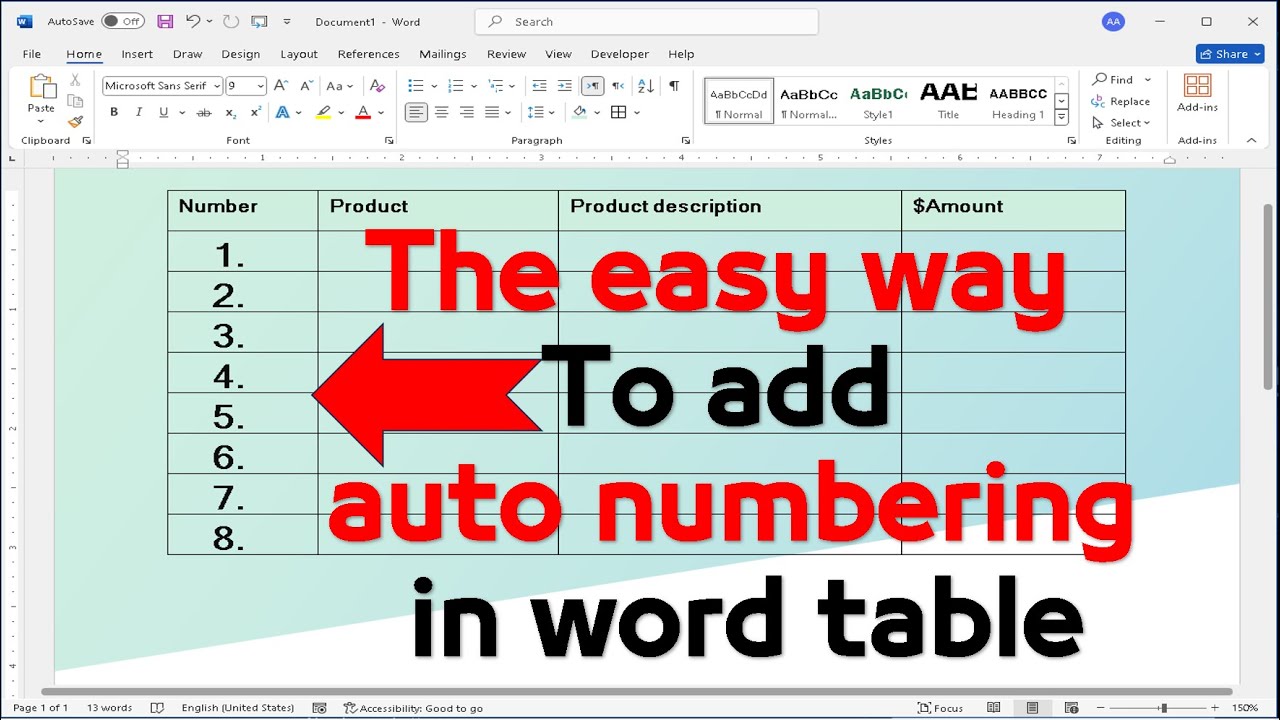
You can add auto numbering to a Word table using the built-in Numbering feature:
Select the cells: Highlight the cells where you want to add numbering. To number the beginning of each row, select only the first column.
Go to Numbering: On the Home tab, in the Paragraph group, click the Numbering button.
Choose a format: Select the desired numbering format from the dropdown menu.
Here are some additional tips:
To change the starting number: Right-click a number in the list, point to Numbering, click Set Numbering Value, and then enter the value that you want to start with.
To continue numbering from a previous list: In the Set Numbering Value dialog box, click on "Continue from previous list".
To use a different number format: Right-click a number in the list, point to Numbering, click Define New Number Format, and then select the options that you want.
How to Auto Insert Sequential Numbers in a MS Word Table | Automatic Numbering in Table Column
You can add auto numbering to a Word table using the built-in Numbering feature:
Select the cells: Highlight the cells where you want to add numbering. To number the beginning of each row, select only the first column.
Go to Numbering: On the Home tab, in the Paragraph group, click the Numbering button.
Choose a format: Select the desired numbering format from the dropdown menu.
Here are some additional tips:
To change the starting number: Right-click a number in the list, point to Numbering, click Set Numbering Value, and then enter the value that you want to start with.
To continue numbering from a previous list: In the Set Numbering Value dialog box, click on "Continue from previous list".
To use a different number format: Right-click a number in the list, point to Numbering, click Define New Number Format, and then select the options that you want.
Tags and Topics
Browse our collection to discover more content in these categories.
Video Information
Views
908
Likes
7
Duration
0:26
Published
Jan 6, 2025
Related Trending Topics
LIVE TRENDSRelated trending topics. Click any trend to explore more videos.
No specific trending topics match this video yet.
Explore All Trends