Hiding and Unhiding Rows and Columns in Excel
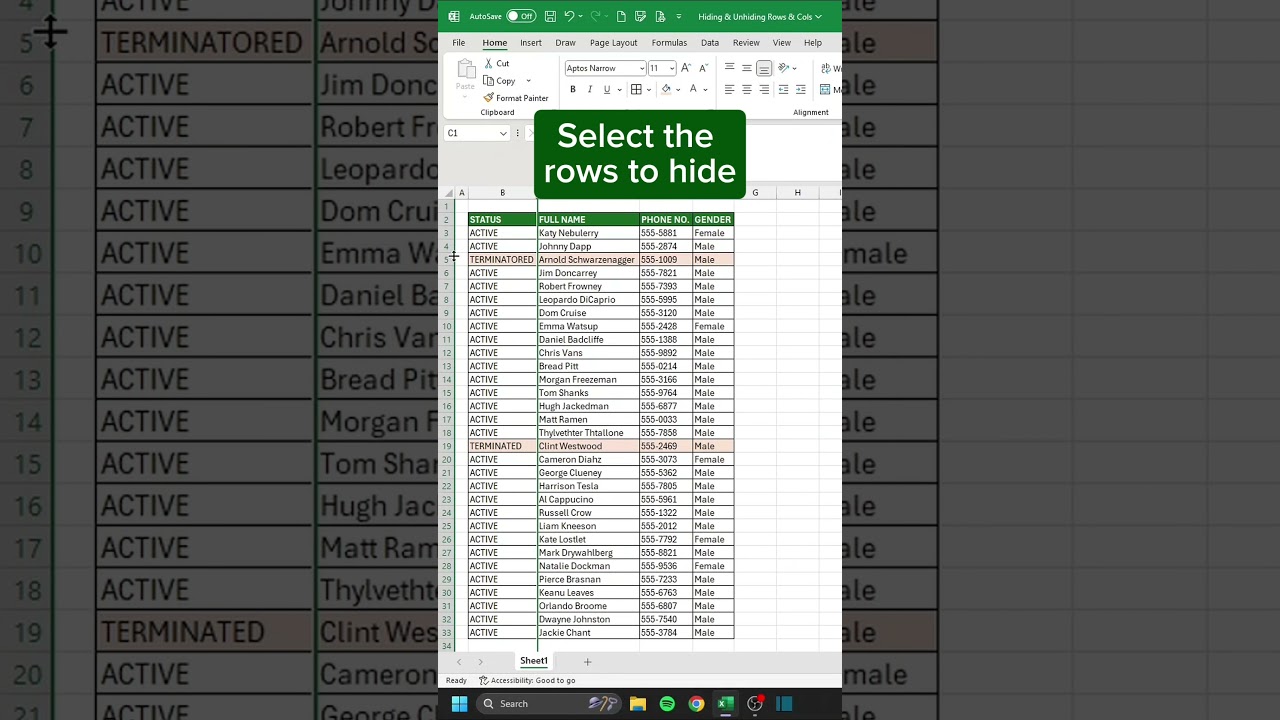
In this video, we will show you how to hide and unhide rows and columns in Excel! Use Ctrl + 0 to hide columns, Ctrl + 9 to hide rows, and Alt + H + O + U + L to unhide them.
CheatSheets
10.4K views • Apr 30, 2025
About this video
In this video, we will show you how to hide and unhide rows and columns in Excel!
Ctrl + 0 to hide Columms
Ctrl + 9 to hide Rows
Alt + H + O + U + L to unhide hidden columns
Alt + H + O + U + O to unhide hidden rows
🗂️ Don’t forget to save this post!
🎁 Get your FREE Excel Shortcuts Cheat Sheet PDF at linktr.ee/CheatSheets
🎯 Follow us on Threads, Instagram, YouTube, TikTok, and more at linktr.ee/CheatSheets
#excel #exceltips #exceltricks #spreadsheets #corporate #accounting #finance #workhacks #tutorials
Ctrl + 0 to hide Columms
Ctrl + 9 to hide Rows
Alt + H + O + U + L to unhide hidden columns
Alt + H + O + U + O to unhide hidden rows
🗂️ Don’t forget to save this post!
🎁 Get your FREE Excel Shortcuts Cheat Sheet PDF at linktr.ee/CheatSheets
🎯 Follow us on Threads, Instagram, YouTube, TikTok, and more at linktr.ee/CheatSheets
#excel #exceltips #exceltricks #spreadsheets #corporate #accounting #finance #workhacks #tutorials
Video Information
Views
10.4K
Duration
0:31
Published
Apr 30, 2025
User Reviews
3.8
(2) Related Trending Topics
LIVE TRENDSRelated trending topics. Click any trend to explore more videos.
Trending Now