Hide Files Like Hackers Using Image Files 📸
Learn how hackers hide files inside images and how you can do the same with simple command prompt tricks. Protect your privacy!

BITFLIX
3.0K views • Apr 2, 2025
About this video
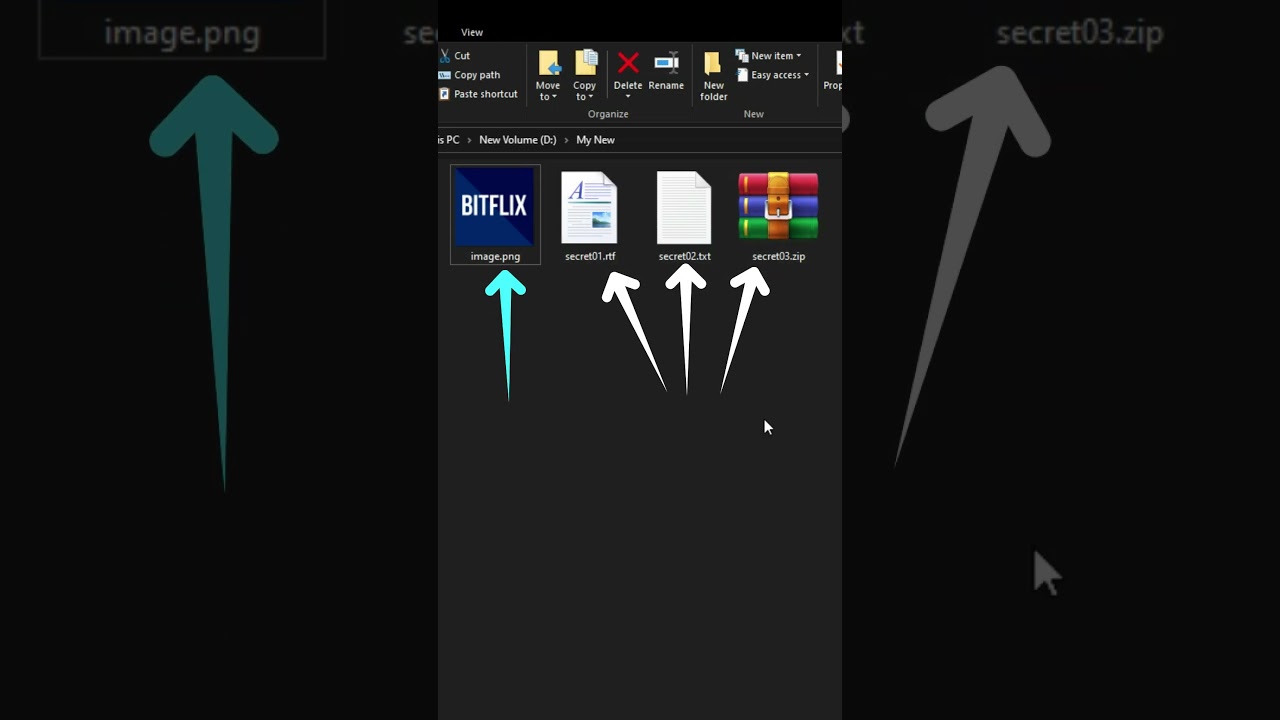
Hackers have a sneaky way of hiding files inside another file, and the perfect candidate for this trick is an image file! 📸 Why images, you ask? Because they’re simple and look completely normal, making it easy to hide files in plain sight. Imagine opening an image, but hidden inside it are secret files that no one would suspect! 😱 In this video, you’ll see exactly how hackers use this trick to store files in a way that most people would never notice. Stay till the end to see the hidden files revealed!
And yes, this trick isn't limited to just image files. You can actually do it with other file types as well! But images are the perfect choice since they’re so commonly opened, making them ideal for hiding files discreetly.
You won’t believe how simple this is! With just one command, you can merge files together, making them invisible to the average user. But those who know the trick can easily access the hidden data. Want to see how it’s done? Watch now and try it yourself!
Command :
copy /b [hiderfile] + [hiddenfile] [outputfile]
Replace [hiderfile] with your image (like image.png), [hiddenfile] with the file you want to hide (like secrets.zip), and [outputfile] with the name you want for the new hidden file (like hidden.png).
Hashtags:
#HiddenFiles #HackingTricks #FileHiding #CyberSecrets #PCTips #WindowsTips #TechHacks #ComputerHacks #Shorts
And yes, this trick isn't limited to just image files. You can actually do it with other file types as well! But images are the perfect choice since they’re so commonly opened, making them ideal for hiding files discreetly.
You won’t believe how simple this is! With just one command, you can merge files together, making them invisible to the average user. But those who know the trick can easily access the hidden data. Want to see how it’s done? Watch now and try it yourself!
Command :
copy /b [hiderfile] + [hiddenfile] [outputfile]
Replace [hiderfile] with your image (like image.png), [hiddenfile] with the file you want to hide (like secrets.zip), and [outputfile] with the name you want for the new hidden file (like hidden.png).
Hashtags:
#HiddenFiles #HackingTricks #FileHiding #CyberSecrets #PCTips #WindowsTips #TechHacks #ComputerHacks #Shorts
Tags and Topics
Browse our collection to discover more content in these categories.
Video Information
Views
3.0K
Duration
1:07
Published
Apr 2, 2025
User Reviews
3.7
(3) Related Trending Topics
LIVE TRENDSRelated trending topics. Click any trend to explore more videos.
No specific trending topics match this video yet.
Explore All Trends