Guide to Viewing Passwords in Windows Credential Manager
Learn how to access and view stored passwords in Windows Credential Manager, a hidden tool that manages your account credentials and passwords used in Microsoft Edge and other applications.

EvilComp
315.9K views • Feb 22, 2023
About this video
The Windows Credential Manager is a hidden desktop app that stores account information, including the passwords you enter when you're using Microsoft Edge or Internet Explorer. The tool also saves credential information you won't be able to view, like authentication tokens created by apps and network services.
1-Open Credential Manager. To do this, type credential into the Windows search bar, and then click Credential Manager in the search results.
2-Click Web Credentials or Windows Credentials. Both options are at the top of the window.
Web Credentials: This section contains passwords you've saved while using Microsoft Edge and Internet Explorer. If you've saved passwords using a different web browser (e.g., Google Chrome, Firefox), you'll need to use that web browser's password manager to find your passwords.
Windows Credentials: This section will only be useful if your PC is on a corporate network. The passwords stored here are just those used for network-related Windows services. Most people will not be able to view any passwords in this section.
3-Click the arrow next to the account you want to view. This displays more information about the account, including the option to show the password (if applicable).
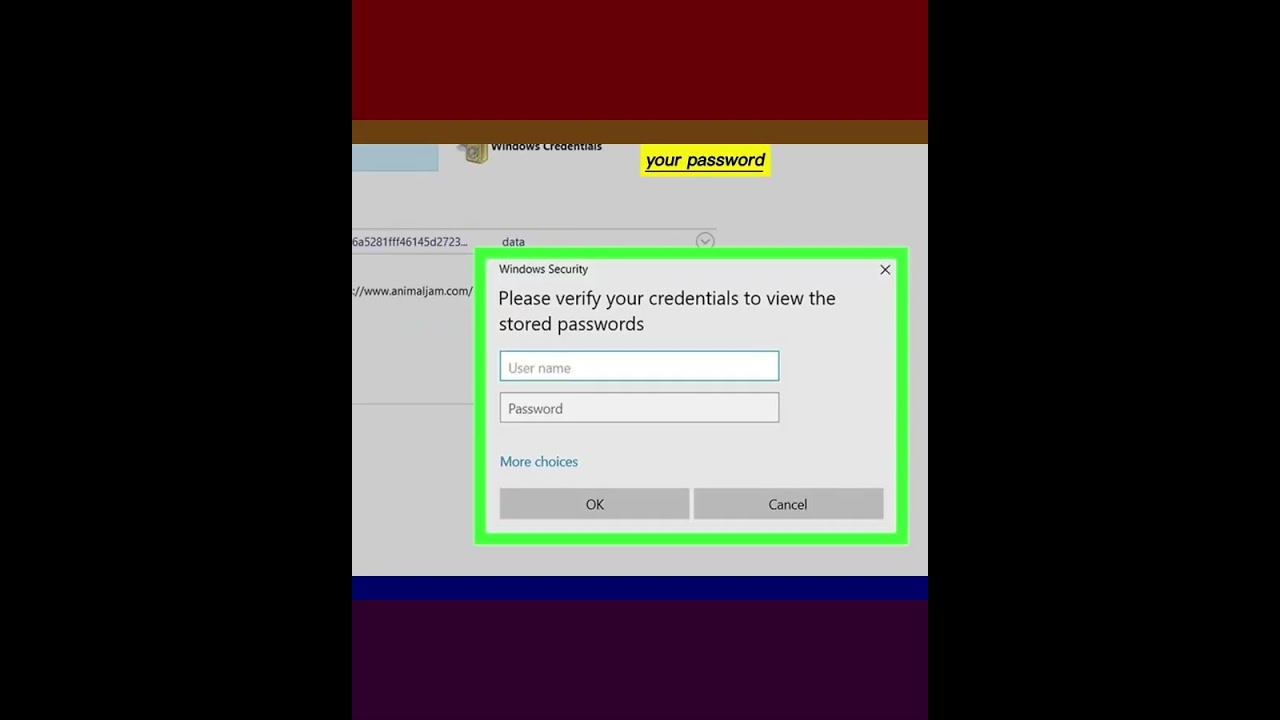
4-Click Show next to the password you want to see. A confirmation window will appear.
5-Enter your password or PIN. Once you verify your identity, the saved password will appear in plain text.
#windows #windows10 #password #credentials #manager #web #windows #windows10 #windows11 #credentialmanager #passwords #howtoview
1-Open Credential Manager. To do this, type credential into the Windows search bar, and then click Credential Manager in the search results.
2-Click Web Credentials or Windows Credentials. Both options are at the top of the window.
Web Credentials: This section contains passwords you've saved while using Microsoft Edge and Internet Explorer. If you've saved passwords using a different web browser (e.g., Google Chrome, Firefox), you'll need to use that web browser's password manager to find your passwords.
Windows Credentials: This section will only be useful if your PC is on a corporate network. The passwords stored here are just those used for network-related Windows services. Most people will not be able to view any passwords in this section.
3-Click the arrow next to the account you want to view. This displays more information about the account, including the option to show the password (if applicable).
4-Click Show next to the password you want to see. A confirmation window will appear.
5-Enter your password or PIN. Once you verify your identity, the saved password will appear in plain text.
#windows #windows10 #password #credentials #manager #web #windows #windows10 #windows11 #credentialmanager #passwords #howtoview
Tags and Topics
Browse our collection to discover more content in these categories.
Video Information
Views
315.9K
Likes
7.0K
Duration
0:35
Published
Feb 22, 2023
User Reviews
4.7
(63) Related Trending Topics
LIVE TRENDSRelated trending topics. Click any trend to explore more videos.
No specific trending topics match this video yet.
Explore All Trends