Guide to Using Fernet for String Encryption and Decryption in Python
A comprehensive overview of implementing Fernet encryption in Python, including common challenges and detailed code examples for successful encryption and decryption.
vlogize
3 views • Oct 1, 2025
About this video
A comprehensive guide on using the Fernet encryption method in Python, addressing common pitfalls and providing step-by-step code examples.
---
This video is based on the question https://stackoverflow.com/q/63820844/ asked by the user 'Prajwal Megalamani' ( https://stackoverflow.com/u/13227903/ ) and on the answer https://stackoverflow.com/a/63824977/ provided by the user 'Liju' ( https://stackoverflow.com/u/13608228/ ) at 'Stack Overflow' website. Thanks to these great users and Stackexchange community for their contributions.
Visit these links for original content and any more details, such as alternate solutions, latest updates/developments on topic, comments, revision history etc. For example, the original title of the Question was: I am trying to read a string encrypt it save it to a text file then read the text file read the encrypted string decrypt it in python
Also, Content (except music) licensed under CC BY-SA https://meta.stackexchange.com/help/licensing
The original Question post is licensed under the 'CC BY-SA 4.0' ( https://creativecommons.org/licenses/by-sa/4.0/ ) license, and the original Answer post is licensed under the 'CC BY-SA 4.0' ( https://creativecommons.org/licenses/by-sa/4.0/ ) license.
If anything seems off to you, please feel free to write me at vlogize [AT] gmail [DOT] com.
---
How to Successfully Use Fernet for String Encryption and Decryption in Python
Introduction
In the digital era, the security of data is paramount. One common task for developers is encrypting sensitive information. In this guide, we'll tackle a common challenge faced when using Python's cryptography library, particularly the Fernet module, to encrypt a string, save it to a text file, and then decrypt it.
The Problem
Imagine you want to read a string, encrypt it, save it to a text file, then read back that file and decrypt the encrypted string. A user encountered an issue where the data read from the text file was not in the expected format, causing a TypeError during decryption.
The error message highlights that the decryption method requires bytes, not strings. Let's delve into the solution to ensure a correct and streamlined process.
Solution Overview
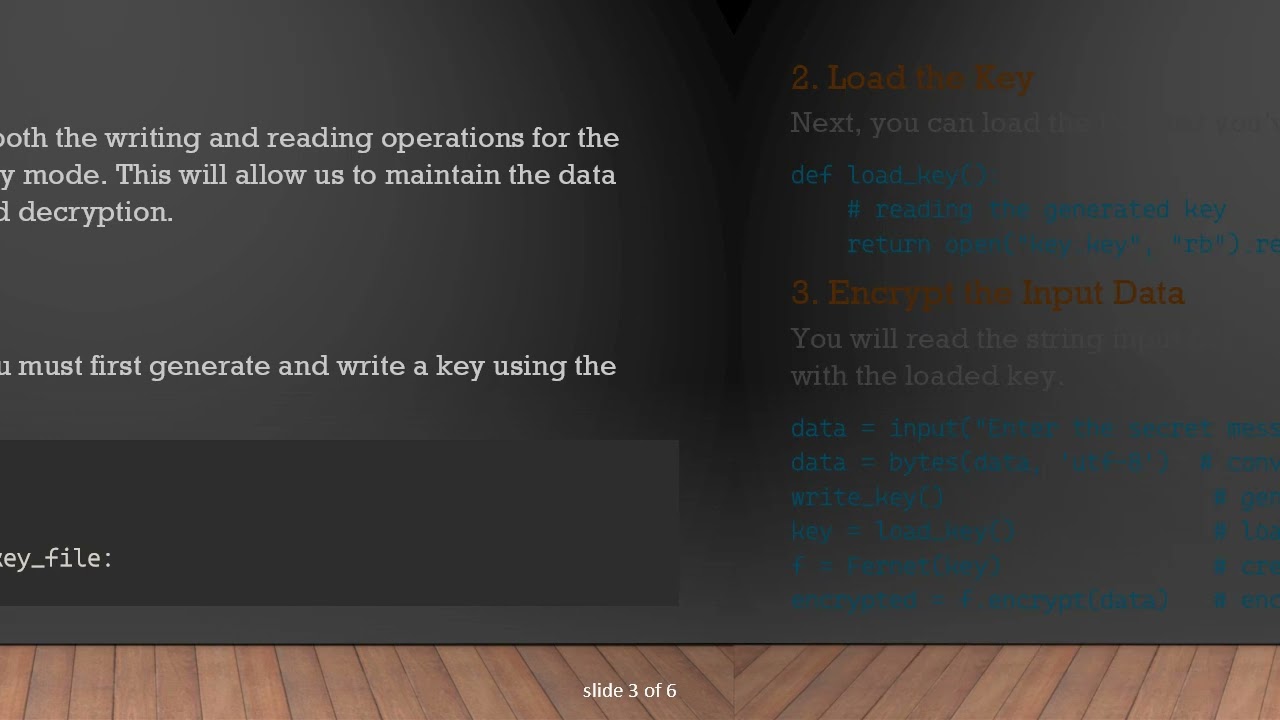
The solution involves ensuring that both the writing and reading operations for the encrypted data are handled in binary mode. This will allow us to maintain the data integrity required for encryption and decryption.
Step-by-Step Breakdown
1. Generate and Write the Key
Before you can encrypt any data, you must first generate and write a key using the write_key() function.
[[See Video to Reveal this Text or Code Snippet]]
2. Load the Key
Next, you can load the key that you’ve generated with the load_key() function.
[[See Video to Reveal this Text or Code Snippet]]
3. Encrypt the Input Data
You will read the string input from the user, convert it to bytes, and then encrypt it with the loaded key.
[[See Video to Reveal this Text or Code Snippet]]
4. Save Encrypted Data to a File
Here’s the key step: ensure you open the file in binary write mode to maintain the byte format.
[[See Video to Reveal this Text or Code Snippet]]
5. Read the Encrypted Data
When reading the encrypted data back, you should also do this in binary read mode.
[[See Video to Reveal this Text or Code Snippet]]
6. Decrypt the Data
Finally, you can decrypt the data directly, ensuring that rdata is indeed in bytes.
[[See Video to Reveal this Text or Code Snippet]]
Conclusion
When working with encryption in Python, especially using the Fernet module from the cryptography library, it’s crucial to handle data as bytes when writing to and reading from files. Following the steps outlined in this post will help you successfully encrypt and decrypt strings without running into common issues.
By implementing these solutions, you can protect sensitive data and ensure that your Python scripts run smoothly. Happy coding!
---
This video is based on the question https://stackoverflow.com/q/63820844/ asked by the user 'Prajwal Megalamani' ( https://stackoverflow.com/u/13227903/ ) and on the answer https://stackoverflow.com/a/63824977/ provided by the user 'Liju' ( https://stackoverflow.com/u/13608228/ ) at 'Stack Overflow' website. Thanks to these great users and Stackexchange community for their contributions.
Visit these links for original content and any more details, such as alternate solutions, latest updates/developments on topic, comments, revision history etc. For example, the original title of the Question was: I am trying to read a string encrypt it save it to a text file then read the text file read the encrypted string decrypt it in python
Also, Content (except music) licensed under CC BY-SA https://meta.stackexchange.com/help/licensing
The original Question post is licensed under the 'CC BY-SA 4.0' ( https://creativecommons.org/licenses/by-sa/4.0/ ) license, and the original Answer post is licensed under the 'CC BY-SA 4.0' ( https://creativecommons.org/licenses/by-sa/4.0/ ) license.
If anything seems off to you, please feel free to write me at vlogize [AT] gmail [DOT] com.
---
How to Successfully Use Fernet for String Encryption and Decryption in Python
Introduction
In the digital era, the security of data is paramount. One common task for developers is encrypting sensitive information. In this guide, we'll tackle a common challenge faced when using Python's cryptography library, particularly the Fernet module, to encrypt a string, save it to a text file, and then decrypt it.
The Problem
Imagine you want to read a string, encrypt it, save it to a text file, then read back that file and decrypt the encrypted string. A user encountered an issue where the data read from the text file was not in the expected format, causing a TypeError during decryption.
The error message highlights that the decryption method requires bytes, not strings. Let's delve into the solution to ensure a correct and streamlined process.
Solution Overview
The solution involves ensuring that both the writing and reading operations for the encrypted data are handled in binary mode. This will allow us to maintain the data integrity required for encryption and decryption.
Step-by-Step Breakdown
1. Generate and Write the Key
Before you can encrypt any data, you must first generate and write a key using the write_key() function.
[[See Video to Reveal this Text or Code Snippet]]
2. Load the Key
Next, you can load the key that you’ve generated with the load_key() function.
[[See Video to Reveal this Text or Code Snippet]]
3. Encrypt the Input Data
You will read the string input from the user, convert it to bytes, and then encrypt it with the loaded key.
[[See Video to Reveal this Text or Code Snippet]]
4. Save Encrypted Data to a File
Here’s the key step: ensure you open the file in binary write mode to maintain the byte format.
[[See Video to Reveal this Text or Code Snippet]]
5. Read the Encrypted Data
When reading the encrypted data back, you should also do this in binary read mode.
[[See Video to Reveal this Text or Code Snippet]]
6. Decrypt the Data
Finally, you can decrypt the data directly, ensuring that rdata is indeed in bytes.
[[See Video to Reveal this Text or Code Snippet]]
Conclusion
When working with encryption in Python, especially using the Fernet module from the cryptography library, it’s crucial to handle data as bytes when writing to and reading from files. Following the steps outlined in this post will help you successfully encrypt and decrypt strings without running into common issues.
By implementing these solutions, you can protect sensitive data and ensure that your Python scripts run smoothly. Happy coding!
Tags and Topics
Browse our collection to discover more content in these categories.
Video Information
Views
3
Duration
1:51
Published
Oct 1, 2025
Related Trending Topics
LIVE TRENDSRelated trending topics. Click any trend to explore more videos.
No specific trending topics match this video yet.
Explore All Trends