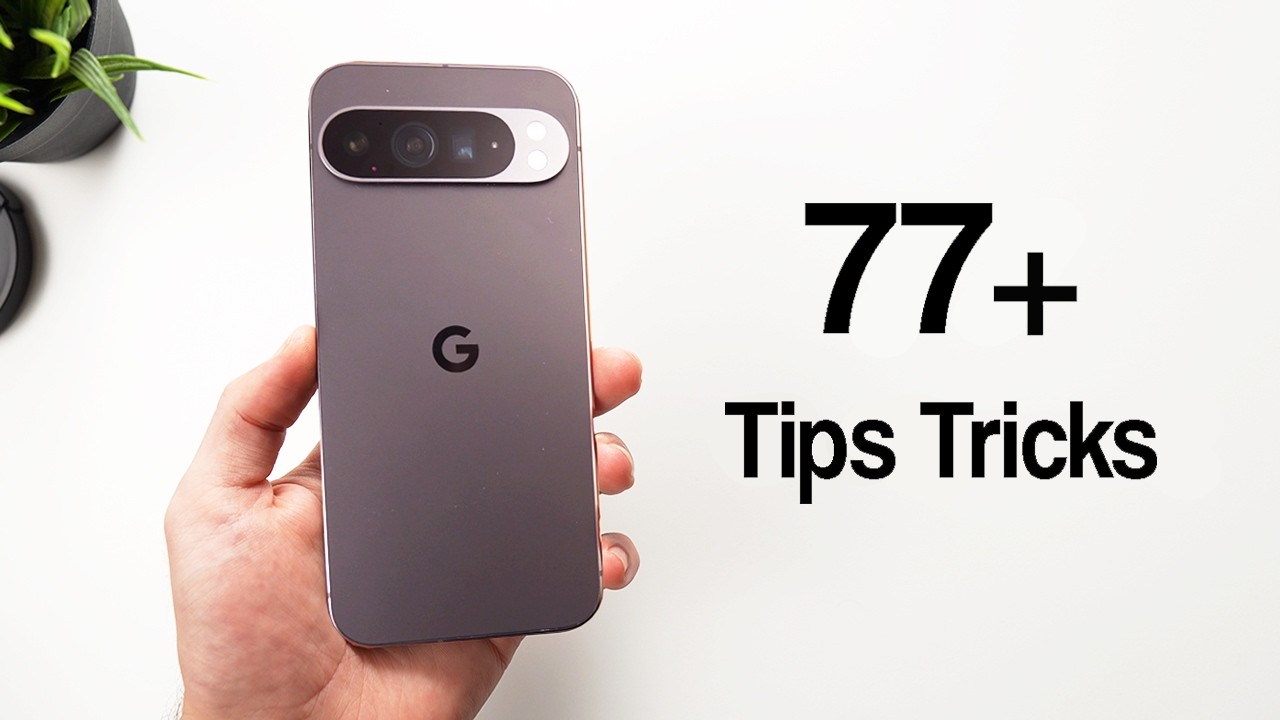
Google Pixel 9 & 9 Pro: 77+ Tips & Hidden Settings
Discover 77+ tips, tricks, and hidden settings for your Pixel 9 and 9 Pro to enhance your experience. 🟠

George Lock
212.8K views • Dec 18, 2024
About this video
This are 77+ tips, tricks settigns and features for your PIXEL 9 / 9 Pro
🟠Pixel 9 on Amazon: https://amzn.to/49Hm5M9
🟠Pixel 9 Pro on Amazon: https://amzn.to/49EZTm3
🟠Best selling smartphones of the moment: https://amzn.to/3ASVBrn
MY PC:
RTX 4070: https://amzn.to/48INMn1
RYZEN 7 5800X3D: https://amzn.to/45tsaIz
**
-Business / sponsorships:
ldockmarketing@gmail.com
**
Timestamps
00:00 Intro
00:29 New "circle to search"
01:35 New AI assistant (Gemini + image generator)
03:27 Use assistant to generate AI images
04:03 AI generated wallpapers
05:17 Make any image a 3D wallpaper
06:03 New files app
06:38 Handy "hidden folder"
07:39 Customize weather app
08:22 Check for updates!
09:15 Multiple users on the same phone!
10:43 Double tap on the back
11:27 Shake to swich cameras
12:21 One handed mode
12:55 Customize power button
13:26 Phrase shortcuts (very useful)
14:34 Notification snoozing
15:27 Flash notifications
16:08 Notification history!
16:29 Customize you control center
17:31 Improve your "auto rotate" functionality
18:23 New way to access the assistant!
19:22 Old navigation mode
19:51 Disable circle to search
20:01 Customize your dark theme
20:47 Enable always on display!
21:38 Increase the sharphess on the display
22:26 Wifi calling (great for battery life)
23:19 Free Google VPN for life!
23:49 Shazam... but even better
25:06 Smoother vibrations
25:37 Auto adjusting vibration intensity
26:01 Battery percentaje
26:23 Flip to shhh (very convenient)
27:14 Heads up functionality (for the phone addicts)
28:19 All the included Google services
28:55 Find my device
29:17 Auto Fill
29:53 Google Pay
30:03 Quick Share (better than Airdrop)
30:45 Improved night-shift mode
33:20 Photo AI enhance
34:36 Please help!
34:57 Video AI enhance
36:29 8K video!
36:57 Selfie flash
37:48 AI reframe for images
38:41 Improve the sky on any image
39:21 Golden hour look in 5 seconds!
39:39 Create AI art from your images
40:23 Add anything you want to your images (like a UFO)
41:19 Add more apps to your homescreen
42:01 Change the color of your apps
42:35 Customize your lockscreen
43:03 Add custom "quick toggles"
43:27 Text on lockscreen (great for safety)
44:00 Cusotm emoji wallpapers
44:37 Smart icons (very interesting)
45:37 Outro
This video contains links to Amazon that are part of the agreement with their Associates Program. In any case, all the recommendations and offers that I publish are made freely and without responding to any request or agreement with the brand of the product in question, unless expressly indicated in the video.
🟠Pixel 9 on Amazon: https://amzn.to/49Hm5M9
🟠Pixel 9 Pro on Amazon: https://amzn.to/49EZTm3
🟠Best selling smartphones of the moment: https://amzn.to/3ASVBrn
MY PC:
RTX 4070: https://amzn.to/48INMn1
RYZEN 7 5800X3D: https://amzn.to/45tsaIz
**
-Business / sponsorships:
ldockmarketing@gmail.com
**
Timestamps
00:00 Intro
00:29 New "circle to search"
01:35 New AI assistant (Gemini + image generator)
03:27 Use assistant to generate AI images
04:03 AI generated wallpapers
05:17 Make any image a 3D wallpaper
06:03 New files app
06:38 Handy "hidden folder"
07:39 Customize weather app
08:22 Check for updates!
09:15 Multiple users on the same phone!
10:43 Double tap on the back
11:27 Shake to swich cameras
12:21 One handed mode
12:55 Customize power button
13:26 Phrase shortcuts (very useful)
14:34 Notification snoozing
15:27 Flash notifications
16:08 Notification history!
16:29 Customize you control center
17:31 Improve your "auto rotate" functionality
18:23 New way to access the assistant!
19:22 Old navigation mode
19:51 Disable circle to search
20:01 Customize your dark theme
20:47 Enable always on display!
21:38 Increase the sharphess on the display
22:26 Wifi calling (great for battery life)
23:19 Free Google VPN for life!
23:49 Shazam... but even better
25:06 Smoother vibrations
25:37 Auto adjusting vibration intensity
26:01 Battery percentaje
26:23 Flip to shhh (very convenient)
27:14 Heads up functionality (for the phone addicts)
28:19 All the included Google services
28:55 Find my device
29:17 Auto Fill
29:53 Google Pay
30:03 Quick Share (better than Airdrop)
30:45 Improved night-shift mode
33:20 Photo AI enhance
34:36 Please help!
34:57 Video AI enhance
36:29 8K video!
36:57 Selfie flash
37:48 AI reframe for images
38:41 Improve the sky on any image
39:21 Golden hour look in 5 seconds!
39:39 Create AI art from your images
40:23 Add anything you want to your images (like a UFO)
41:19 Add more apps to your homescreen
42:01 Change the color of your apps
42:35 Customize your lockscreen
43:03 Add custom "quick toggles"
43:27 Text on lockscreen (great for safety)
44:00 Cusotm emoji wallpapers
44:37 Smart icons (very interesting)
45:37 Outro
This video contains links to Amazon that are part of the agreement with their Associates Program. In any case, all the recommendations and offers that I publish are made freely and without responding to any request or agreement with the brand of the product in question, unless expressly indicated in the video.
Video Information
Views
212.8K
Likes
4.3K
Duration
45:57
Published
Dec 18, 2024
User Reviews
4.7
(42) Related Trending Topics
LIVE TRENDSRelated trending topics. Click any trend to explore more videos.
No specific trending topics match this video yet.
Explore All Trends