Google Files Safe Folder Password Reset | #shorts
Learn how to reset your Google Files Safe Folder password in this quick tutorial. Step-by-step guidance to regain access if you've forgotten your password.

Vance Tech Shorts
1.3M views • May 28, 2023
About this video
Google Files Safe Folder Forgot Password | #shorts #googlefiles
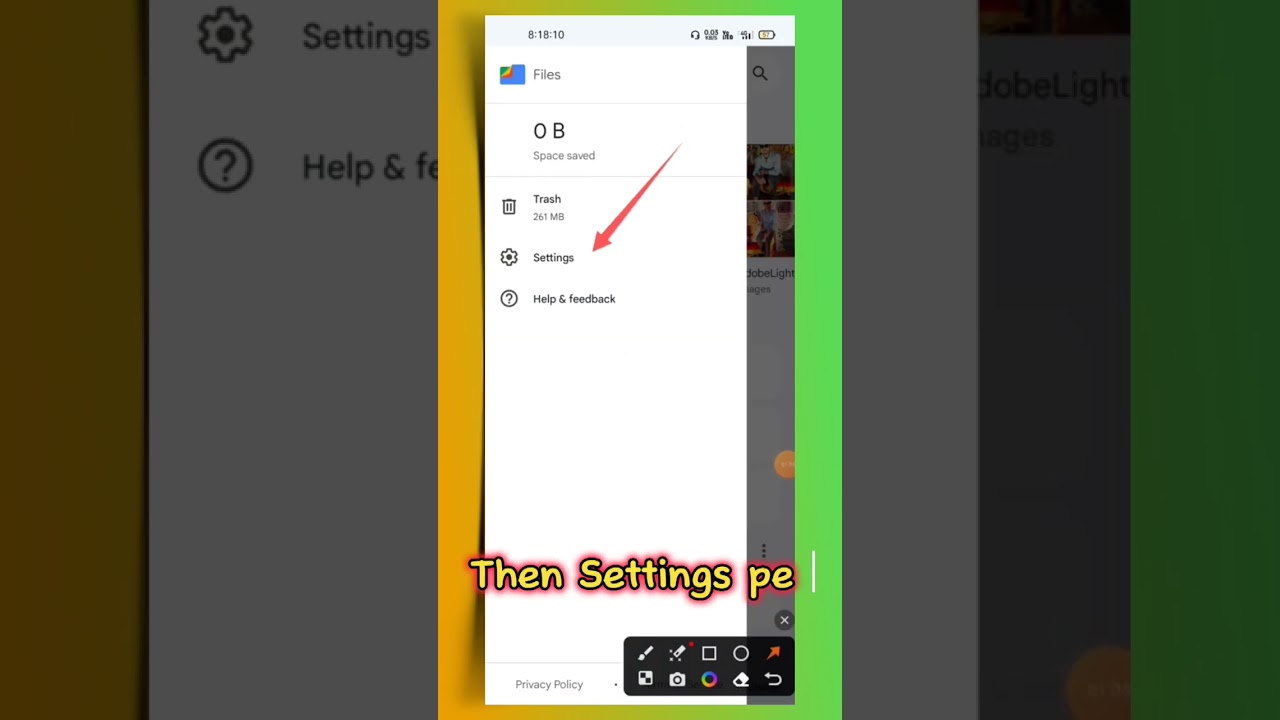
In this video, I will show you how to reset your Google Files Safe Folder password. If you have forgotten your password, you will not be able to access the files in your Safe Folder. To reset your password, you will need to follow these steps:
Open the Files by Google app on your Android device.
Tap the three dots in the top right corner of the screen.
Select "Settings".
Tap "Safe folder".
Tap "Reset your Safe folder".
In the confirmation dialogue, tap "Reset".
Once you have reset your password, you will be able to access your Safe Folder again. However, you will need to re-add all of the files that were in the folder.
Here are some tips for creating a strong password for your Google Files Safe Folder:
Use a combination of upper and lowercase letters, numbers, and symbols
Make your password at least 8 characters long.
Avoid using common words or phrases
Do not use the same password for multiple accounts.
By following these tips
you can help to keep your Google Files Safe Folder secure
Google Files Safe Folder
forgot password
reset password
google files safe folder forgot password
files by google safe folder forgot password
files by google safe folder forgot
password
how to forgot safe folder password in google files files go safe folder forgot password
files by google safe folder forgot passward
files safe folder forgot password
google file - safe folder password forget
files safe folder forgot password 2023
files go safe folder forgot passward
google files safe folder password change
In this video, I will show you how to reset your Google Files Safe Folder password. If you have forgotten your password, you will not be able to access the files in your Safe Folder. To reset your password, you will need to follow these steps:
Open the Files by Google app on your Android device.
Tap the three dots in the top right corner of the screen.
Select "Settings".
Tap "Safe folder".
Tap "Reset your Safe folder".
In the confirmation dialogue, tap "Reset".
Once you have reset your password, you will be able to access your Safe Folder again. However, you will need to re-add all of the files that were in the folder.
Here are some tips for creating a strong password for your Google Files Safe Folder:
Use a combination of upper and lowercase letters, numbers, and symbols
Make your password at least 8 characters long.
Avoid using common words or phrases
Do not use the same password for multiple accounts.
By following these tips
you can help to keep your Google Files Safe Folder secure
Google Files Safe Folder
forgot password
reset password
google files safe folder forgot password
files by google safe folder forgot password
files by google safe folder forgot
password
how to forgot safe folder password in google files files go safe folder forgot password
files by google safe folder forgot passward
files safe folder forgot password
google file - safe folder password forget
files safe folder forgot password 2023
files go safe folder forgot passward
google files safe folder password change
Tags and Topics
Browse our collection to discover more content in these categories.
Video Information
Views
1.3M
Duration
0:21
Published
May 28, 2023
User Reviews
4.0
(252) Related Trending Topics
LIVE TRENDSRelated trending topics. Click any trend to explore more videos.
No specific trending topics match this video yet.
Explore All Trends