Getting started with SwiftUI with Xcode 26 for beginners (How to make an app 2026)
Learn Swift and Xcode from scratch in 2026. This complete beginner's guide covers modern iOS app development using SwiftUI, Xcode 26, and Swift 6 – everythin...

NDC
18.8K views • Jan 4, 2026
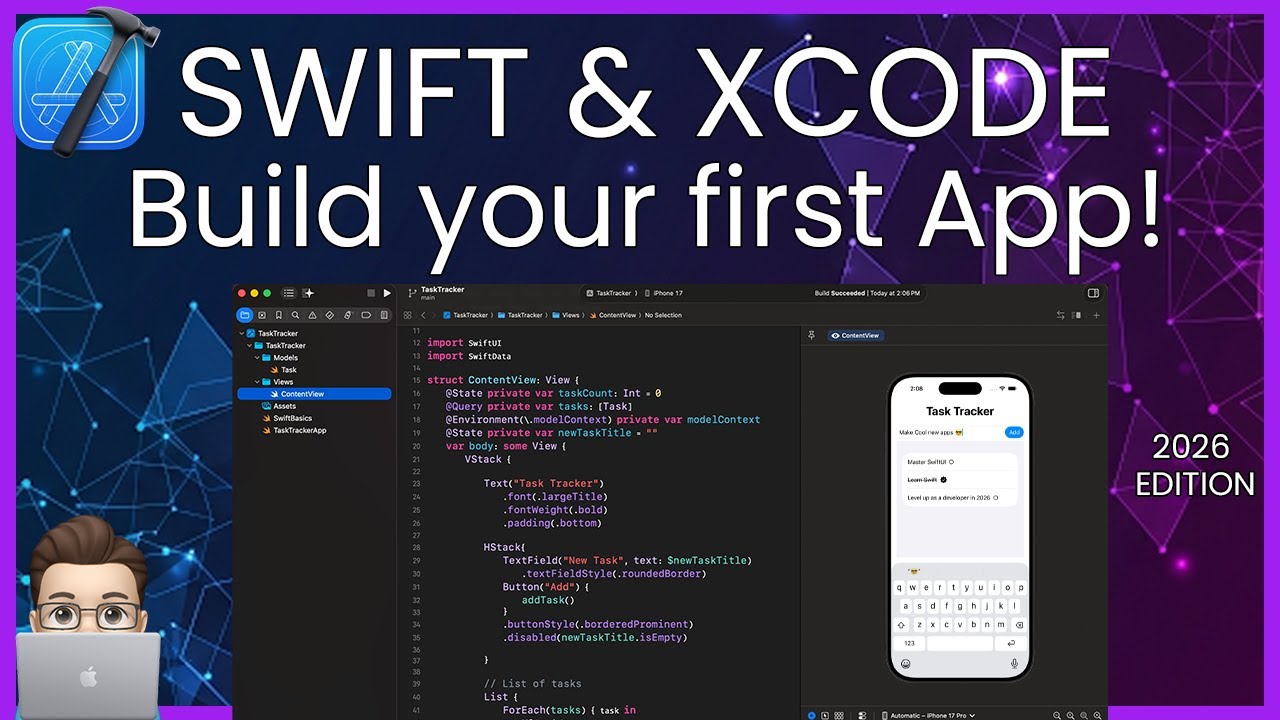
About this video
Learn Swift and Xcode from scratch in 2026. This complete beginner's guide covers modern iOS app development using SwiftUI, Xcode 26, and Swift 6 – everything you need to build real apps today.
🤔In this tutorial, you'll learn:
- Setting up Xcode 26 and understanding the interface
- Swift 6 fundamentals (variables, functions, data types)
- Building UI with SwiftUI (the declarative framework Apple uses)
- Creating your first functional iOS app
- Modern development workflows used by professional developers
- Where to go next in your iOS development journey
Perfect for complete beginners with no prior coding experience, developers switching to iOS, or anyone who wants to understand how apps are built in 2026.
🎯 What makes this different:
This isn't a multi-part series – it's one comprehensive foundation guide reflecting how Swift and SwiftUI are actually used in 2026. No outdated patterns, no deprecated code.
📱 What we build:
A real task tracking app with modern SwiftUI patterns, data persistence, and professional structure.
🖼 Try It Yourself!
Clone or download the full demo project here:
📁 Demo Template: https://github.com/NDCSwift/TaskTracker-2026SwiftUITutorial
⏱️Timestamps
00:00 - Why Swift & SwiftUI in 2026
00:27 - Installing Xcode 26 (Mac requirements)
02:01 - Project creation
04:00 - Xcode Interface Tour
06:05 - Swift 6 Basics (Variables, Types, Functions)
15:30 - SwiftUI Fundamentals (Views, Modifiers, State)
24:18 - Creating Task Model
26:59 - Building the Task App UI
30:27 - Adding Lists & ForEach
36:21 - Task Creation Function
38:38 - User defined task creation (TextField & Button)
41:48 - Toggling an action with onTapGesture
45:03 - Swipe to Delete
47:46 - Testing on Simulator
55:22 - Data Persistence with SwiftData
58:34 - Professional Project Structure
01:00:44 - Debugging Tips & Common Errors
01:04:42 - Next Steps & Learning Resources
🔗 Resources mentioned:
- Apple's Swift Documentation: https://swift.org/documentation
- My SwiftUI playlists https://www.youtube.com/playlist?list=PLbeGXTt3IOd9-PMvAvpwTOXfV3T8h6jfM
SwiftUI elements master class: https://www.youtube.com/playlist?list=PLbeGXTt3IOd-VfYke1zU0EERFh0Lw9elz
- Xcode Download: https://developer.apple.com/xcode
- Apple's SwiftUI Tutorials: https://developer.apple.com/tutorials/develop-in-swift
💡 Continue your journey:
Check out my channel for intermediate SwiftUI tutorials, development guides, and real-world app architecture breakdowns.
#SwiftTutorial #XcodeTutorial #iOSDevelopment #SwiftUI #LearnToCode #AppDevelopment #Swift6 #Xcode26 #Programming #BeginnerTutorial
🤔In this tutorial, you'll learn:
- Setting up Xcode 26 and understanding the interface
- Swift 6 fundamentals (variables, functions, data types)
- Building UI with SwiftUI (the declarative framework Apple uses)
- Creating your first functional iOS app
- Modern development workflows used by professional developers
- Where to go next in your iOS development journey
Perfect for complete beginners with no prior coding experience, developers switching to iOS, or anyone who wants to understand how apps are built in 2026.
🎯 What makes this different:
This isn't a multi-part series – it's one comprehensive foundation guide reflecting how Swift and SwiftUI are actually used in 2026. No outdated patterns, no deprecated code.
📱 What we build:
A real task tracking app with modern SwiftUI patterns, data persistence, and professional structure.
🖼 Try It Yourself!
Clone or download the full demo project here:
📁 Demo Template: https://github.com/NDCSwift/TaskTracker-2026SwiftUITutorial
⏱️Timestamps
00:00 - Why Swift & SwiftUI in 2026
00:27 - Installing Xcode 26 (Mac requirements)
02:01 - Project creation
04:00 - Xcode Interface Tour
06:05 - Swift 6 Basics (Variables, Types, Functions)
15:30 - SwiftUI Fundamentals (Views, Modifiers, State)
24:18 - Creating Task Model
26:59 - Building the Task App UI
30:27 - Adding Lists & ForEach
36:21 - Task Creation Function
38:38 - User defined task creation (TextField & Button)
41:48 - Toggling an action with onTapGesture
45:03 - Swipe to Delete
47:46 - Testing on Simulator
55:22 - Data Persistence with SwiftData
58:34 - Professional Project Structure
01:00:44 - Debugging Tips & Common Errors
01:04:42 - Next Steps & Learning Resources
🔗 Resources mentioned:
- Apple's Swift Documentation: https://swift.org/documentation
- My SwiftUI playlists https://www.youtube.com/playlist?list=PLbeGXTt3IOd9-PMvAvpwTOXfV3T8h6jfM
SwiftUI elements master class: https://www.youtube.com/playlist?list=PLbeGXTt3IOd-VfYke1zU0EERFh0Lw9elz
- Xcode Download: https://developer.apple.com/xcode
- Apple's SwiftUI Tutorials: https://developer.apple.com/tutorials/develop-in-swift
💡 Continue your journey:
Check out my channel for intermediate SwiftUI tutorials, development guides, and real-world app architecture breakdowns.
#SwiftTutorial #XcodeTutorial #iOSDevelopment #SwiftUI #LearnToCode #AppDevelopment #Swift6 #Xcode26 #Programming #BeginnerTutorial
Tags and Topics
Browse our collection to discover more content in these categories.
Video Information
Views
18.8K
Likes
469
Duration
01:06:24
Published
Jan 4, 2026
User Reviews
4.6
(3) Related Trending Topics
LIVE TRENDSRelated trending topics. Click any trend to explore more videos.
No specific trending topics match this video yet.
Explore All Trends