Getting Started with Simulink: Building and Simulating a Basic Model
An introductory guide for new users to build and simulate a simple Simulink model, including an overview of basic blocks and modeling techniques.

MATLAB
1.3M views • Dec 4, 2017
About this video
Get started using Simulink® with this introduction for new users. Explore the Simulink start page and learn how to use several of the basic blocks and modeling components.
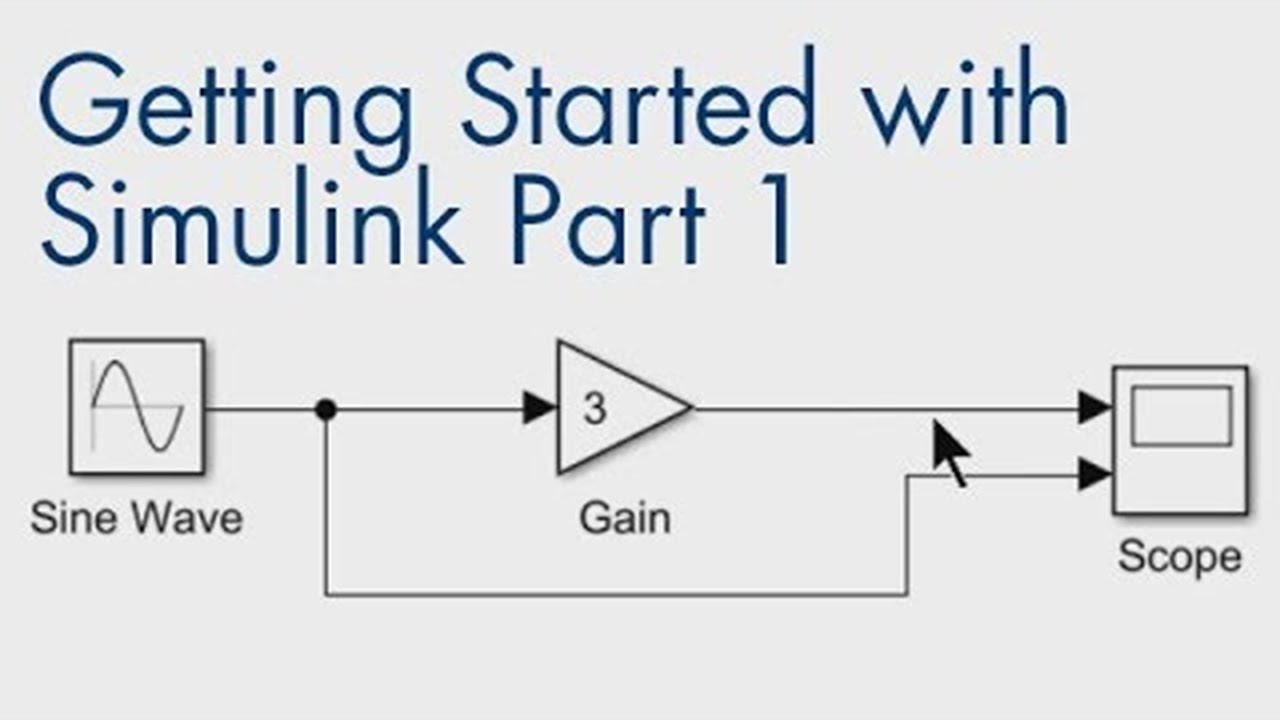
The example shows how to build a simple Simulink model that takes a sine wave input and amplifies it. You’ll learn how Simulink makes it easy to drag and drop blocks into your model. Once the model is complete, you can run your simulation and use visualization to verify that your model behaves as expected.
If you want to learn more about Simulink, check out these resources:
- Simulink for controls: Getting Started with Simulink for Con...
- Simulink for signal processing: Getting Started with Simulink for Sig...
- Simulink Getting Started playlist: Getting Started with Simulink
- Learn more about Simulink: https://goo.gl/nqnbLe
- Explore other resources: https://goo.gl/A68eLC
--------------------------------------------------------------------------------------------------------
Get a free product trial: https://goo.gl/ZHFb5u
Learn more about MATLAB: https://goo.gl/8QV7ZZ
Learn more about Simulink: https://goo.gl/nqnbLe
See what's new in MATLAB and Simulink: https://goo.gl/pgGtod
© 2024 The MathWorks, Inc. MATLAB and Simulink are registered trademarks of The MathWorks, Inc.
See www.mathworks.com/trademarks for a list of additional trademarks. Other product or brand names may be trademarks or registered trademarks of their respective holders.
The example shows how to build a simple Simulink model that takes a sine wave input and amplifies it. You’ll learn how Simulink makes it easy to drag and drop blocks into your model. Once the model is complete, you can run your simulation and use visualization to verify that your model behaves as expected.
If you want to learn more about Simulink, check out these resources:
- Simulink for controls: Getting Started with Simulink for Con...
- Simulink for signal processing: Getting Started with Simulink for Sig...
- Simulink Getting Started playlist: Getting Started with Simulink
- Learn more about Simulink: https://goo.gl/nqnbLe
- Explore other resources: https://goo.gl/A68eLC
--------------------------------------------------------------------------------------------------------
Get a free product trial: https://goo.gl/ZHFb5u
Learn more about MATLAB: https://goo.gl/8QV7ZZ
Learn more about Simulink: https://goo.gl/nqnbLe
See what's new in MATLAB and Simulink: https://goo.gl/pgGtod
© 2024 The MathWorks, Inc. MATLAB and Simulink are registered trademarks of The MathWorks, Inc.
See www.mathworks.com/trademarks for a list of additional trademarks. Other product or brand names may be trademarks or registered trademarks of their respective holders.
Tags and Topics
Browse our collection to discover more content in these categories.
Video Information
Views
1.3M
Likes
11.8K
Duration
9:03
Published
Dec 4, 2017
User Reviews
4.5
(266) Related Trending Topics
LIVE TRENDSRelated trending topics. Click any trend to explore more videos.
No specific trending topics match this video yet.
Explore All Trends