Galaxy S23: Create & Send Group Messages 📱
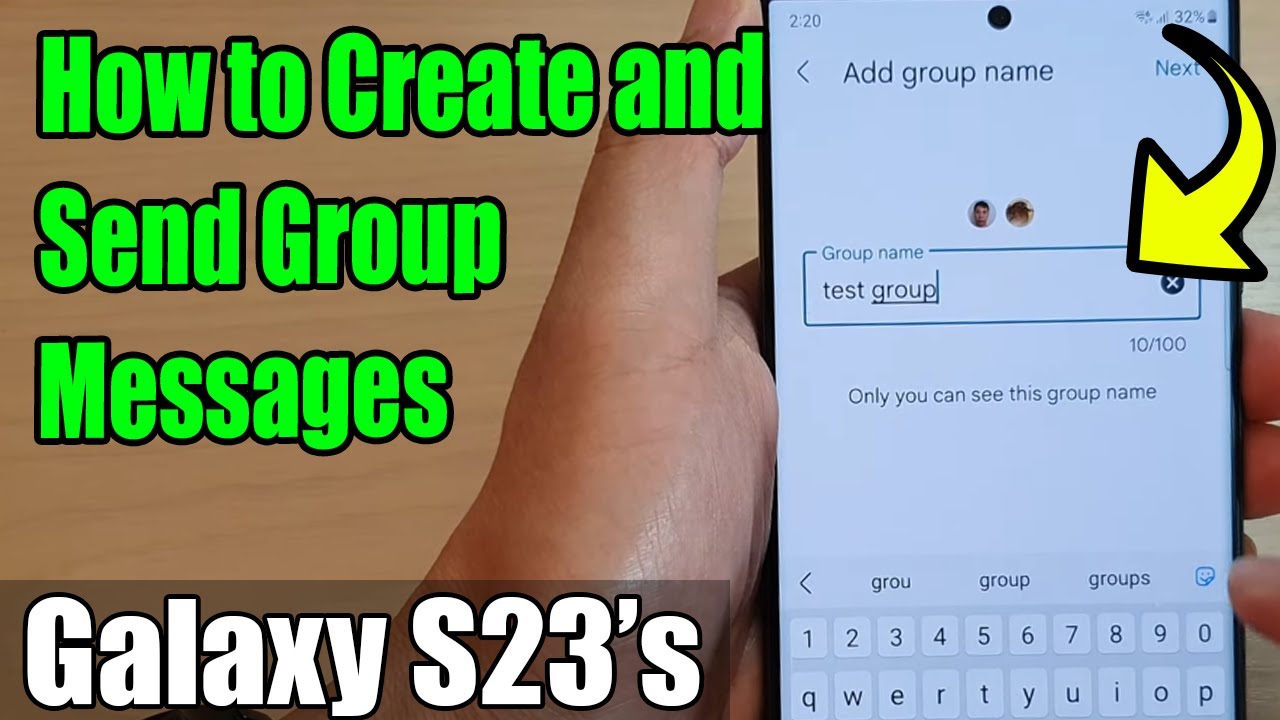
Learn how to create and send group messages on Galaxy S23/S23+ with Android 13 in this quick guide.
ITJungles
109.4K views • Feb 28, 2023
About this video
Learn how you can create and send group messages on the Samsung Galaxy S23/S23+/Ultra.
This demonstration is running on Android 13.
To Donate to ITJUNGLES so I can keep making relevant videos on newer electronics, use https://gofund.me/f7364b87.
Group messages on the Samsung Galaxy S23 allow you to send a single message to multiple recipients simultaneously. This feature is useful when you want to send a message to a group of people, such as your family, friends, or colleagues, without having to send the same message to each person individually.
To send a group message on your Samsung Galaxy S23, follow these steps:
1. Open the Messages app on your Samsung Galaxy S23.
2. Tap on the "New Message" icon in the lower-right corner of the screen.
3. In the "To" field, start typing the names or phone numbers of the contacts you want to include in the group message. As you type, you will see suggestions for contacts that match the text you've entered. Tap on the contact you want to add to the group message to select them.
4. Once you've selected all the contacts you want to include in the group message, type your message in the message field.
5. Tap the "Send" button to send the message to all the selected contacts.
When you send a group message, all the recipients will receive the same message. Each recipient will be able to see who else was included in the group message.
It's important to note that group messages may be sent as MMS messages, which may count against your data plan if you're not using a messaging app that supports RCS (Rich Communication Services). Additionally, some carriers may limit the number of recipients that can be included in a single group message.
#Messages, #GroupMessages, #TextMessages, #MMS, #Messaging, #GroupMessaging, #ContactManagement, #Communication, #DataUsage, #RCS, #MessagingApp
Gears I use:
Velbon Sherpa 200 R/F Tripod With 3 Way Panhead https://amzn.to/2IuyFGa
Rode VideoMic Pro+ Compact Directional Microphone: https://amzn.to/36w0pme
#Commissions Earned
As an Amazon Associate, I earn from qualifying purchases
FOLLOW US ON TWITTER: http://bit.ly/10Glst1
LIKE US ON FACEBOOK: http://on.fb.me/ZKP4nU
http://www.itjungles.com
ITJungles assumes no liability for property damage or injury incurred as a result of any of the information contained in this video. ITJungles recommends safe practices when working with electrical tools, power equipment, automotive lifts, lifting tools, electrical equipment, blunt instruments, chemicals, lubricants, expensive electronics, or any other tools or equipment seen or implied in this video. Due to factors beyond the control of ITJungles, no information contained in this video shall create any express or implied warranty or guarantee of any particular result. Any injury, damage, or loss that may result from improper use of these tools, equipment, or the information contained in this video is the sole responsibility of the user and not ITJungles. Some repairs are easy while others maybe difficult. The level of difficulty depends on your personal experience. Only attempt your own repairs if you can accept personal responsibility for the results, whether they are good or bad.
The above may contain affiliate links.
This demonstration is running on Android 13.
To Donate to ITJUNGLES so I can keep making relevant videos on newer electronics, use https://gofund.me/f7364b87.
Group messages on the Samsung Galaxy S23 allow you to send a single message to multiple recipients simultaneously. This feature is useful when you want to send a message to a group of people, such as your family, friends, or colleagues, without having to send the same message to each person individually.
To send a group message on your Samsung Galaxy S23, follow these steps:
1. Open the Messages app on your Samsung Galaxy S23.
2. Tap on the "New Message" icon in the lower-right corner of the screen.
3. In the "To" field, start typing the names or phone numbers of the contacts you want to include in the group message. As you type, you will see suggestions for contacts that match the text you've entered. Tap on the contact you want to add to the group message to select them.
4. Once you've selected all the contacts you want to include in the group message, type your message in the message field.
5. Tap the "Send" button to send the message to all the selected contacts.
When you send a group message, all the recipients will receive the same message. Each recipient will be able to see who else was included in the group message.
It's important to note that group messages may be sent as MMS messages, which may count against your data plan if you're not using a messaging app that supports RCS (Rich Communication Services). Additionally, some carriers may limit the number of recipients that can be included in a single group message.
#Messages, #GroupMessages, #TextMessages, #MMS, #Messaging, #GroupMessaging, #ContactManagement, #Communication, #DataUsage, #RCS, #MessagingApp
Gears I use:
Velbon Sherpa 200 R/F Tripod With 3 Way Panhead https://amzn.to/2IuyFGa
Rode VideoMic Pro+ Compact Directional Microphone: https://amzn.to/36w0pme
#Commissions Earned
As an Amazon Associate, I earn from qualifying purchases
FOLLOW US ON TWITTER: http://bit.ly/10Glst1
LIKE US ON FACEBOOK: http://on.fb.me/ZKP4nU
http://www.itjungles.com
ITJungles assumes no liability for property damage or injury incurred as a result of any of the information contained in this video. ITJungles recommends safe practices when working with electrical tools, power equipment, automotive lifts, lifting tools, electrical equipment, blunt instruments, chemicals, lubricants, expensive electronics, or any other tools or equipment seen or implied in this video. Due to factors beyond the control of ITJungles, no information contained in this video shall create any express or implied warranty or guarantee of any particular result. Any injury, damage, or loss that may result from improper use of these tools, equipment, or the information contained in this video is the sole responsibility of the user and not ITJungles. Some repairs are easy while others maybe difficult. The level of difficulty depends on your personal experience. Only attempt your own repairs if you can accept personal responsibility for the results, whether they are good or bad.
The above may contain affiliate links.
Tags and Topics
Browse our collection to discover more content in these categories.
Video Information
Views
109.4K
Likes
288
Duration
2:10
Published
Feb 28, 2023
User Reviews
4.0
(21) Related Trending Topics
LIVE TRENDSRelated trending topics. Click any trend to explore more videos.
No specific trending topics match this video yet.
Explore All Trends