FreeCAD Beginner Tutorial: Create a Tyre Defect Gauge in 1 Minute
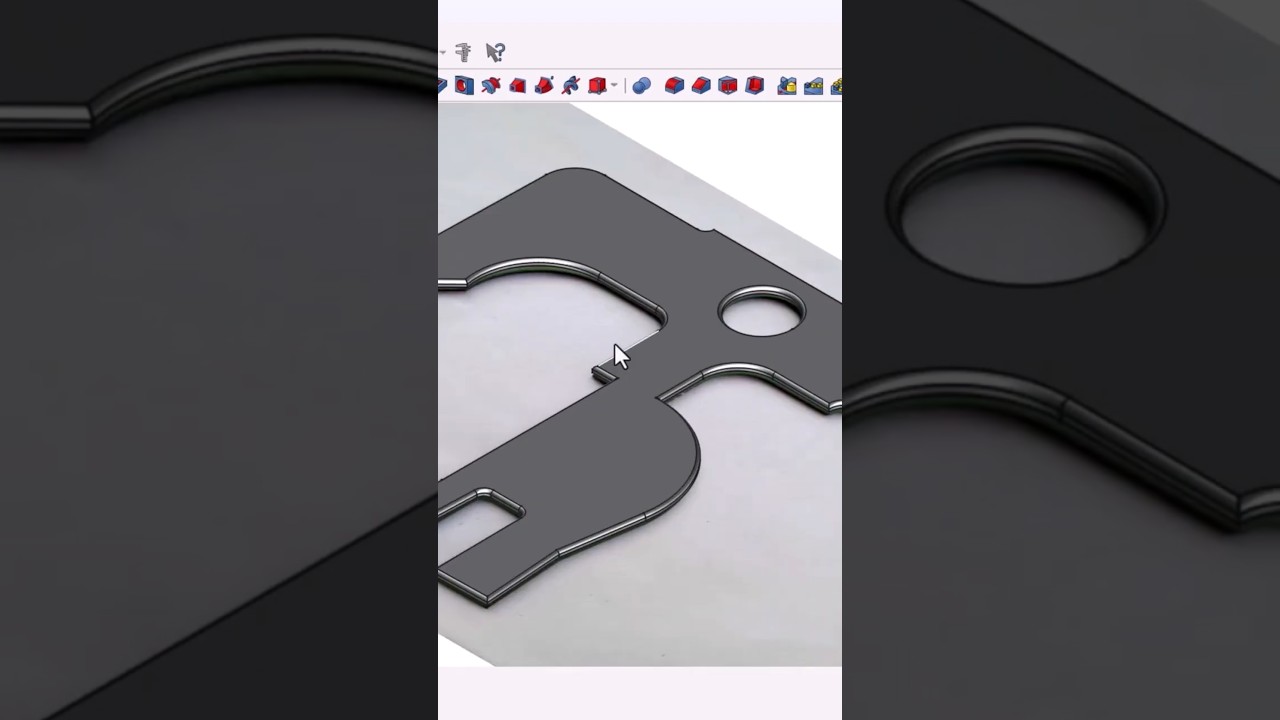
Learn how to quickly create a Tyre Defect Gauge using FreeCAD's Part Design Workbench. This tutorial is perfect for beginners interested in 3D modeling and 3D printing.

CAD CAM COURSE
42.1K views • Mar 26, 2025
About this video
Learn FreeCAD Fast! In this 1-minute tutorial, we’ll create a Tyre Defect Gauge using the Part Design Workbench in FreeCAD. This gauge is used to check defects on rail wheels. We’ll import an image, trace the outline, extrude the shape, and export it as an STL file for 3D printing. Perfect for beginners!
📌 Chapters:
00:00 Intro
00:05 Import & Calibrate Image
00:15 Trace & Adjust Sketch
00:30 Extrude & Apply Fillets
00:45 Export STL
00:55 Outro
✅ Don’t forget to Like, Share & Subscribe for more FreeCAD tutorials!
🔔 Turn on notifications for updates!
📥 Download the reference image file: https://ko-fi.com/s/db8088bd9b
#FreeCAD #CADTutorial #3DModeling #FreeCADTutorial #RailwayGauge #3DPrinting #EngineeringDesign #CADCAM #Shorts #FreeCADBeginners
📌 Chapters:
00:00 Intro
00:05 Import & Calibrate Image
00:15 Trace & Adjust Sketch
00:30 Extrude & Apply Fillets
00:45 Export STL
00:55 Outro
✅ Don’t forget to Like, Share & Subscribe for more FreeCAD tutorials!
🔔 Turn on notifications for updates!
📥 Download the reference image file: https://ko-fi.com/s/db8088bd9b
#FreeCAD #CADTutorial #3DModeling #FreeCADTutorial #RailwayGauge #3DPrinting #EngineeringDesign #CADCAM #Shorts #FreeCADBeginners
Tags and Topics
Browse our collection to discover more content in these categories.
Video Information
Views
42.1K
Likes
1.2K
Duration
0:38
Published
Mar 26, 2025
User Reviews
4.7
(8) Related Trending Topics
LIVE TRENDSRelated trending topics. Click any trend to explore more videos.
No specific trending topics match this video yet.
Explore All Trends