Fullstack Project Folder Structure 🗂️
Learn how to organize your fullstack project folders effectively. Discover what each directory represents for better project management.

🇧🇩Duo Dev Logs
42.3K views • Jun 20, 2023
About this video
Structuring your fullstack projects
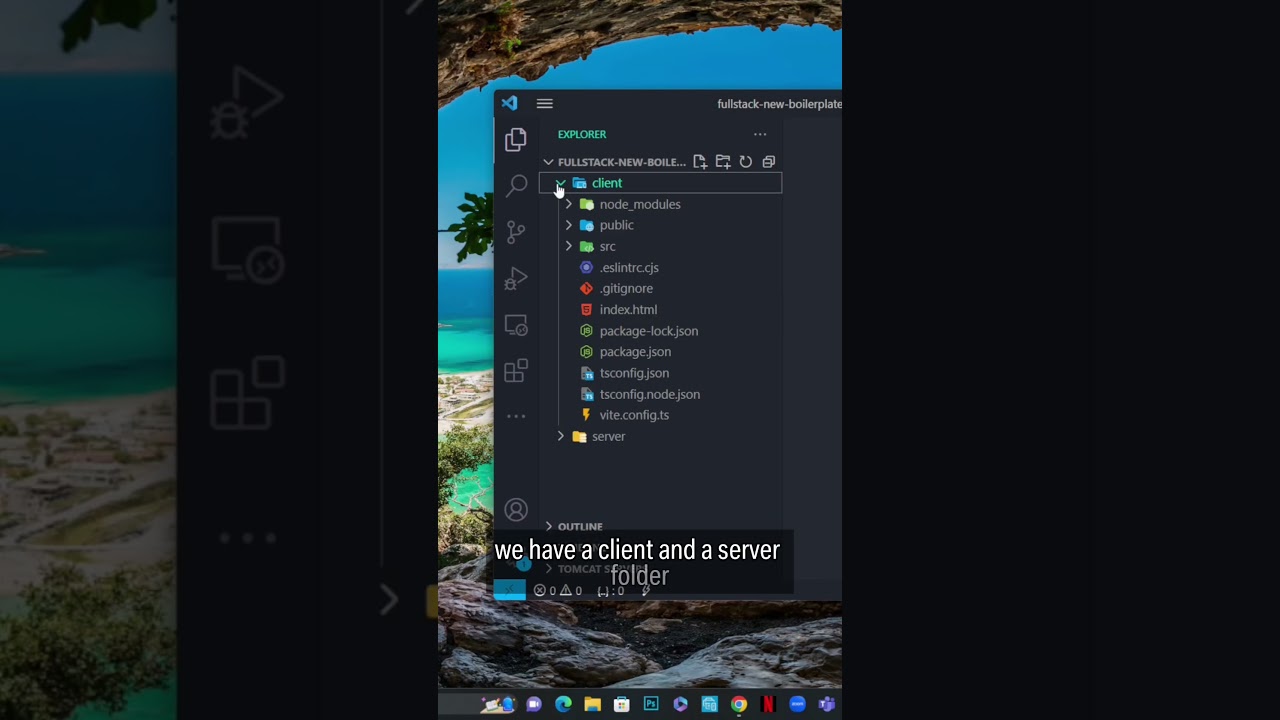
In this video I showed how I structure my fullstack projects. Now let’s see what these folders represent.
For client/frontend:
/components
Contains all the components being used in your project, usually without side-effects.
/config
Configuration files for 3rd party API’s, and environmental variables. Similar to the config files you’d normally place in your project’s root directory.
/features
Contains components made up of other components in your project. They usually include side effects and have specific use cases. For example, a component containing a of product reviews, user authentication details..etc.
/lib
From the looks at the example, you could use it to expose variables from API requests. Looks to me like a custom API built within the application used globally.
/providers
It looks like its tailored to theme providers or similar services.
For server/backend
/Controllers- This folder would contain all the functions for your APIs.
/Routes- This folder would contain all the routes that you have created using Express Router and what they do would be exported from a Controller file.
/Models- This folder would contain all your schema files and and the functions required for the schema would also lie over here.
/Middleware- This folder would contain all the middleware that you have created, whether it be authentication/some other function.
/Utils(Optional)- The common functions that you would require multiple times throughout your code.
Save this and structure your projects neatly.
Don’t forget to follow @codewithishraq
#webdevelopment #frontenddevelopment #backenddevelopment #fullstackdevelopment #html #css #javascript #typescript #reactjs #nodejs #mongodb #mysql #postgresql #git
In this video I showed how I structure my fullstack projects. Now let’s see what these folders represent.
For client/frontend:
/components
Contains all the components being used in your project, usually without side-effects.
/config
Configuration files for 3rd party API’s, and environmental variables. Similar to the config files you’d normally place in your project’s root directory.
/features
Contains components made up of other components in your project. They usually include side effects and have specific use cases. For example, a component containing a of product reviews, user authentication details..etc.
/lib
From the looks at the example, you could use it to expose variables from API requests. Looks to me like a custom API built within the application used globally.
/providers
It looks like its tailored to theme providers or similar services.
For server/backend
/Controllers- This folder would contain all the functions for your APIs.
/Routes- This folder would contain all the routes that you have created using Express Router and what they do would be exported from a Controller file.
/Models- This folder would contain all your schema files and and the functions required for the schema would also lie over here.
/Middleware- This folder would contain all the middleware that you have created, whether it be authentication/some other function.
/Utils(Optional)- The common functions that you would require multiple times throughout your code.
Save this and structure your projects neatly.
Don’t forget to follow @codewithishraq
#webdevelopment #frontenddevelopment #backenddevelopment #fullstackdevelopment #html #css #javascript #typescript #reactjs #nodejs #mongodb #mysql #postgresql #git
Video Information
Views
42.3K
Likes
576
Duration
0:20
Published
Jun 20, 2023
User Reviews
4.5
(8) Related Trending Topics
LIVE TRENDSRelated trending topics. Click any trend to explore more videos.
No specific trending topics match this video yet.
Explore All Trends