Flutter Beginner Crash Course 📱
Learn Flutter basics with this beginner-friendly crash course. Download assets here: https://www.dbestech.com/tutorials/flutter-ticket-booking...

dbestech
239.2K views • Jun 7, 2024
About this video
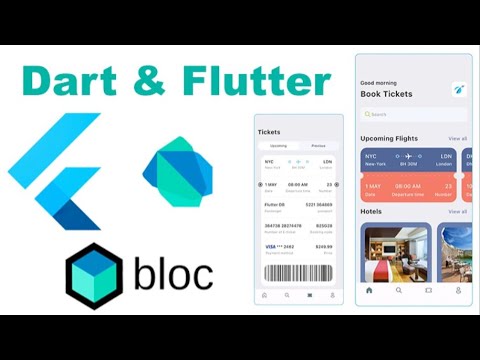
Flutter crash course for absolute beginners . Make sure you download the necessary assets from here
https://www.dbestech.com/tutorials/flutter-ticket-booking-app
Part 2
https://youtu.be/Daon3gnJheo
📚📚📚Take the course on Udemy
https://www.udemy.com/course/flutter-course-for-complete-beginners/?referralCode=98191ED64DCA7B5340BC
📚📚📚
❤️❤️❤️Take the e-commerce app❤️❤️❤️
https://youtu.be/7dAt-JMSCVQ
📕📕📕
Flutter Multi Vendor App
https://www.dbestech.com/tutorials/flutter-multi-vendor-app
Flutter Single Vendor App
https://www.dbestech.com/tutorials/flutter-food-delivery-app-e-commerce-for-ios-and-android
📕📕📕📕📕
📖📖Timeline📖
00:00:00 Introduction
00:01:02 Sow the app
00:02:00 Show the graphics
00:03:53 Show the end result
00:04:02 Download the softwares
00:05:25 Install VSCode
00:06:27 Install Android studio, platform tools and path setup for windows
00:11:24 Great project Android studio
00:16:35 Understand the project structure
00:23:31 Create a git repo for the project
00:26:24. Remove comments from main
00:28:56 About main() function
00:33:17 Understanding class and inheritance in Dart
00:46:01 Understand class and stateful class
01:01:38 MaterialApp and Scaffold
01:14:53 Create BottomNavBar class
01:21:56 BottomNavigationBarItem and add items to the List
01:33:29 Style BottomNavigationBar
01:36:11 Install icons for bottom nav bar
01:42:03 Create dummy screens for BottomNavigationBar
01:50:38 Access BottomNavigationBar's index
01:59:44 Use setState() to update BottomNavigationBar
02:03:22 Overview of the upcoming HomeScreen
02:07: 12 Understanding Container() widget
02:14:49. Understanding about other widgets
02.16:51 Understanding Horizontal and Vertical layout
02:18:27 Define widgets with layout
02:23:20 Finish header layout with widgets
02:33:32 Style Text() widgets
02:43:19 Create separate style class
02:51:06 Style Container for Image
02:56:55 Show image on the screen
03:03:35 Create a separate media file
03:10:24. Create search box layout
03:16:26 Background color and remove AppBar
03:20:42 Understand and create a reusable widget
03:38:08 Understand copyWith method and examples
03:59:13 Create TicketView widget class
04:07:44 Understand the ticketview layout
04:09:29 Style TicketView left and right border
04:13:55 TicketView destination text
04:18:11 TicketView big dots
04:22:23. Expanded widgets and count of them
04:25:50 Understanding Stack widget
04:28:45. Understand the mechanism for dynamically generation of widgets
04:32:01 Create AppLayoutBuilderWidget
04:46:08 Show and rotate plane icon
04:50:29 Understand the degree and radians for angle
04:53:34 Show names of departure and destination
04:57:27 Show the bottom part of the ticket
05:00:04 Create big circle widget for ticket end
05:11:27. Dart Ternary operator
05:16:13. Show the ticket dash
05:22:01 Change the text of the orange part
05:27:03 Style first row bottom text
05:31:35 Create reusable widgets for first row ticket
05:42:19 Create reusable widgets for bottom row ticket
05:54:59 Understanding const, final and immutibility
06:04:07 Understand dart Map & List together
06:08:56 Render data from map
06:26:01 Change map and limit number
06:31:34 Navigation and routing basics
06:39:24 Understanding Navigation and MaterialApp
06:46:36 Show all the tickets in new route
06:56:38. Use routes property for navigation
07:02:26 Create a route file
07:08:33 Dynamic navigation with callback
07:19:25 Create hotel widget
07:25:40 Show image and text on the hotel widget
07:35:56 Style hotel view
07:37:50 Load and show map data
07:42:20 Create search screen file and refactor code
07:52:42 Show title of search screen
07:59:22 Create ticket and hotel tabs
08:08:43 Reusable widgets for AppTicketTabs
08:13:17 Create AppTextIcon widget
08:24:39. Create FindTickets Widget
08:26:52 Show plane sit
08:34:19 Show bottom of the Column
08:40:15 Show the text on the right column
08:41:43 Stack widget for overlapping
08:47:50 Understand Stack Widget
08:51:14 Show text on the right column bottom
09:01:37 Refactor code
09:05:58 TicketScreen and tabs
09:21:19 Show the ticket view
09:30:06 Change ticket view top color
09:32:58 Change bottom part of the ticket color
09:42:25. Change the color of bottom text
09:54:23 Show more on the ticket screen with divider
10:06:02 Show more with reusable widgets
10:16:44 Show more with reusable widgets
10:17:44 Show the rest of the ticket detail
10:23:08 Show the big circles with positioned widget
10:30:37 Understanding the next part
10:36:32 Pass the ticket index around
10:40:57 Set up app bar and navigator
10:50:18 Grab passed index in the didChangeDependencies
10:53:58 Work on hotel routing
11:05:16 Understand GridView.builder
11:06:32 Show the grids using text of hotel view
11:07:57 Routing for hotel
11:10:56 Fix layout issue with margin
11:13:42 Introduce CustomScrollView
11:29:05 Routing for hotel detail
11:32:21 Create CustomScrollView
11:39:04 Assignments
11:45:39 Show image and title text
11:47:14 Work on the back button
https://www.dbestech.com/tutorials/flutter-ticket-booking-app
Part 2
https://youtu.be/Daon3gnJheo
📚📚📚Take the course on Udemy
https://www.udemy.com/course/flutter-course-for-complete-beginners/?referralCode=98191ED64DCA7B5340BC
📚📚📚
❤️❤️❤️Take the e-commerce app❤️❤️❤️
https://youtu.be/7dAt-JMSCVQ
📕📕📕
Flutter Multi Vendor App
https://www.dbestech.com/tutorials/flutter-multi-vendor-app
Flutter Single Vendor App
https://www.dbestech.com/tutorials/flutter-food-delivery-app-e-commerce-for-ios-and-android
📕📕📕📕📕
📖📖Timeline📖
00:00:00 Introduction
00:01:02 Sow the app
00:02:00 Show the graphics
00:03:53 Show the end result
00:04:02 Download the softwares
00:05:25 Install VSCode
00:06:27 Install Android studio, platform tools and path setup for windows
00:11:24 Great project Android studio
00:16:35 Understand the project structure
00:23:31 Create a git repo for the project
00:26:24. Remove comments from main
00:28:56 About main() function
00:33:17 Understanding class and inheritance in Dart
00:46:01 Understand class and stateful class
01:01:38 MaterialApp and Scaffold
01:14:53 Create BottomNavBar class
01:21:56 BottomNavigationBarItem and add items to the List
01:33:29 Style BottomNavigationBar
01:36:11 Install icons for bottom nav bar
01:42:03 Create dummy screens for BottomNavigationBar
01:50:38 Access BottomNavigationBar's index
01:59:44 Use setState() to update BottomNavigationBar
02:03:22 Overview of the upcoming HomeScreen
02:07: 12 Understanding Container() widget
02:14:49. Understanding about other widgets
02.16:51 Understanding Horizontal and Vertical layout
02:18:27 Define widgets with layout
02:23:20 Finish header layout with widgets
02:33:32 Style Text() widgets
02:43:19 Create separate style class
02:51:06 Style Container for Image
02:56:55 Show image on the screen
03:03:35 Create a separate media file
03:10:24. Create search box layout
03:16:26 Background color and remove AppBar
03:20:42 Understand and create a reusable widget
03:38:08 Understand copyWith method and examples
03:59:13 Create TicketView widget class
04:07:44 Understand the ticketview layout
04:09:29 Style TicketView left and right border
04:13:55 TicketView destination text
04:18:11 TicketView big dots
04:22:23. Expanded widgets and count of them
04:25:50 Understanding Stack widget
04:28:45. Understand the mechanism for dynamically generation of widgets
04:32:01 Create AppLayoutBuilderWidget
04:46:08 Show and rotate plane icon
04:50:29 Understand the degree and radians for angle
04:53:34 Show names of departure and destination
04:57:27 Show the bottom part of the ticket
05:00:04 Create big circle widget for ticket end
05:11:27. Dart Ternary operator
05:16:13. Show the ticket dash
05:22:01 Change the text of the orange part
05:27:03 Style first row bottom text
05:31:35 Create reusable widgets for first row ticket
05:42:19 Create reusable widgets for bottom row ticket
05:54:59 Understanding const, final and immutibility
06:04:07 Understand dart Map & List together
06:08:56 Render data from map
06:26:01 Change map and limit number
06:31:34 Navigation and routing basics
06:39:24 Understanding Navigation and MaterialApp
06:46:36 Show all the tickets in new route
06:56:38. Use routes property for navigation
07:02:26 Create a route file
07:08:33 Dynamic navigation with callback
07:19:25 Create hotel widget
07:25:40 Show image and text on the hotel widget
07:35:56 Style hotel view
07:37:50 Load and show map data
07:42:20 Create search screen file and refactor code
07:52:42 Show title of search screen
07:59:22 Create ticket and hotel tabs
08:08:43 Reusable widgets for AppTicketTabs
08:13:17 Create AppTextIcon widget
08:24:39. Create FindTickets Widget
08:26:52 Show plane sit
08:34:19 Show bottom of the Column
08:40:15 Show the text on the right column
08:41:43 Stack widget for overlapping
08:47:50 Understand Stack Widget
08:51:14 Show text on the right column bottom
09:01:37 Refactor code
09:05:58 TicketScreen and tabs
09:21:19 Show the ticket view
09:30:06 Change ticket view top color
09:32:58 Change bottom part of the ticket color
09:42:25. Change the color of bottom text
09:54:23 Show more on the ticket screen with divider
10:06:02 Show more with reusable widgets
10:16:44 Show more with reusable widgets
10:17:44 Show the rest of the ticket detail
10:23:08 Show the big circles with positioned widget
10:30:37 Understanding the next part
10:36:32 Pass the ticket index around
10:40:57 Set up app bar and navigator
10:50:18 Grab passed index in the didChangeDependencies
10:53:58 Work on hotel routing
11:05:16 Understand GridView.builder
11:06:32 Show the grids using text of hotel view
11:07:57 Routing for hotel
11:10:56 Fix layout issue with margin
11:13:42 Introduce CustomScrollView
11:29:05 Routing for hotel detail
11:32:21 Create CustomScrollView
11:39:04 Assignments
11:45:39 Show image and title text
11:47:14 Work on the back button
Tags and Topics
Browse our collection to discover more content in these categories.
Video Information
Views
239.2K
Likes
7.1K
Duration
11:57:01
Published
Jun 7, 2024
User Reviews
4.7
(47) Related Trending Topics
LIVE TRENDSRelated trending topics. Click any trend to explore more videos.
No specific trending topics match this video yet.
Explore All Trends