Fix NetBeans: Make the Run Project Window Visible Again – Easy Step-by-Step Guide 🚀
Struggling with the missing Run Project window in NetBeans? Follow our simple, proven steps to quickly restore it and get back to coding smoothly!
Softbay
42.5K views • Jan 2, 2018
About this video
UPDATE: If you have any computer/software-related problems, please feel free to submit your problem on our new website at https://softbay.in/ and we will make a solution video for you to resolve it! If you have any computer/software-related problems, please feel free to contact us by visiting our website and using the "submit a problem" button, and comment down below on our videos about your problem, and we will make a video for you to resolve it!
Website: https://www.softbaysolutions.com
Instagram: https://www.instagram.com/softbaysolutions
E-mail: coregamingblade@gmail.com
NetBeans Download:
https://netbeans.org/images_www/v6/download/community/8.2/
Java SE Development Kit 9 Download (JDK 9):
https://www.oracle.com/java/technologies/javase-downloads.html
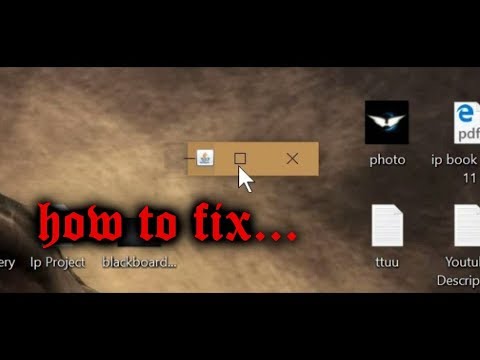
Hello Guys. In this video, we will show you guys how to fix a very basic problem in Netbeans (IDE) of any version. In this video, we are using version 8.2, but it should work on all versions of Netbeans. If, when you run your project, the ran window is very small and only the title is visible, then this will show you how to fix that. It is a very simple and easy fix.
We hope that this video helps you guys out.
REMEMBER TO SUBSCRIBE!
Thanks for watching it. we will see you all in the next video.
And by the way, don't forget to follow on Instagram.
Founder Instagram - https://www.instagram.com/shivn_g
Game Recording Software - Nvidia Shadowplays
https://www.nvidia.com/en-us/geforce/geforce-experience/shadowplay/
Display Recording Software - ShareX
https://getsharex.com/downloads/
Video Editing Software - Vegas Pro 13
https://www.vegascreativesoftware.com/in/vegas-pro/?_oB=vegas-pro
Sound Editing Software - Audacity
https://www.audacityteam.org/download/
Music Editing Software - Mixcraft Pro Studio 7
https://acoustica.com/mixcraft
Website: https://www.softbaysolutions.com
Instagram: https://www.instagram.com/softbaysolutions
E-mail: coregamingblade@gmail.com
NetBeans Download:
https://netbeans.org/images_www/v6/download/community/8.2/
Java SE Development Kit 9 Download (JDK 9):
https://www.oracle.com/java/technologies/javase-downloads.html
Hello Guys. In this video, we will show you guys how to fix a very basic problem in Netbeans (IDE) of any version. In this video, we are using version 8.2, but it should work on all versions of Netbeans. If, when you run your project, the ran window is very small and only the title is visible, then this will show you how to fix that. It is a very simple and easy fix.
We hope that this video helps you guys out.
REMEMBER TO SUBSCRIBE!
Thanks for watching it. we will see you all in the next video.
And by the way, don't forget to follow on Instagram.
Founder Instagram - https://www.instagram.com/shivn_g
Game Recording Software - Nvidia Shadowplays
https://www.nvidia.com/en-us/geforce/geforce-experience/shadowplay/
Display Recording Software - ShareX
https://getsharex.com/downloads/
Video Editing Software - Vegas Pro 13
https://www.vegascreativesoftware.com/in/vegas-pro/?_oB=vegas-pro
Sound Editing Software - Audacity
https://www.audacityteam.org/download/
Music Editing Software - Mixcraft Pro Studio 7
https://acoustica.com/mixcraft
Tags and Topics
Browse our collection to discover more content in these categories.
Video Information
Views
42.5K
Likes
161
Duration
2:15
Published
Jan 2, 2018
User Reviews
4.1
(8) Related Trending Topics
LIVE TRENDSRelated trending topics. Click any trend to explore more videos.
No specific trending topics match this video yet.
Explore All Trends