Master Excel: Easily Compare Two Lists & Highlight Differences 🔍
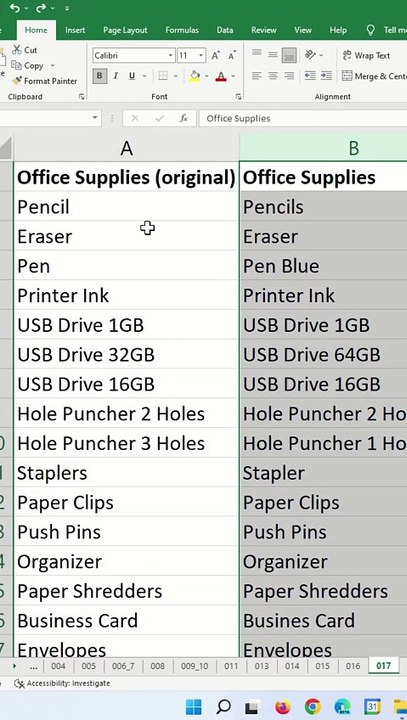
Learn simple steps to compare two datasets in Excel and highlight the differences effortlessly. Boost your productivity with these expert tips!
RabiGurungXybernetics
94 views • Mar 2, 2025
About this video
Excel Tips and Tricks - Compare Two Lists In Excel<br /><br />Learn how to compare between two list of datasets and highlight them.<br /><br />Here are the steps.<br />1) Select both column of cells.<br />2) Ctrl+G (or F5)<br />3) Special<br />4) Row differences<br />5) Ok<br />6) Highlight cell<br /><br />Compare Two Lists In Excel, excel compare two lists and return differences,how to compare two inventory lists in excel,excel compare two cells text,excel formula to compare two columns and return a value,how to compare one cell with entire column in excel,how to compare two columns in excel and highlight the greater value,<br /><br />#microsoft #excel #exceltips #tips #exceltricks #tricksandtips
Video Information
Views
94
Duration
0:48
Published
Mar 2, 2025
Related Trending Topics
LIVE TRENDSRelated trending topics. Click any trend to explore more videos.
No specific trending topics match this video yet.
Explore All Trends