Excel Shortcuts for Investment Banking: Boost Your Efficiency 🚀
Discover quick tips to optimize your Excel setup using the Quick Access Toolbar and custom shortcuts. Enhance your productivity and streamline your workflow in investment banking with these expert tricks!
Mergers & Inquisitions / BIWS
4 views • Jun 10, 2016
About this video
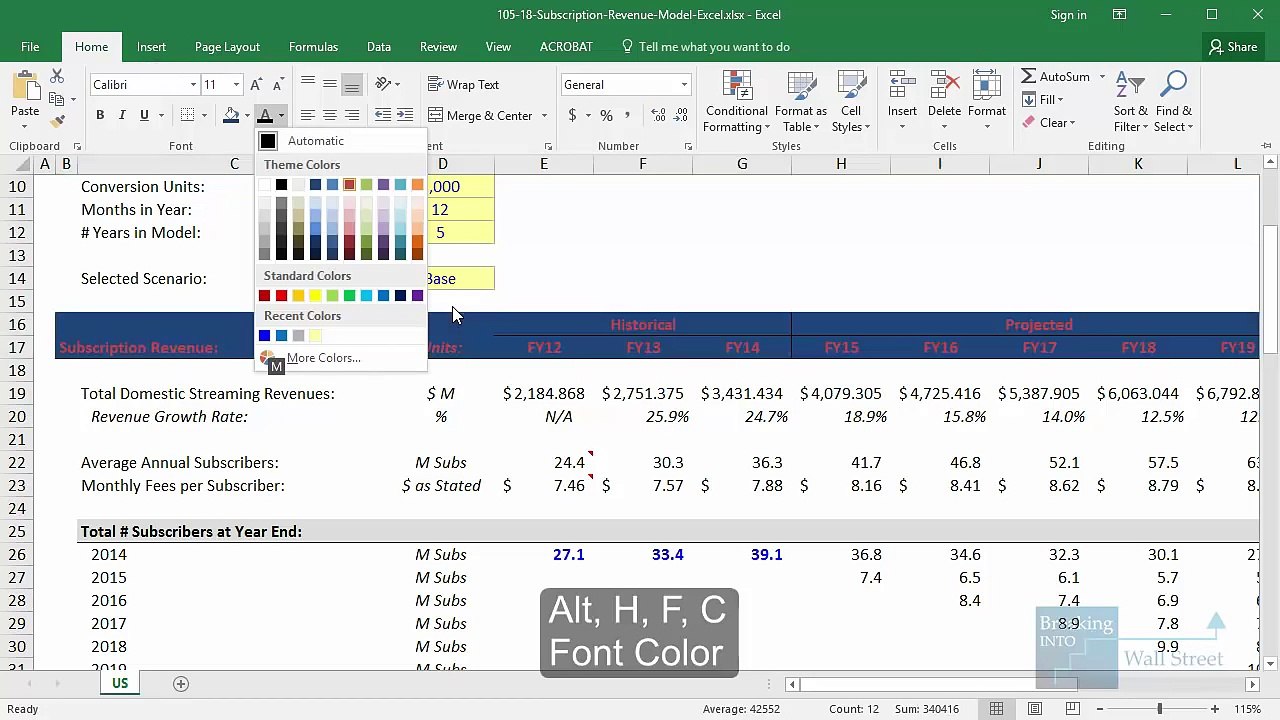
You’ll get a quick, but very powerful, tip on how to optimize your Excel setup with the Quick Access Toolbar (QAT) and custom shortcuts in this tutorial. These tips will save you a ton of time when creating valuations, organizing data, and doing any formatting exercise. <br /> <br />http://breakingintowallstreet.com/ <br /> <br />"Financial Modeling Training And Career Resources For Aspiring Investment Bankers" <br /> <br />Shortcuts Introduced: <br /> <br />These are all BUILT-IN shortcuts: <br /> <br />Alt, T, O: Options Menu <br />Alt, H, FC: Font Color <br />Alt, H, FS: Font Size <br />Alt, H, H: Fill Color <br />Alt, H, A, C: Center <br />Alt, H, B: Borders <br />Alt, H, O, I: AutoFit Column Width <br />Alt, H, O, W: Column Width <br />Alt, H, 0: Increase Decimal Places <br />Alt, H, 9: Decrease Decimal Places <br /> <br />These are the NEW shortcuts you can create via the Quick Access Toolbar: <br /> <br />Alt, 1: Font Color <br />Alt, 2: Font Size <br />Alt, 3: Fill Color <br />Alt, 4: Center <br />Alt, 5: Borders <br />Alt, 6: AutoFit Column Width <br />Alt, 7: Column Width <br />Alt, 8: Increase Decimal Places <br />Alt, 9: Decrease Decimal Places <br /> <br />Lesson Outline: <br /> <br />Many Excel shortcuts that you use repeatedly when creating valuations, models and when formatting data are cumbersome to enter. <br /> <br />Something as simple as changing the font color takes 4 keystrokes – Alt, H, F, C – if you use the built-in method for it. <br /> <br />Other common commands such as alignment, fill colors, borders, and column widths also take 3-4 keystrokes. <br /> <br />A more efficient alternative is to set up the Quick Access Toolbar (QAT) so that you can access the most common commands with shortcuts like Alt, 1 instead. <br /> <br />You can either import our file (see the link below under RESOURCES) or go to the Options menu (Alt, T, O) and then the Quick Access Toolbar tab, and create the menu yourself. <br /> <br />We recommend setting “Font Color” in position #1, followed by Font Size, Fill Color, Center, Borders, AutoFit Column Width, Column Width, and Increase and Decrease Decimal places. <br /> <br />These are some of the most frequently used commands in Excel, and you’ll save a ton of time with the new, shorter versions. <br /> <br />A command like AutoFit Column Width that used to take 4 keystrokes now takes only 2 (Alt, 6) with this approach. <br /> <br />You might realize 30-40% time savings when working in Excel if you use this full set of shortcuts. They’re especially useful for formatting and analyzing data and doing the initial setup in financial models. <br /> <br />RESOURCES: <br /> <br />https://youtube-breakingintowallstree... <br /> <br />http://www.mergersandinquisitions.com/
Video Information
Views
4
Duration
10:11
Published
Jun 10, 2016
Related Trending Topics
LIVE TRENDSRelated trending topics. Click any trend to explore more videos.
No specific trending topics match this video yet.
Explore All Trends