Unity2D Enemy Spawner in 60 Seconds ⏱️
Learn how to quickly add enemy spawning to your Unity2D project in just 60 seconds with this simple tutorial.

The Game Mekanik
5.5K views • Sep 12, 2023
About this video
#unity2d #spawning #unitytutorials
Enemy Spawner in Unity2D in 60 seconds
So, you want to add enemies to your 2D Unity project. Well, the easy way is to drag and drop a prefab into your scene, but we want to do a little more than that. I've got a basic enemy here who will move towards the player. Let's go ahead and make an empty game object and attach a script to it.
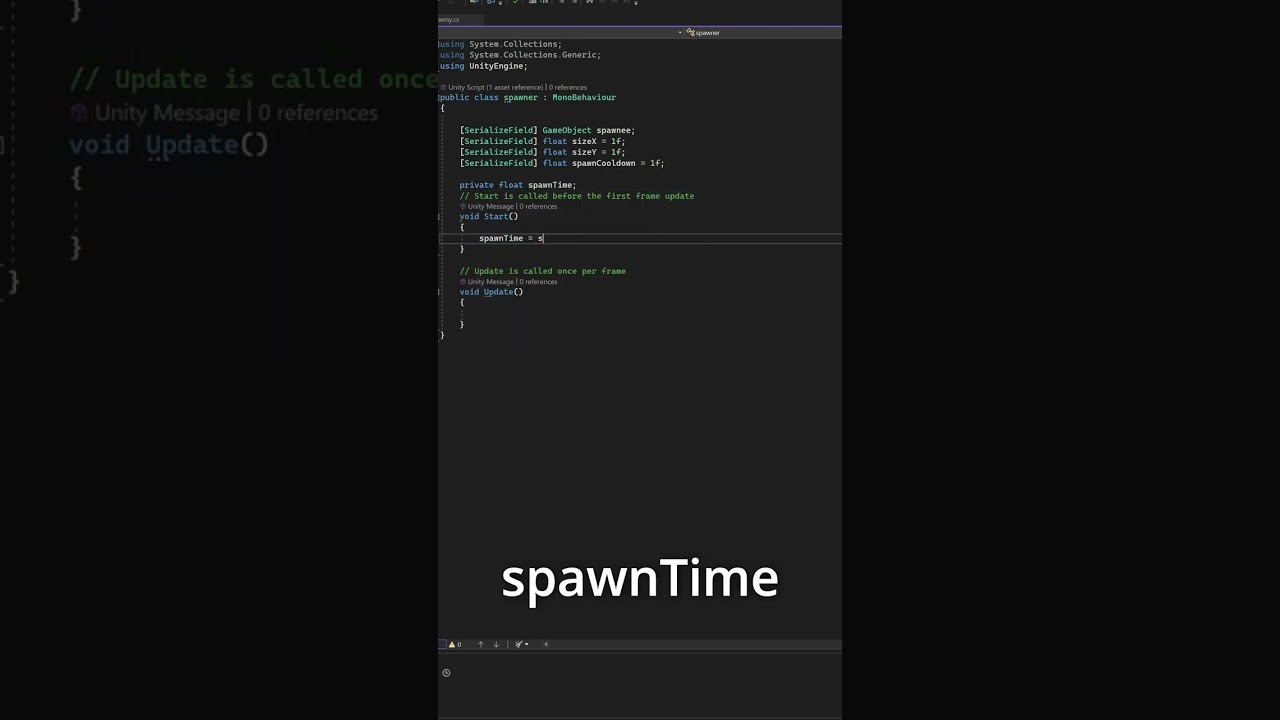
In our script, we need four properties - A prefab, x and y size, and a cooldown amount. We also need a private timer, this is what we will be changing so the program doesn't forget how long we want our timer to be.
In start, set the spawnTime to the spawnCooldown, and let's head back to unity to drag our enemy into the spawnee field.
Back in the code, let's set up our timer. This should do it.
Now, we need a spawn method. Lets set X and Y to some random value between -1 and 1, multiply it by how big of a spawn box we want, and then add the position of the spawner to it.
Now, let's instantiate, and then move the part we spawned to our new position.
Add any last minute tweaks to make it work how *you* want, and, we are done!
Enemy Spawner in Unity2D in 60 seconds
So, you want to add enemies to your 2D Unity project. Well, the easy way is to drag and drop a prefab into your scene, but we want to do a little more than that. I've got a basic enemy here who will move towards the player. Let's go ahead and make an empty game object and attach a script to it.
In our script, we need four properties - A prefab, x and y size, and a cooldown amount. We also need a private timer, this is what we will be changing so the program doesn't forget how long we want our timer to be.
In start, set the spawnTime to the spawnCooldown, and let's head back to unity to drag our enemy into the spawnee field.
Back in the code, let's set up our timer. This should do it.
Now, we need a spawn method. Lets set X and Y to some random value between -1 and 1, multiply it by how big of a spawn box we want, and then add the position of the spawner to it.
Now, let's instantiate, and then move the part we spawned to our new position.
Add any last minute tweaks to make it work how *you* want, and, we are done!
Tags and Topics
Browse our collection to discover more content in these categories.
Video Information
Views
5.5K
Likes
202
Duration
1:00
Published
Sep 12, 2023
User Reviews
4.6
(1) Related Trending Topics
LIVE TRENDSRelated trending topics. Click any trend to explore more videos.
No specific trending topics match this video yet.
Explore All Trends