Embed Missing Fonts in Adobe Acrobat Pro DC | Quick Fix!
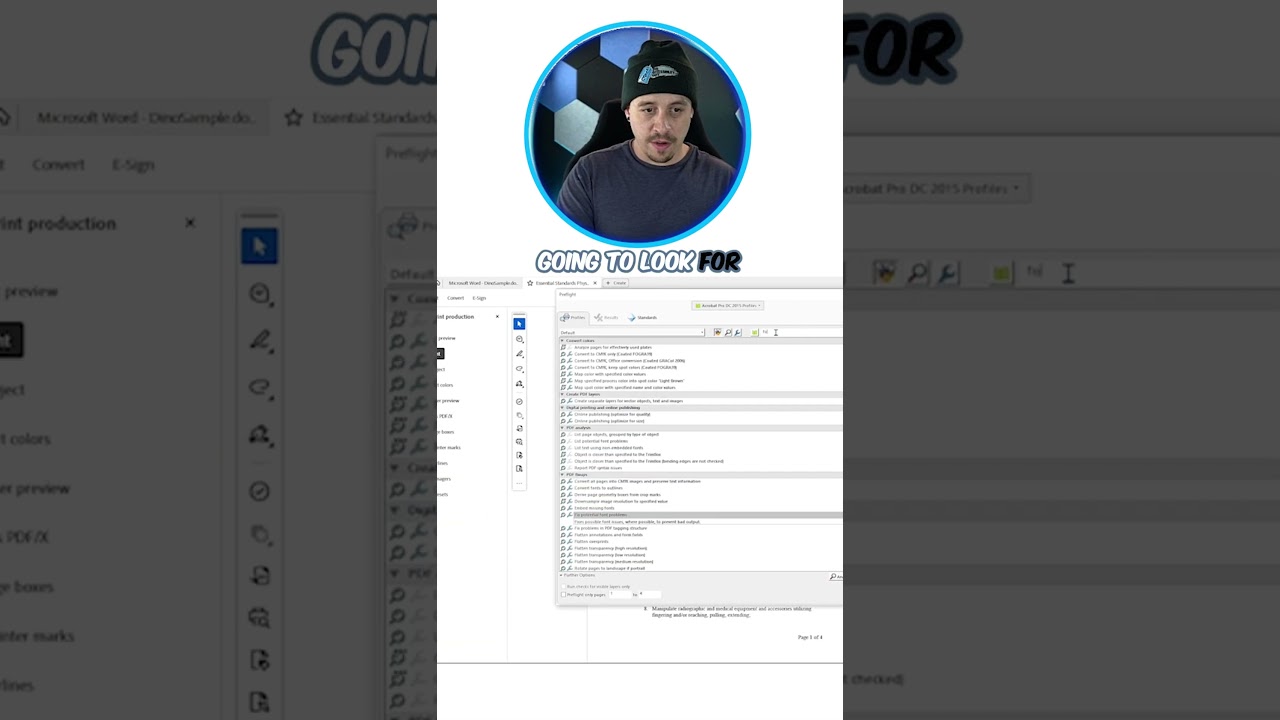
Learn how to easily embed missing fonts in your PDF using Adobe Acrobat Pro DC! Just go to Print Production, Preflight, search for Embed Missing Fonts, and c...

The Accessibility Guy
7.4K views • Sep 4, 2025
About this video
Learn how to easily embed missing fonts in your PDF using Adobe Acrobat Pro DC! Just go to Print Production, Preflight, search for Embed Missing Fonts, and click Analyze and Fix.
This ensures your document is accessible across all devices.
Subscribe to @TheAccessibilityGuy for daily accessibility tips and tutorials.
#AdobeAcrobat #EmbedFonts #PDFTips #DocumentFormatting #PrintProduction
This ensures your document is accessible across all devices.
Subscribe to @TheAccessibilityGuy for daily accessibility tips and tutorials.
#AdobeAcrobat #EmbedFonts #PDFTips #DocumentFormatting #PrintProduction
Tags and Topics
Browse our collection to discover more content in these categories.
Video Information
Views
7.4K
Likes
11
Duration
0:14
Published
Sep 4, 2025
User Reviews
3.9
(1) Related Trending Topics
LIVE TRENDSRelated trending topics. Click any trend to explore more videos.