Quick Guide to Root Android Emulator with Magisk 🔧
Learn how to easily root your Android Emulator using Magisk and rootAVD in simple steps.
Alisson Bezerra
24.1K views • Jun 29, 2022
About this video
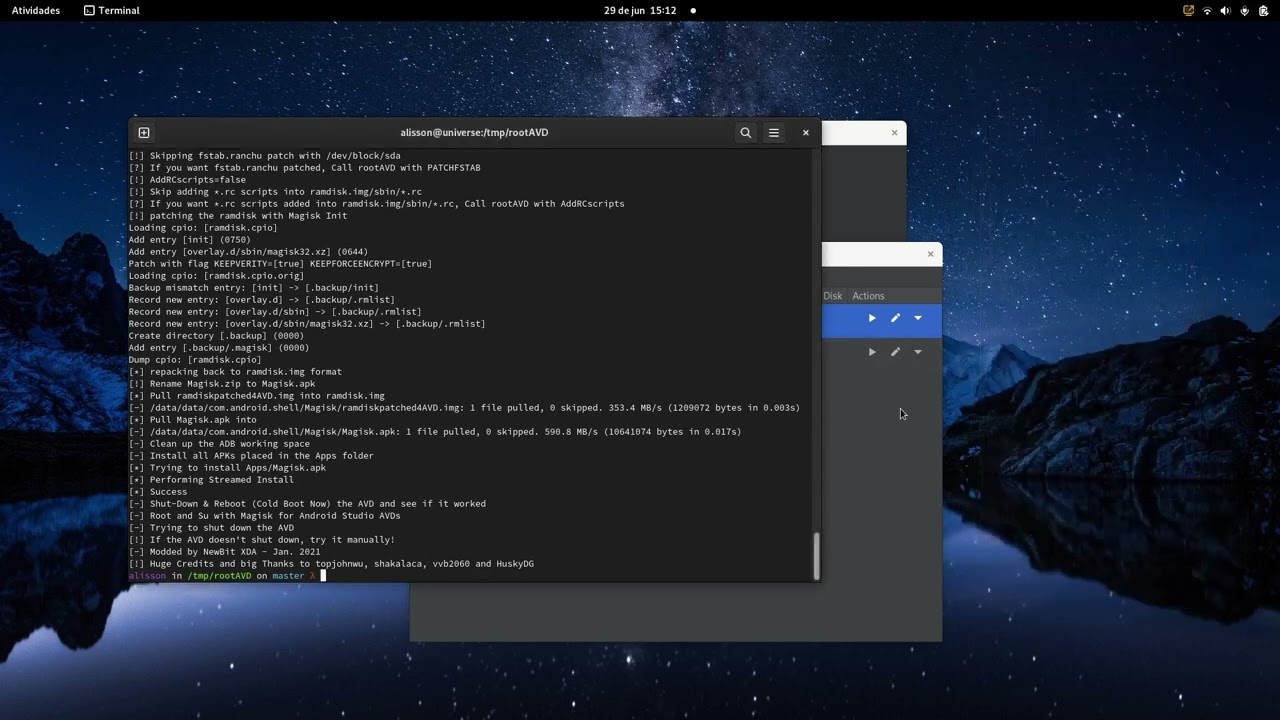
Easy and fast way to root Android Emulator with Magisk
1) Create an AVD in Android Studio
2) Clone rootAVD project
3) Run rootAVD.sh with parameter ListAllAVDs
4) Run rootAVD.sh with the AVD you want to rootAVD
5) Reboot AVD
6) Execute Magisk in AVD
7) Reboot AVD again
8) Run adb shell su to get root shell
Tools
Android Studio
https://developer.android.com/studio?hl=pt&gclid=Cj0KCQjw8O-VBhCpARIsACMvVLP_FGYyT07bMCrzXOEdt7bc1OxcbGgldEcNTTIMLwgoa1qpOrdFcvMaAvLwEALw_wcB&gclsrc=aw.ds
rootAVD
https://github.com/newbit1/rootAVD
Music from Uppbeat (free for Creators!):
https://uppbeat.io/t/ben-johnson/some-kind-of-feelin
License code: Z2VLGHB7AXQOWFDH
1) Create an AVD in Android Studio
2) Clone rootAVD project
3) Run rootAVD.sh with parameter ListAllAVDs
4) Run rootAVD.sh with the AVD you want to rootAVD
5) Reboot AVD
6) Execute Magisk in AVD
7) Reboot AVD again
8) Run adb shell su to get root shell
Tools
Android Studio
https://developer.android.com/studio?hl=pt&gclid=Cj0KCQjw8O-VBhCpARIsACMvVLP_FGYyT07bMCrzXOEdt7bc1OxcbGgldEcNTTIMLwgoa1qpOrdFcvMaAvLwEALw_wcB&gclsrc=aw.ds
rootAVD
https://github.com/newbit1/rootAVD
Music from Uppbeat (free for Creators!):
https://uppbeat.io/t/ben-johnson/some-kind-of-feelin
License code: Z2VLGHB7AXQOWFDH
Video Information
Views
24.1K
Likes
197
Duration
3:54
Published
Jun 29, 2022
User Reviews
4.2
(4) Related Trending Topics
LIVE TRENDSRelated trending topics. Click any trend to explore more videos.
No specific trending topics match this video yet.
Explore All Trends