Easily Hide Instagram Message Requests 📩 | Quick Guide
Learn simple steps to hide message requests on Instagram and keep your inbox clutter-free. Perfect for maintaining privacy and staying focused!

TechFact4u
36.6K views • Jun 17, 2025
About this video
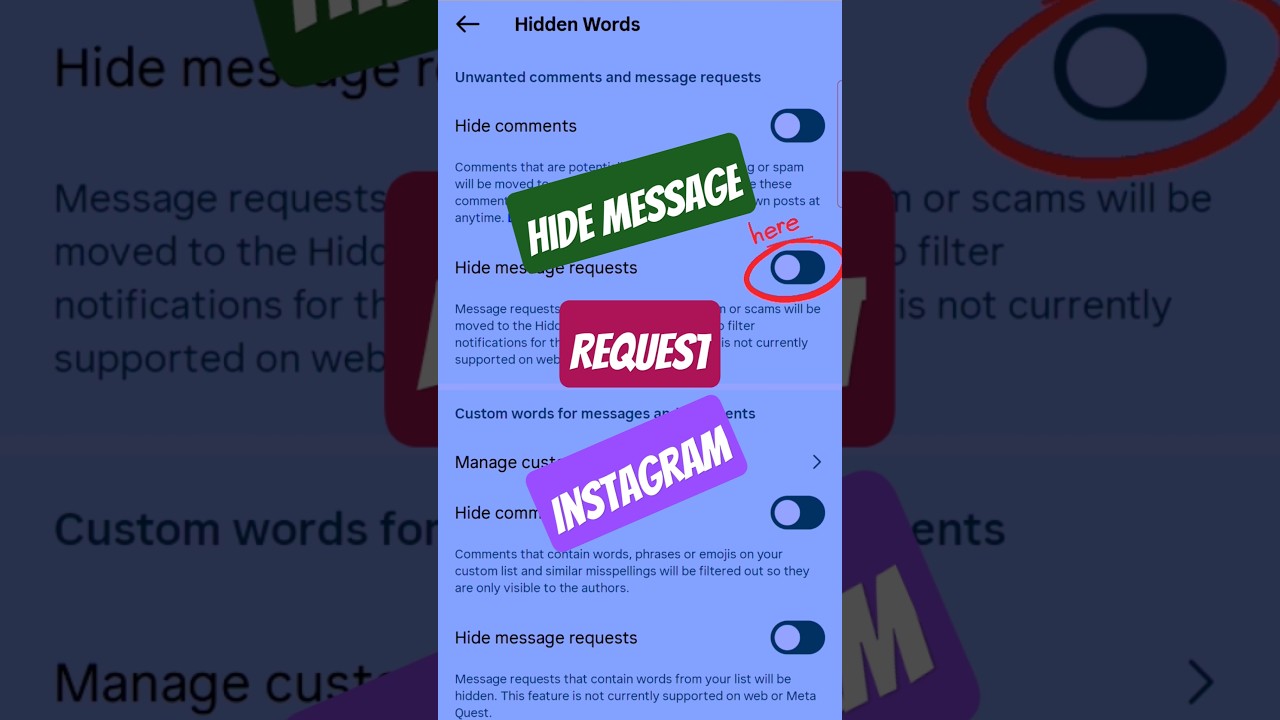
How to hide message request on Instagram?
To hide message requests on Instagram, navigate to Settings - Messages and story replies - Message requests. From there, you can choose to hide message requests from people you don't follow, or manage how they appear by selecting "Message requests" or "Don't receive requests".
Here's a more detailed breakdown:
Open Instagram: Launch the Instagram app on your device and go to your profile.
Access Settings: Tap the three horizontal lines (menu) in the top right corner, then select "Settings".
Find Messages and Story Replies: Scroll down and tap on "Messages and story replies".
Manage Message Requests: Tap on "Message requests".
Choose your preference: Here, you can choose to:
Hide message requests: Select "Don't receive requests" to prevent message requests from people you don't follow from appearing in your inbox.
Manage message requests: Choose "Message requests" to filter and review requests from people you don't follow.
To hide message requests on Instagram, navigate to Settings - Messages and story replies - Message requests. From there, you can choose to hide message requests from people you don't follow, or manage how they appear by selecting "Message requests" or "Don't receive requests".
Here's a more detailed breakdown:
Open Instagram: Launch the Instagram app on your device and go to your profile.
Access Settings: Tap the three horizontal lines (menu) in the top right corner, then select "Settings".
Find Messages and Story Replies: Scroll down and tap on "Messages and story replies".
Manage Message Requests: Tap on "Message requests".
Choose your preference: Here, you can choose to:
Hide message requests: Select "Don't receive requests" to prevent message requests from people you don't follow from appearing in your inbox.
Manage message requests: Choose "Message requests" to filter and review requests from people you don't follow.
Tags and Topics
Browse our collection to discover more content in these categories.
Video Information
Views
36.6K
Likes
85
Duration
0:17
Published
Jun 17, 2025
User Reviews
4.0
(7) Related Trending Topics
LIVE TRENDSRelated trending topics. Click any trend to explore more videos.
No specific trending topics match this video yet.
Explore All Trends