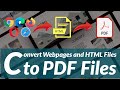
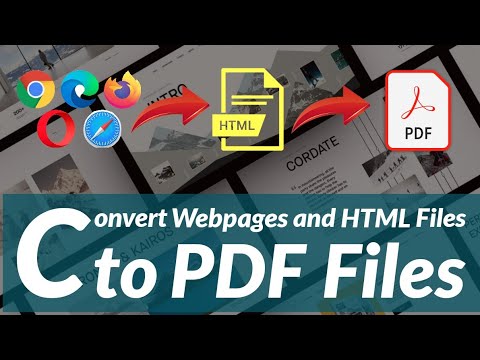
Easily Convert HTML to PDF on Your Mobile Device 📱 | Step-by-Step Guide
Learn how to quickly save any webpage as a PDF on your smartphone using popular browsers like Chrome, Firefox, and Opera Mini. Follow this simple tutorial for seamless conversions!
Bene Elohim Hub
1.4K views • Feb 15, 2022
About this video
This is a complete tutorial that teaches one how to save any webpage as a pdf file on their mobile smartphone, from any browser (Chrome, Firefox, Opera Mini, Kiwi Browser, Chromium, Mi Browser, Phoenix Browser etc.)
#How to convert HTML to PDF
#How to convert Webpages to PDF
#HTML to PDF Converter
#Webpages to PDF Converter
#Convert HTML to PDF online
#Convert Webpages to PDF Online
#How to convert HTML to PDF on Mobile
#How to convert Webpages to PDF on Mobile
#How to convert HTML to PDF in Mobile
#How to convert Webpages to PDF in Mobile
And then the pdf file can be opened on any pdf reader such as Adobe acrobat reader, wps reader etc. Attached below are links to download Chrome, Firefox, Opera Mini, Kiwi Browser, Mi Browser, and Phoenix Browser from Google Playstore;
Chrome = https://play.google.com/store/apps/details?id=com.android.chrome
Firefox = https://play.google.com/store/apps/details?id=org.mozilla.firefox
Opera Mini = https://play.google.com/store/apps/details?id=com.opera.mini.native
Kiwi Browser = https://play.google.com/store/apps/details?id=com.kiwibrowser.browser
Mi Browser = https://play.google.com/store/apps/details?id=com.mi.globalbrowser
Phoenix Browser = https://play.google.com/store/apps/details?id=com.transsion.phoenix
Please do well to support us, Subscribe to our channel, Like our videos and do well to drop a comment.
you can also follow us on our Telegram Channel for latest updates and other useful tips and links to premium materials for free.
https://t.me/beneelohimhub
#How to convert HTML to PDF
#How to convert Webpages to PDF
#HTML to PDF Converter
#Webpages to PDF Converter
#Convert HTML to PDF online
#Convert Webpages to PDF Online
#How to convert HTML to PDF on Mobile
#How to convert Webpages to PDF on Mobile
#How to convert HTML to PDF in Mobile
#How to convert Webpages to PDF in Mobile
And then the pdf file can be opened on any pdf reader such as Adobe acrobat reader, wps reader etc. Attached below are links to download Chrome, Firefox, Opera Mini, Kiwi Browser, Mi Browser, and Phoenix Browser from Google Playstore;
Chrome = https://play.google.com/store/apps/details?id=com.android.chrome
Firefox = https://play.google.com/store/apps/details?id=org.mozilla.firefox
Opera Mini = https://play.google.com/store/apps/details?id=com.opera.mini.native
Kiwi Browser = https://play.google.com/store/apps/details?id=com.kiwibrowser.browser
Mi Browser = https://play.google.com/store/apps/details?id=com.mi.globalbrowser
Phoenix Browser = https://play.google.com/store/apps/details?id=com.transsion.phoenix
Please do well to support us, Subscribe to our channel, Like our videos and do well to drop a comment.
you can also follow us on our Telegram Channel for latest updates and other useful tips and links to premium materials for free.
https://t.me/beneelohimhub
Video Information
Views
1.4K
Likes
30
Duration
6:05
Published
Feb 15, 2022
User Reviews
4.5
(1) Related Trending Topics
LIVE TRENDSRelated trending topics. Click any trend to explore more videos.
No specific trending topics match this video yet.
Explore All Trends