Try iPhone 14 Satellite Demo & Emergency SOS 📱
Experience the Satellite connection demo on iPhone 14/Pro and test Emergency SOS via satellite. Enable Location Services for best results.

iBash Store
116.7K views • Nov 16, 2022
About this video
Try the Emergency SOS via satellite demo
If you don't have Location Services turned on for Satellite Connection, you're prompted to turn them on before you start the demo.
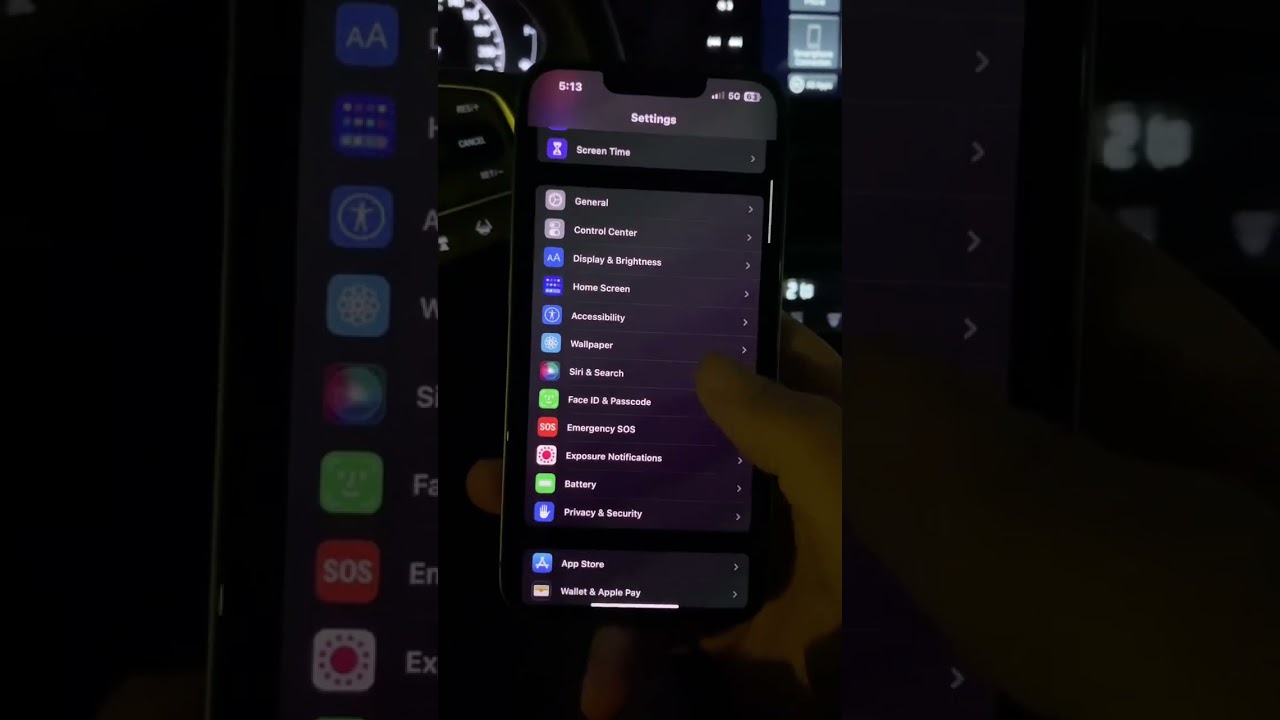
1. Open the Settings app.
2. Tap Emergency SOS.
3. Under Emergency SOS via satellite, tap Try Demo, then follow the onscreen instructions.
Use Emergency SOS via satellite on your iPhone 14 with iOS16
With iPhone 14 and iPhone 14 Pro models, you can use Emergency SOS via satellite to text emergency services when you're out of cellular and Wi-Fi coverage. You can also use the Find My app to share your location with people via satellite.
How Emergency SOS via satellite works
Emergency SOS via satellite can help you connect with emergency services under exceptional circumstances when no other means of reaching emergency services are available. If you call or text emergency services and can't connect because you're outside the range of cellular and Wi-Fi coverage, your iPhone tries to connect you via satellite to the help that you need.
When you use a satellite connection, the experience is different than sending or receiving a message via cellular. In ideal conditions with a direct view of the sky and the horizon, a message might take 15 seconds to send, and over a minute to send under trees with light or medium foliage. If you're under heavy foliage or surrounded by other obstructions, you might not be able to connect to a satellite. Connection times can also be impacted by your surroundings, the length of your message, and the status and availability of the satellite network.
Emergency SOS via satellite is free for two years after the activation of iPhone 14 or iPhone 14 Pro.
To use the demo, you need to be in a country or region where Emergency SOS via satellite is available. The demo does not call emergency services.
#iPhone14EmergencySOs #SatelliteSOS #EmergencyResponse #LifeSavingTechnology
#GlobalEmergencyResponse
#EmergencySatelliteCommunication #SOSAlert #EmergencyResponseSystem
#SatelliteCommunication
#EmergencyResponseTechnology #tutorial #iphonetips
If you don't have Location Services turned on for Satellite Connection, you're prompted to turn them on before you start the demo.
1. Open the Settings app.
2. Tap Emergency SOS.
3. Under Emergency SOS via satellite, tap Try Demo, then follow the onscreen instructions.
Use Emergency SOS via satellite on your iPhone 14 with iOS16
With iPhone 14 and iPhone 14 Pro models, you can use Emergency SOS via satellite to text emergency services when you're out of cellular and Wi-Fi coverage. You can also use the Find My app to share your location with people via satellite.
How Emergency SOS via satellite works
Emergency SOS via satellite can help you connect with emergency services under exceptional circumstances when no other means of reaching emergency services are available. If you call or text emergency services and can't connect because you're outside the range of cellular and Wi-Fi coverage, your iPhone tries to connect you via satellite to the help that you need.
When you use a satellite connection, the experience is different than sending or receiving a message via cellular. In ideal conditions with a direct view of the sky and the horizon, a message might take 15 seconds to send, and over a minute to send under trees with light or medium foliage. If you're under heavy foliage or surrounded by other obstructions, you might not be able to connect to a satellite. Connection times can also be impacted by your surroundings, the length of your message, and the status and availability of the satellite network.
Emergency SOS via satellite is free for two years after the activation of iPhone 14 or iPhone 14 Pro.
To use the demo, you need to be in a country or region where Emergency SOS via satellite is available. The demo does not call emergency services.
#iPhone14EmergencySOs #SatelliteSOS #EmergencyResponse #LifeSavingTechnology
#GlobalEmergencyResponse
#EmergencySatelliteCommunication #SOSAlert #EmergencyResponseSystem
#SatelliteCommunication
#EmergencyResponseTechnology #tutorial #iphonetips
Video Information
Views
116.7K
Likes
951
Duration
0:17
Published
Nov 16, 2022
User Reviews
4.3
(23) Related Trending Topics
LIVE TRENDSRelated trending topics. Click any trend to explore more videos.
No specific trending topics match this video yet.
Explore All Trends