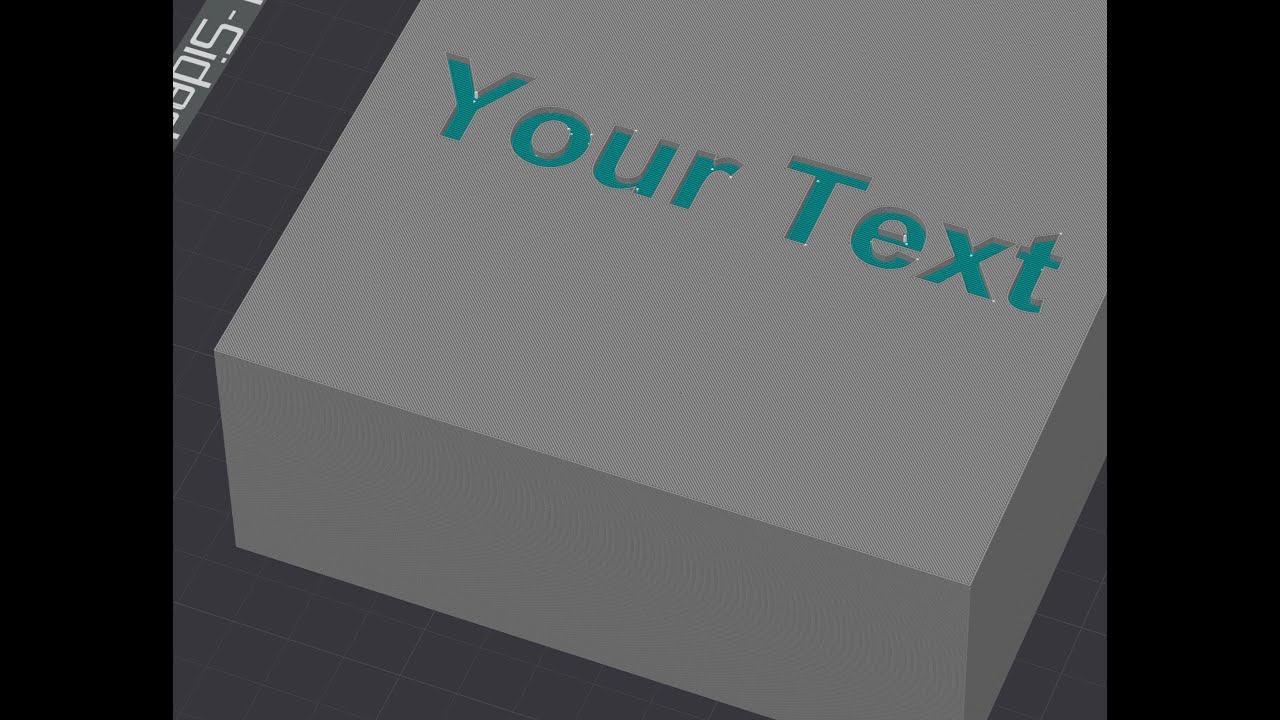
Debossed Color Text with Bambu Studio & Orca Slicer 🎨
Learn how to easily add debossed colored text to your 3D prints for identification using Bambu Studio or Orca Slicer.

Heatfluidnamycs
30.6K views • Jun 9, 2023
About this video
Sometimes I (and from the number of posts, many others) need to add some text to the print parts, for example, for identification. Bambu Studio and Orca Slicer entail embossing text but lack of debossing option.
I tried unsuccessfully to find a solution in the usual channels, so I explored the many options of the slicers until I found one, which I consider a straightforward way to do.
As the doubt and requirements were not only mine, I decided to contribute with a primary and amateur tutorial, yet with enough detail to be followed by any user.
Please let me know if you have doubts or issues, and I will try to help ASAP.
I tried unsuccessfully to find a solution in the usual channels, so I explored the many options of the slicers until I found one, which I consider a straightforward way to do.
As the doubt and requirements were not only mine, I decided to contribute with a primary and amateur tutorial, yet with enough detail to be followed by any user.
Please let me know if you have doubts or issues, and I will try to help ASAP.
Video Information
Views
30.6K
Likes
190
Duration
3:04
Published
Jun 9, 2023
User Reviews
4.2
(6) Related Trending Topics
LIVE TRENDSRelated trending topics. Click any trend to explore more videos.
No specific trending topics match this video yet.
Explore All Trends