SketchUp Floor Plans from Images | Tutorial #23 🏠
Learn how to create detailed floor plans in SketchUp using images as a guide in this step-by-step tutorial.

TheSketchUpEssentials
569.5K views • Feb 7, 2017
About this video
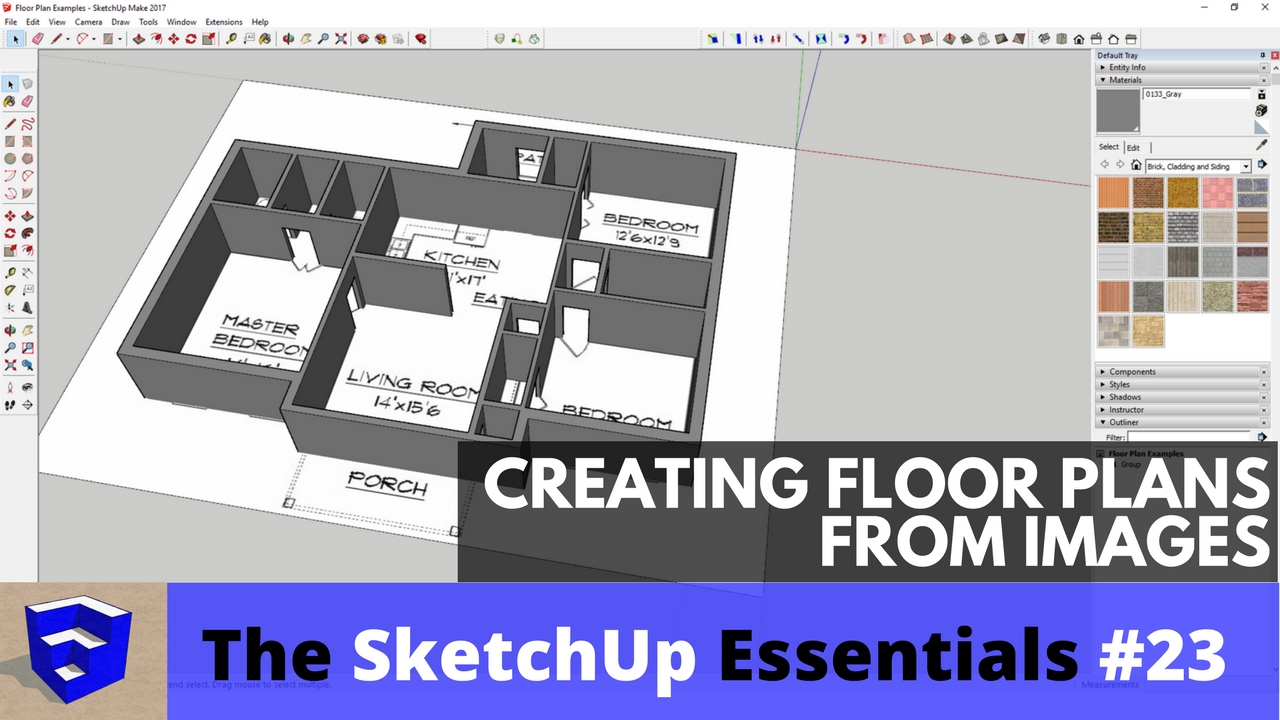
This tutorial will teach you how to create a floor plan in SketchUp using an image as a basis.
♦SUPPORT ME♦ http://www.patreon.com/thesketchupessentials
♦Courses♦ http://www.thesketchupessentials.com/courses
♦Website♦ http://www.thesketchupessentials.com
---------------------------------------------------------------------------
You can also bring an image in of a floor plan if you have an existing plan you’d like to model. For example, I can import this image I have by selecting file, then import, then selecting an image. Make sure you have the box marked image selected when you do this.
You can click once to set a base point for your image, then click again to set the size. Don’t focus too much on that at this point, because we’re going to use the tape measure tool to resize it so that it’s to scale.
To do that, double click inside your image, then use the tape measure to measure the distance between two points that is a known value. Once you’ve measured this length, type in the value you would like that segment to be and hit the enter key. You will receive a message asking if you’d like to resize your model – select yes. You can resize individual components or your whole model depending on which options you select. Once your floor plan is to scale, you can trace your wall onto it. The one thing you may want to do is to go ahead and draw your doors in before you extrude your walls. This way you don’t have to go back and locate your doors after the fact.
You can use the rectangle tool to come back in and create your door frames.
---------------------------------------------------------------------------
PLEASE LIKE AND SUBSCRIBE
More SketchUp tutorials and resources at http://www.thesketchupessentials.com
Check Us Out On -
Twitter - http://www.twitter.com/easysketchup
Facebook - http://www.facebook.com/thesketchupessentials
Pinterest - http://www.pinterest.com/easysketchup/
♦SUPPORT ME♦ http://www.patreon.com/thesketchupessentials
♦Courses♦ http://www.thesketchupessentials.com/courses
♦Website♦ http://www.thesketchupessentials.com
---------------------------------------------------------------------------
You can also bring an image in of a floor plan if you have an existing plan you’d like to model. For example, I can import this image I have by selecting file, then import, then selecting an image. Make sure you have the box marked image selected when you do this.
You can click once to set a base point for your image, then click again to set the size. Don’t focus too much on that at this point, because we’re going to use the tape measure tool to resize it so that it’s to scale.
To do that, double click inside your image, then use the tape measure to measure the distance between two points that is a known value. Once you’ve measured this length, type in the value you would like that segment to be and hit the enter key. You will receive a message asking if you’d like to resize your model – select yes. You can resize individual components or your whole model depending on which options you select. Once your floor plan is to scale, you can trace your wall onto it. The one thing you may want to do is to go ahead and draw your doors in before you extrude your walls. This way you don’t have to go back and locate your doors after the fact.
You can use the rectangle tool to come back in and create your door frames.
---------------------------------------------------------------------------
PLEASE LIKE AND SUBSCRIBE
More SketchUp tutorials and resources at http://www.thesketchupessentials.com
Check Us Out On -
Twitter - http://www.twitter.com/easysketchup
Facebook - http://www.facebook.com/thesketchupessentials
Pinterest - http://www.pinterest.com/easysketchup/
Tags and Topics
Browse our collection to discover more content in these categories.
Video Information
Views
569.5K
Likes
8.4K
Duration
15:07
Published
Feb 7, 2017
User Reviews
4.7
(113) Related Trending Topics
LIVE TRENDSRelated trending topics. Click any trend to explore more videos.
No specific trending topics match this video yet.
Explore All Trends