Create Stunning AI Short Films with Popcorn: Step-by-Step Workflow 🎬
Learn how to craft impressive AI-generated short films using Higgsfield's innovative Popcorn tool. This tutorial guides you through the entire process from storyboard to final visuals, perfect for filmmakers and AI enthusiasts alike.

AI Video School
3.4K views • Oct 31, 2025
About this video
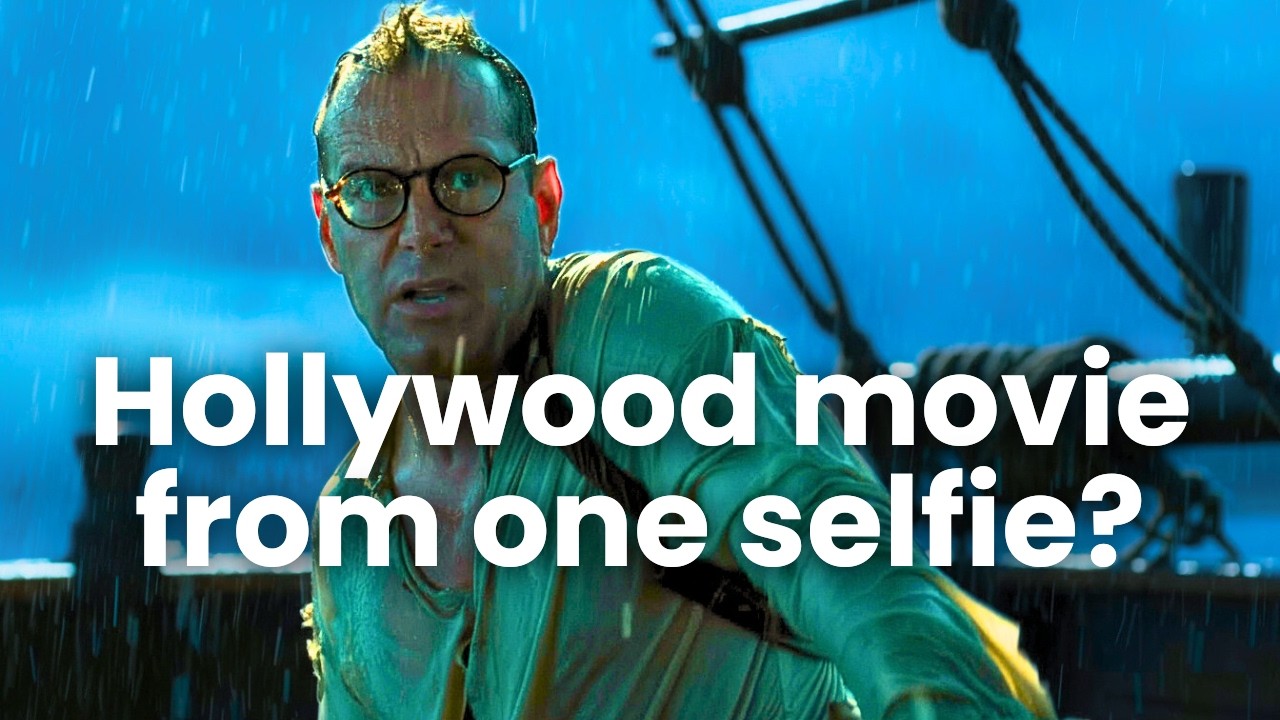
In this tutorial, I’m testing out Higgsfield’s new Popcorn tool — a powerful AI storyboard creator that lets you generate reference images into multi-shot scenes with consistent characters, settings, and style. I’ll show you how I used Popcorn to storyboard and generate an AI short film, starring… me, as a shipwrecked sailor (he's a little more ripped than I am). From storyboarding to video generation and lip sync, my entire workflow was done entirely inside Higgsfield. It's nice having a single tool that acts as an AI photo generator for consistent character storyboards and generates videos and lip-sync using multiple models,
🛠️ Tools (some links are affiliate links — they help support the channel)
🍿 Higgsfield Popcorn https://goto.higgsfield.ai/POQB3X 🍿
💰 Get 10% off with coupon code: AIVIDEOSCHOOL
https://higgsfield.ai/storyboard-generator
https://higgsfield.ai/popcorn
https://higgsfield.ai/
🧠 Models Used
Higgsfield Popcorn – Storyboard & editing
Higgsfield Soul – Character outfit design
Veo 3.1 – Video + ambient sound & dialogue
WAN 2.5 Fast – Video + ambient sound & dialogue
Kling 2.5 Turbo – cinematic shots
00:00 Intro to Higgsfield Popcorn
00:46 Starting a new storyboard Popcorn
01:40 Iterating after generating
02:09 Editing your Popcorn storyboard images
02:40 Popcorn hack: consolidate references
03:15 Turning the Popcorn images into video with WAN, Kling, Veo and more
04:16 3 ways to make your consistent character talk
04:34 Lip Sync from Higgsfield Popcorn Image
05:47 Lip Sync a video in Higgsfield
06:44 Lip Sync an uploaded voice file
07:21 Add AI voice with a model like WAN or Veo
07:57 Create consistent start and end frames with Higgsfield Popcorn
08:56 Recap of AI filmmaking with Higgsfield Popcorn
09:58 Watch the movie we made!
#HiggsfieldPopcorn #HiggsfieldSoul #Higgsfield #VideoGeneration #AIVideo
🛠️ Tools (some links are affiliate links — they help support the channel)
🍿 Higgsfield Popcorn https://goto.higgsfield.ai/POQB3X 🍿
💰 Get 10% off with coupon code: AIVIDEOSCHOOL
https://higgsfield.ai/storyboard-generator
https://higgsfield.ai/popcorn
https://higgsfield.ai/
🧠 Models Used
Higgsfield Popcorn – Storyboard & editing
Higgsfield Soul – Character outfit design
Veo 3.1 – Video + ambient sound & dialogue
WAN 2.5 Fast – Video + ambient sound & dialogue
Kling 2.5 Turbo – cinematic shots
00:00 Intro to Higgsfield Popcorn
00:46 Starting a new storyboard Popcorn
01:40 Iterating after generating
02:09 Editing your Popcorn storyboard images
02:40 Popcorn hack: consolidate references
03:15 Turning the Popcorn images into video with WAN, Kling, Veo and more
04:16 3 ways to make your consistent character talk
04:34 Lip Sync from Higgsfield Popcorn Image
05:47 Lip Sync a video in Higgsfield
06:44 Lip Sync an uploaded voice file
07:21 Add AI voice with a model like WAN or Veo
07:57 Create consistent start and end frames with Higgsfield Popcorn
08:56 Recap of AI filmmaking with Higgsfield Popcorn
09:58 Watch the movie we made!
#HiggsfieldPopcorn #HiggsfieldSoul #Higgsfield #VideoGeneration #AIVideo
Video Information
Views
3.4K
Likes
182
Duration
11:09
Published
Oct 31, 2025
User Reviews
4.6
(3) Related Trending Topics
LIVE TRENDSRelated trending topics. Click any trend to explore more videos.
No specific trending topics match this video yet.
Explore All Trends