Epic 3D Cylinder Text Animation in After Effects
Learn how to create stunning 3D cylinder text animations in After Effects with this step-by-step tutorial. 🚀

SonduckFilm
20.6K views • Oct 31, 2023
About this video
Epic Title Cylinder Animation in After Effects!
► 100 Visual Element Templates for After Effects
Black v2: https://bit.ly/blackgraphicsv2
► 20,000+ Templates for AE & Premiere:
https://www.sonduckfilm.com/
#aftereffects #animation #motiongraphics
The first thing you must do is type out three layers of content that that is rotate by -90 degrees. Also, make sure the composition is 1920x1080. And lastly, be sure to have a background.
When you’re ready precompse everything.
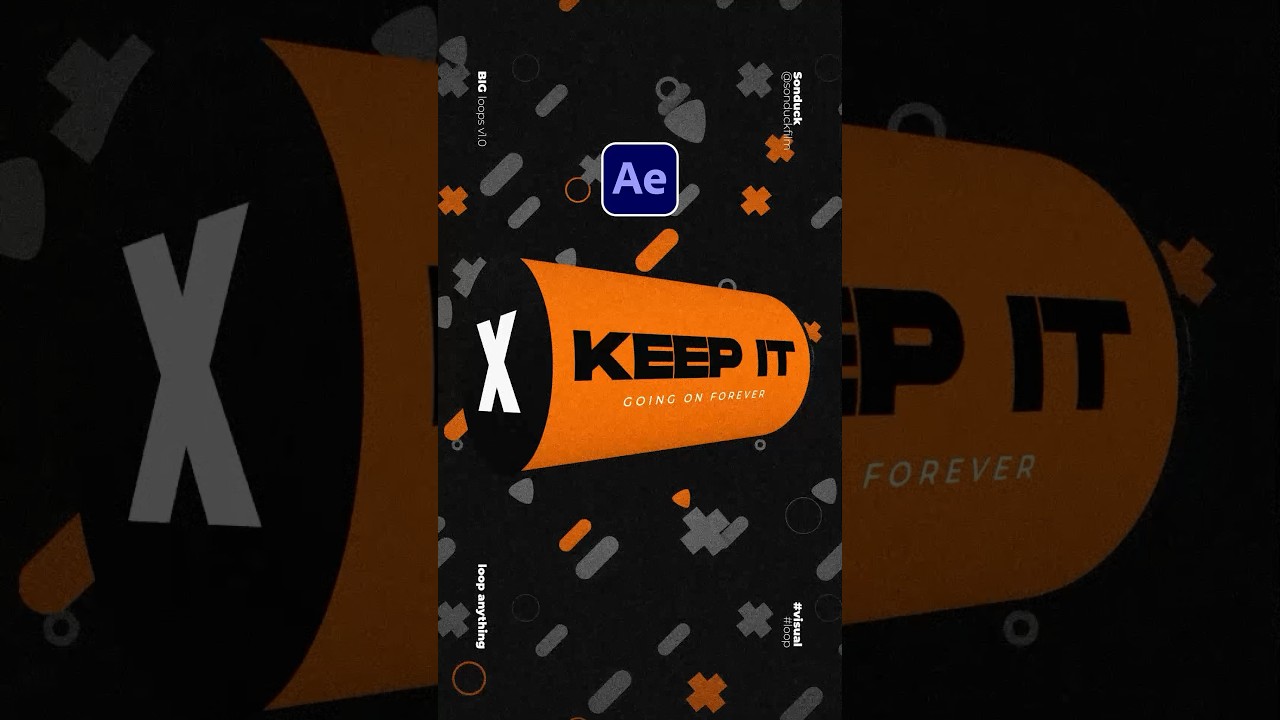
Apply the CC Cylinder effect and set the rotation x to -35 degreess, rotation z to 90 degrees and alt-click the stop watch for rotation y. Then type time*100. This will rotate the cylinder forever.
Lastly, we need to insert a side graphic. So create a 1080x1080 compsition and fill it with a background and any content you want.
Import it into your main comp and double click the epplise tool. This will make it a circle. Now make the layer a 3D layer. And lastly, just adjust the rotation and position to fill in the gap.
And now you can have a cylinder loop.
► 100 Visual Element Templates for After Effects
Black v2: https://bit.ly/blackgraphicsv2
► 20,000+ Templates for AE & Premiere:
https://www.sonduckfilm.com/
#aftereffects #animation #motiongraphics
The first thing you must do is type out three layers of content that that is rotate by -90 degrees. Also, make sure the composition is 1920x1080. And lastly, be sure to have a background.
When you’re ready precompse everything.
Apply the CC Cylinder effect and set the rotation x to -35 degreess, rotation z to 90 degrees and alt-click the stop watch for rotation y. Then type time*100. This will rotate the cylinder forever.
Lastly, we need to insert a side graphic. So create a 1080x1080 compsition and fill it with a background and any content you want.
Import it into your main comp and double click the epplise tool. This will make it a circle. Now make the layer a 3D layer. And lastly, just adjust the rotation and position to fill in the gap.
And now you can have a cylinder loop.
Tags and Topics
Browse our collection to discover more content in these categories.
Video Information
Views
20.6K
Likes
1.3K
Duration
0:56
Published
Oct 31, 2023
User Reviews
4.6
(4) Related Trending Topics
LIVE TRENDSRelated trending topics. Click any trend to explore more videos.
No specific trending topics match this video yet.
Explore All Trends