Create ASP.NET Web App in Visual Studio 2022
Learn how to create an ASP.NET Web Application in Visual Studio 2022 with easy installation steps. 🚀

Swift Learn
34.8K views • Jan 26, 2025
About this video
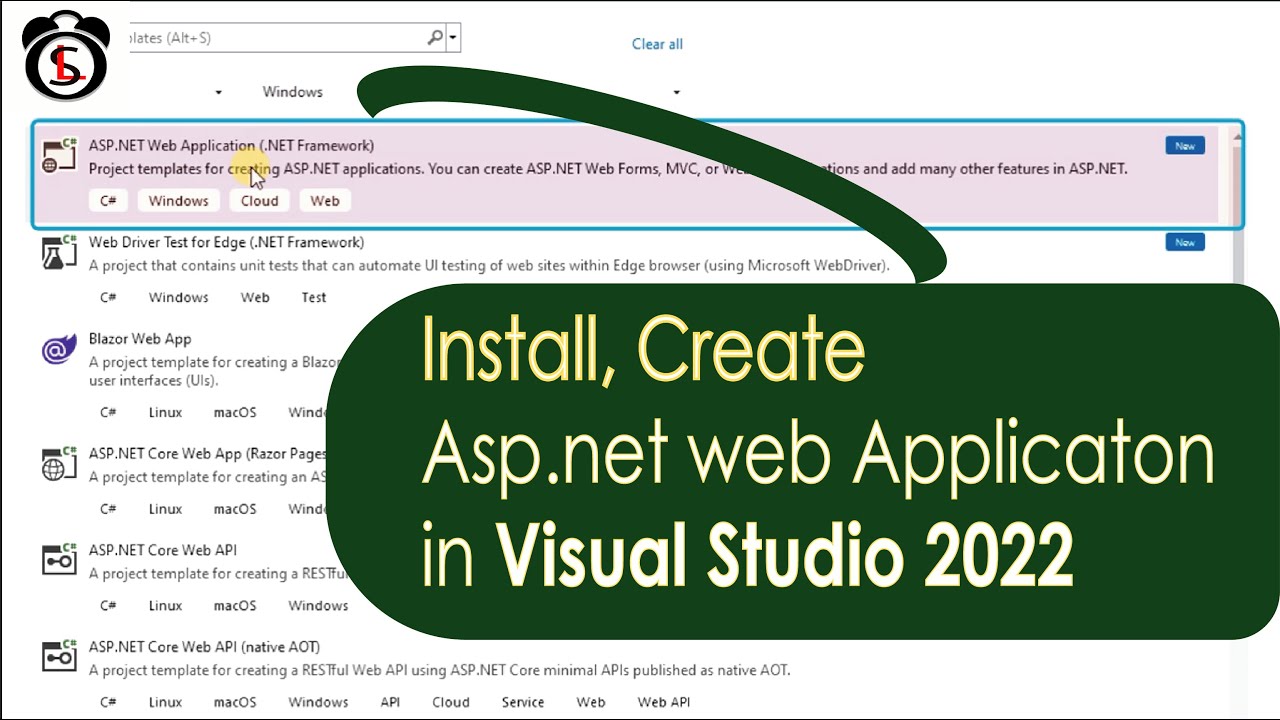
Create Asp.Net Web Application in Visual Studio 2022, Hello friends, you won't be able to create an asp.net web application after installing visual studio 2022. Needs to be installed .net framework functionality. I will show how to do this in this lesson.
To create an ASP.NET web application in Visual Studio 2022, you can follow these steps. I'll guide you through the process of setting up a basic project. We'll create an ASP.NET web application as an example.
1. Install Visual Studio 2022
Make sure you have Visual Studio 2022 installed with the ASP.NET and web development workload. If you don't have it, you can download it from the official Visual Studio website and install .net framework tools from tools menu.
2. Create a New Project
Open Visual Studio 2022.
Select Create a new project from the start screen.
In the search bar, type ASP.NET Core Web Application.
Choose ASP.NET Core Web Application from the list and click Next.
~~~
Subscriber will be notified when I will upload new tutorials in future. Many more new tutorials coming soon, so stay tuned!
https://www.youtube.com/swiftlearn
See All the playlist in below link
https://www.youtube.com/swiftlearn/Playlists
~~~
Share this video with anyone if you think as useful.
Please leave a suggestions for future tutorials in the comment section below.
~~
Connect with me
https://www.facebook.com/groups/swiftlearn/
https://www.reddit.com/user/SwiftLearn/
More Tags
#asp.net_application #VisualStudio2022 #InstallAsp.NetApplication #CreateAsp.NetApplication
swift learn, create asp.net web application in visual studio 2022, install asp.net web application in visual studio 2022, asp.net web application in visual studio 2022, create asp.net project using microsoft visual studio 2022, asp.net web application in visual studio 2022, asp.net web application tutorial, asp.net c# web application projects, configure asp.net application in VS 22
To create an ASP.NET web application in Visual Studio 2022, you can follow these steps. I'll guide you through the process of setting up a basic project. We'll create an ASP.NET web application as an example.
1. Install Visual Studio 2022
Make sure you have Visual Studio 2022 installed with the ASP.NET and web development workload. If you don't have it, you can download it from the official Visual Studio website and install .net framework tools from tools menu.
2. Create a New Project
Open Visual Studio 2022.
Select Create a new project from the start screen.
In the search bar, type ASP.NET Core Web Application.
Choose ASP.NET Core Web Application from the list and click Next.
~~~
Subscriber will be notified when I will upload new tutorials in future. Many more new tutorials coming soon, so stay tuned!
https://www.youtube.com/swiftlearn
See All the playlist in below link
https://www.youtube.com/swiftlearn/Playlists
~~~
Share this video with anyone if you think as useful.
Please leave a suggestions for future tutorials in the comment section below.
~~
Connect with me
https://www.facebook.com/groups/swiftlearn/
https://www.reddit.com/user/SwiftLearn/
More Tags
#asp.net_application #VisualStudio2022 #InstallAsp.NetApplication #CreateAsp.NetApplication
swift learn, create asp.net web application in visual studio 2022, install asp.net web application in visual studio 2022, asp.net web application in visual studio 2022, create asp.net project using microsoft visual studio 2022, asp.net web application in visual studio 2022, asp.net web application tutorial, asp.net c# web application projects, configure asp.net application in VS 22
Tags and Topics
Browse our collection to discover more content in these categories.
Video Information
Views
34.8K
Likes
315
Duration
2:40
Published
Jan 26, 2025
User Reviews
4.3
(6) Related Trending Topics
LIVE TRENDSRelated trending topics. Click any trend to explore more videos.
No specific trending topics match this video yet.
Explore All Trends