Link Two Google Sheets Easily 📊
Learn simple tips to connect and link two different Google Sheets for seamless data sharing and management.

Rabi Gurung
70.5K views • Apr 22, 2024
About this video
Learn how to connect 2 different Google Sheets.
Yes, you can link two different Google Sheets together easily. To link to another Google Sheet in Google Sheets, simply use the formula "=IMPORTRANGE("URL_of_the_sheet", "SheetName!Range")" where you replace "URL_of_the_sheet" with the URL of the sheet you want to link to and "SheetName!Range" with the specific range of data you want to import. Additionally, you can link a spreadsheet to another spreadsheet by opening both sheets and using the "=IMPORTRANGE()" function again. To match two Google Sheets, you can use various methods such as VLOOKUP, INDEX MATCH, or other functions depending on your needs. Yes, you can link two Google Sheets to update automatically by setting up the appropriate formulas or functions. To link two Google Sheets using VLOOKUP, you can utilize the VLOOKUP function by specifying the lookup value, range of cells to search, column index number, and whether you want an exact or approximate match.
After this video you can answer the following question easily.
Can I link two different Google Sheets together?
How do I link to another Google sheet in Google Sheets?
How do I link a spreadsheet to another spreadsheet?
How do I match two Google Sheets?
Can you link two Google Sheets to update?
How do I link two Google Sheets using Vlookup?
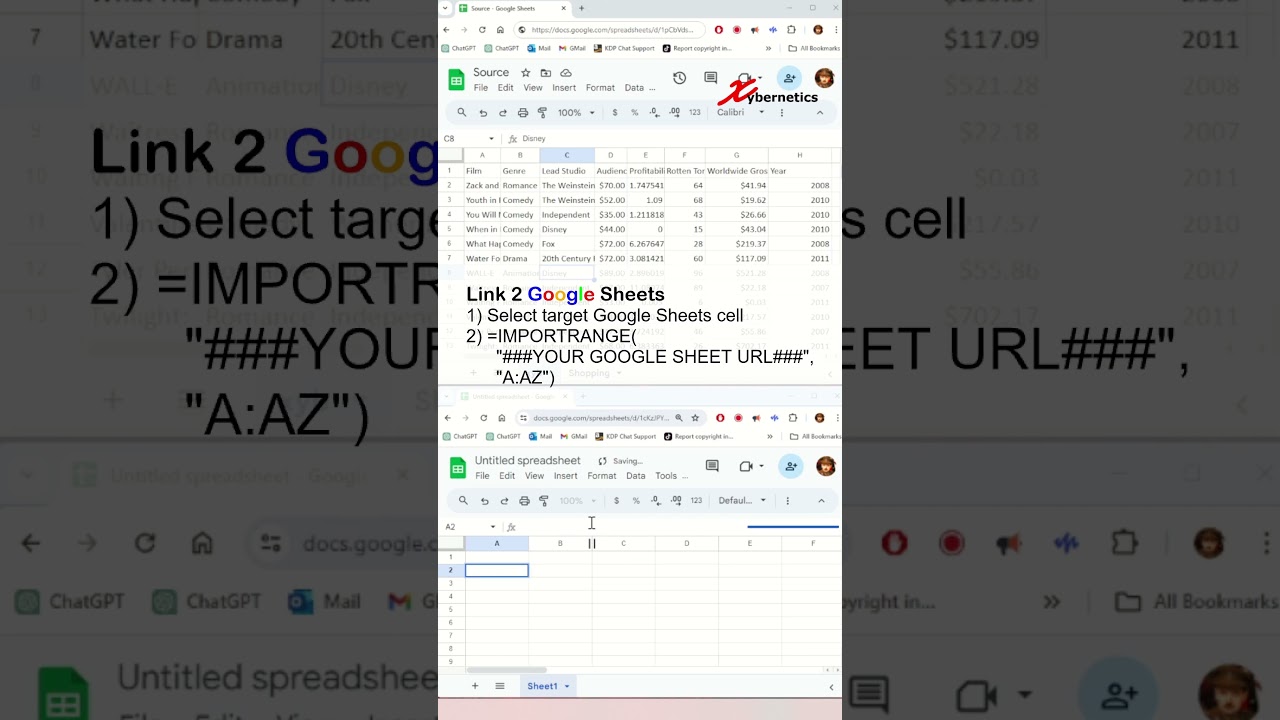
Link 2 Google Sheets
1) Select target Google Sheets cell
2) =IMPORTRANGE("### YOUR GOOGLE SHEET URL ###","A:AZ")
Link Specific Google Sheet
=IMPORTRANGE("### YOUR GOOGLE SHEET URL ###","Shopping!A:AZ")
#shorts #short #shortvideo #fyp #excel #microsoft #tiktok #fypシ
Yes, you can link two different Google Sheets together easily. To link to another Google Sheet in Google Sheets, simply use the formula "=IMPORTRANGE("URL_of_the_sheet", "SheetName!Range")" where you replace "URL_of_the_sheet" with the URL of the sheet you want to link to and "SheetName!Range" with the specific range of data you want to import. Additionally, you can link a spreadsheet to another spreadsheet by opening both sheets and using the "=IMPORTRANGE()" function again. To match two Google Sheets, you can use various methods such as VLOOKUP, INDEX MATCH, or other functions depending on your needs. Yes, you can link two Google Sheets to update automatically by setting up the appropriate formulas or functions. To link two Google Sheets using VLOOKUP, you can utilize the VLOOKUP function by specifying the lookup value, range of cells to search, column index number, and whether you want an exact or approximate match.
After this video you can answer the following question easily.
Can I link two different Google Sheets together?
How do I link to another Google sheet in Google Sheets?
How do I link a spreadsheet to another spreadsheet?
How do I match two Google Sheets?
Can you link two Google Sheets to update?
How do I link two Google Sheets using Vlookup?
Link 2 Google Sheets
1) Select target Google Sheets cell
2) =IMPORTRANGE("### YOUR GOOGLE SHEET URL ###","A:AZ")
Link Specific Google Sheet
=IMPORTRANGE("### YOUR GOOGLE SHEET URL ###","Shopping!A:AZ")
#shorts #short #shortvideo #fyp #excel #microsoft #tiktok #fypシ
Tags and Topics
Browse our collection to discover more content in these categories.
Video Information
Views
70.5K
Likes
1.0K
Duration
1:00
Published
Apr 22, 2024
User Reviews
4.6
(14) Related Trending Topics
LIVE TRENDSRelated trending topics. Click any trend to explore more videos.
No specific trending topics match this video yet.
Explore All Trends