Secure Password Station with CAPTCHA 🛡️
Learn how to configure CAPTCHA for Password Station to enhance security and prevent brute-force attacks.
Avatier Identity Management
36 views • May 18, 2022
About this video
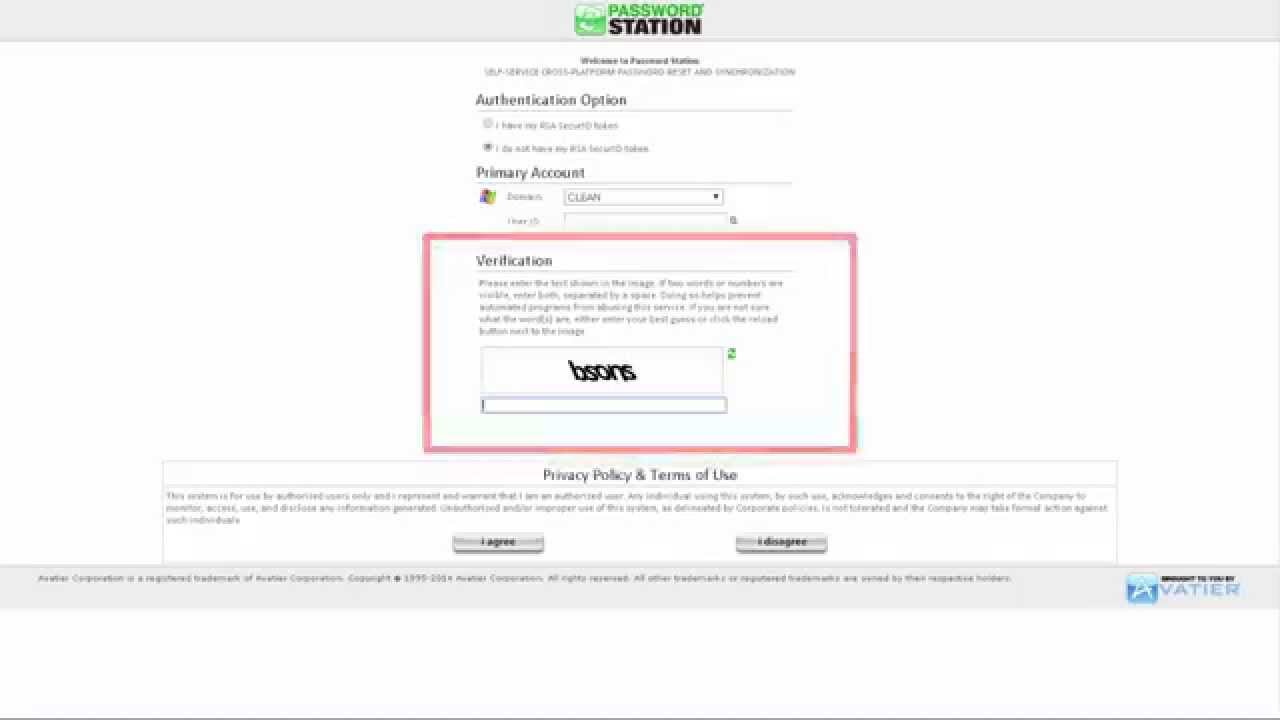
Captcha technology adds additional security to the Password Station logon process. Captcha prevents Web Bots from using brute force attacks to access a user’s account. Captcha renders a distorted bit map image of words and numbers users must type before continuing to Password Station. Using Captcha requires registering your domain with a Captcha provider to obtain the public and private key combination needed for the software to function. After you receive public and private keys from a Captcha provider, select Password Station from the product tree and Security under Options. Then, scroll to the Captcha section and select the Enable Captcha checkbox. Using the Registration keys received from a Captcha provider, enter the Public Key and Private Key in the fields. And, select Save to enable Captcha with Password Station. For more on configuring Captcha for Password Station, visit the Avatier support wiki.
Tags and Topics
Browse our collection to discover more content in these categories.
Video Information
Views
36
Duration
1:06
Published
May 18, 2022
Related Trending Topics
LIVE TRENDSRelated trending topics. Click any trend to explore more videos.