Roblox Ghost Hunt Camera Glitch Fix 🎮
Exploring a camera issue in Roblox Ghost Hunt where players' views differ when using cameras, and how to fix it.

Catulus
51.6K views • Apr 5, 2025
About this video
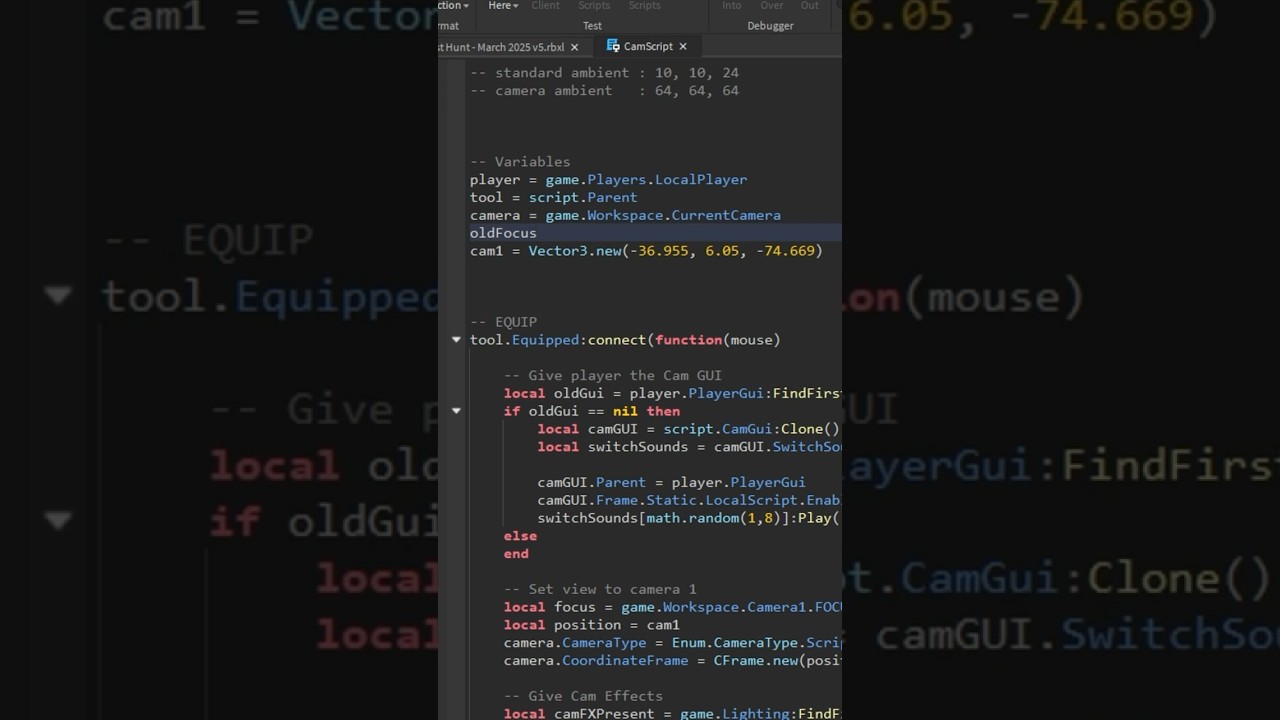
The camera tool in Ghost Hunt had a minor, but super annoying problem; when the player used the cameras, they would likely be looking a much different direction than they were before. To fix this, I modified the script to save the original camera angle to a CFrame value stored in the player's PlayerScripts. When the camera tool is equipped, it saves their camera angle to that value. When the tool is unequipped, it restores the player's camera by setting it to the angle stored in the CFrame value.
Originally, I was going to simply declare a variable for the camera CFrame, but the problem with that, which I didn't have time to show in this short, is that the Exit button on the Cams GUI uses its own script, and since it would also need to access the same data, I thought it would be best to simply store the angle outside the scripts altogether.
Thanks for watching!
✨👍✨ Drop a like if you enjoyed this short.
✨🔔✨ Subscribe and ring the bell to see more like it!
Originally, I was going to simply declare a variable for the camera CFrame, but the problem with that, which I didn't have time to show in this short, is that the Exit button on the Cams GUI uses its own script, and since it would also need to access the same data, I thought it would be best to simply store the angle outside the scripts altogether.
Thanks for watching!
✨👍✨ Drop a like if you enjoyed this short.
✨🔔✨ Subscribe and ring the bell to see more like it!
Tags and Topics
Browse our collection to discover more content in these categories.
Video Information
Views
51.6K
Likes
2.6K
Duration
0:52
Published
Apr 5, 2025
User Reviews
4.7
(10) Related Trending Topics
LIVE TRENDSRelated trending topics. Click any trend to explore more videos.