Build a User-Friendly Python Tkinter Caesar Cipher App for Encryption & Decryption 🔒
Learn how to create a simple yet effective GUI application using Python's Tkinter to perform Caesar cipher encryption and decryption easily. Perfect for beginners!
Hello Python By ProgrammingKnowledge
318 views • Dec 11, 2022
About this video
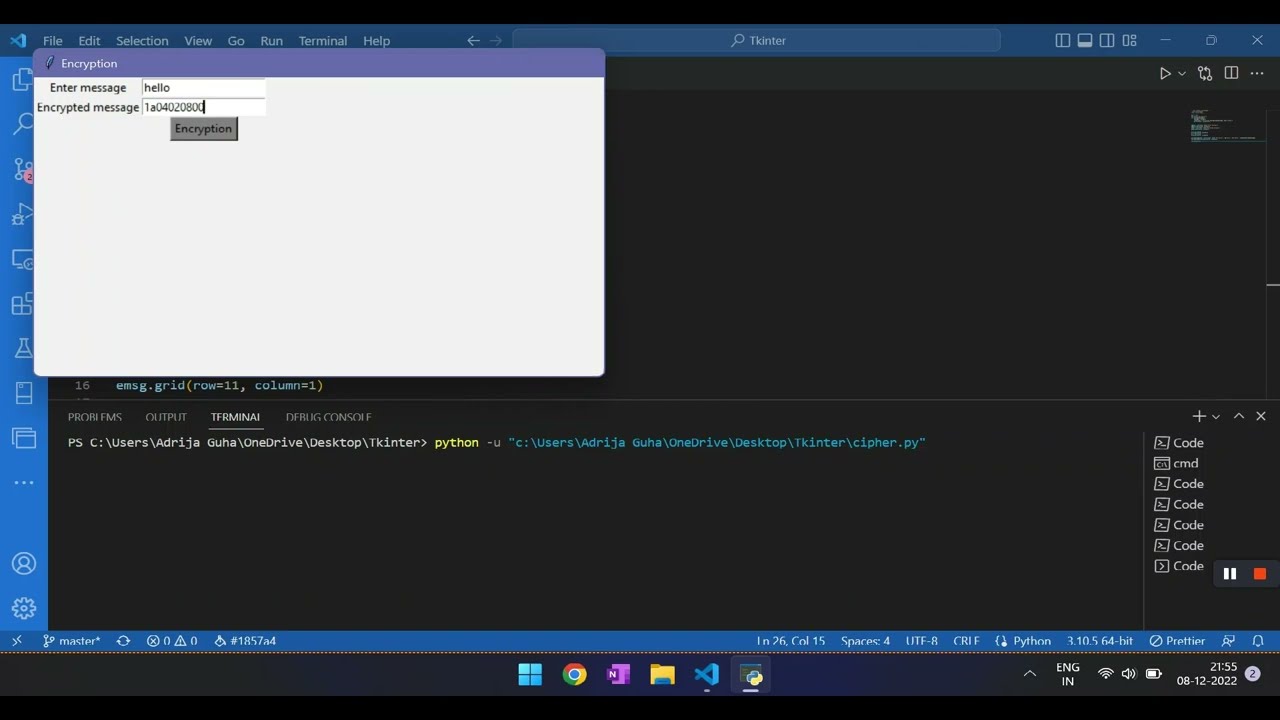
As done many times before, tkinter here too is used to provide a GUI interface to carry out encryption and decryption. Cipher texts are encrypted text transformed from plaintext using an encryption algorithm. Ciphertext cannot be read until it has been converted into plaintext (decrypted) with a key. The decryption cipher is an algorithm that transforms the ciphertext back into plaintext.
Here, in this video, encryption and decryption are not our focus. They are carried by a separate module 'onetimepad'. Tkinter provides buttons, entry fields, and labels to carry out the process and make it user interactive.
For code go to: https://github.com/pickry/Tkinter/blob/main/cipher.py
Here, in this video, encryption and decryption are not our focus. They are carried by a separate module 'onetimepad'. Tkinter provides buttons, entry fields, and labels to carry out the process and make it user interactive.
For code go to: https://github.com/pickry/Tkinter/blob/main/cipher.py
Video Information
Views
318
Likes
2
Duration
10:00
Published
Dec 11, 2022
Related Trending Topics
LIVE TRENDSRelated trending topics. Click any trend to explore more videos.
No specific trending topics match this video yet.
Explore All Trends