Automated Business Expense Tracking in Excel: A Step-by-Step Guide
Learn how to automatically track business expenses for tax purposes in Microsoft Excel using simple formulas and functions with this detailed tutorial.

Money with Dan
5.6K views • Feb 26, 2022
About this video
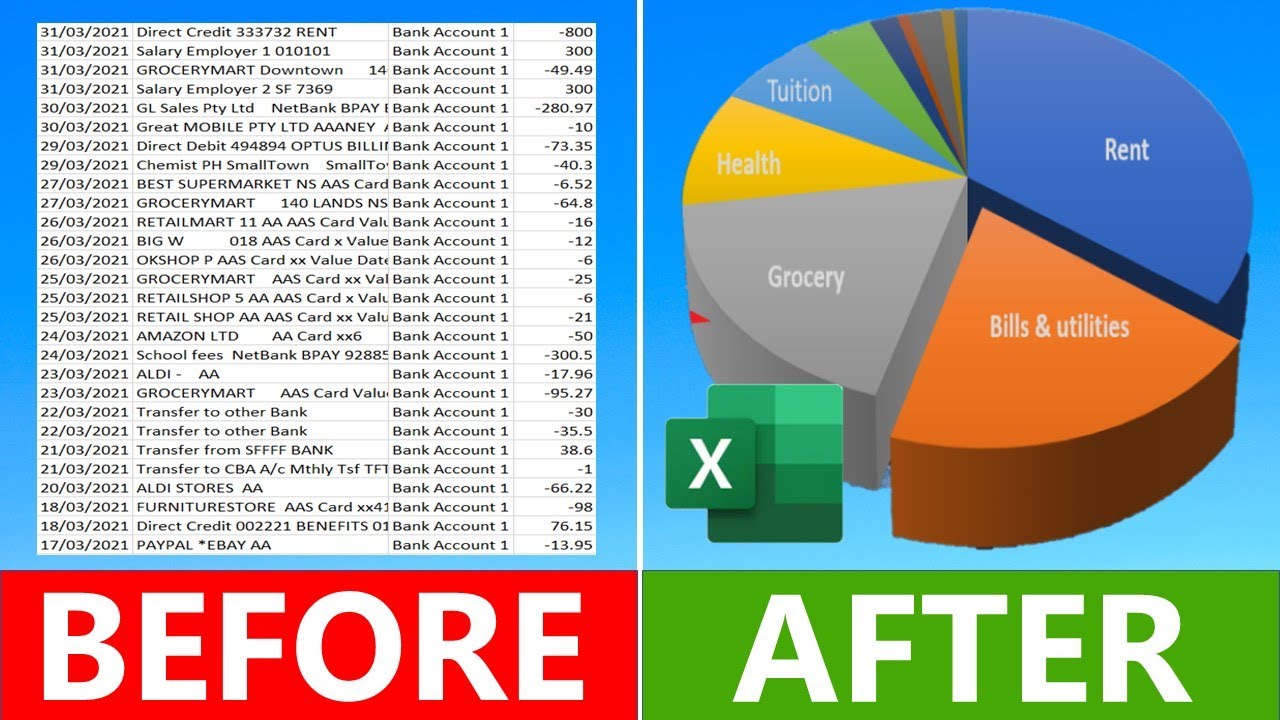
Learn how to track expenses for tax in Microsoft Excel automatically by using simple formulas and functions in this step-by-step guide/Tutorial.
📊 Free Excel Budget Planner to get your money sorted—download now:
👉 https://tools.moneywithdan.org/Business-Expense-Tracker
I provide links to all my online videos and also have a dedicate page for frequently asked questions and my answers (FAQs). I also include an alternative Data tab for bank downloads with two columns!
💰 Xero is the accounting software you need to manage invoices, track expenses, and reconcile bank transactions effortlessly. It’s user-friendly and saves you time. Plus, sign up using this link to get 75% off your subscription for the first 6 months: https://tools.moneywithdan.org/xero?utm_campaign=xero-VwqSAiqMyQc
💰 Use SHARESIGHT to track your shares - https://tools.moneywithdan.org/Sharesight?utm_campaign=VwqSAiqMyQc
(BONUS When you signup using this link, the first 4 months of subscription are free if you choose to upgrade to advanced plan and I may get a small my commission at no extra cost to you, so we both win!)
OTHER VIDEOS
💰 Budget and Track Expenses in Excel AUTOMATICALLY and FREE: https://youtu.be/DYsBcwJ9kAs
💰 Identifying Variances in Excel | What to do if you spent too much money: https://youtu.be/kqxlS-yvPOo
💰 How to open bank statements in Excel: https://youtu.be/pUo0kO60mB8
💰 Setup CATEGORIES to Track Expenses in EXCEL: https://youtu.be/ihmXXqmpqgw
💰 Track Expenses by CATEGORY in Excel: https://youtu.be/4XEoOzDwc6M
💰 How to Track Expenses in Excel (Full tutorial): https://youtu.be/sFZgraCGUSs
💰 How to setup the Barefoot investor buckets | 2 year review with tips : https://youtu.be/BtNFSDoFK1s
Remember to SUBSCRIBE to my channel! It's free!
OTHER INFORMATION
My method includes showing you how to use Pivot Tables in Microsoft Excel to organise and analyse your income and expense exported from your Bank CSV Files for FREE. My method does not require you to download any apps or Excel files, give away your private information or bank passwords like many popular mobile device apps do. Only an intermediate level of Microsoft Excel skills is required.
Why pay to use an expensive App on your mobile phone to tell you where you should spend your money. Tracking your Expenses in Microsoft Excel is free and I will you show how easy it is to use common formulas and tools like Pivot Table in Excel to your exported bank transactions to help you see where your money is being spent each month and by category that you have set up.
CHAPTERS
00:00 Intro
00:50 How to export online Bank Statements to a CSV file
01:43 How to open Bank Statements in Excel
02:30 How to add Category names automatically to bank statements
09:03 How to add a Pivot Table over bank statement data
10:43 How to format numbers in Pivot Tables
14:03 How to add YEAR and MONTH formulas
16:03 How to add Tax Type to data to identify business expense vs Personal Expenses
DISCLAIMER This video is intended for general information and entertainment only and is not a replacement for professional advice. Money with Dan is not a financial advisor. You should consider seeking independent legal, financial, taxation or other advice to check how the information in this video relates to your unique circumstances. Money with Dan is not liable for any loss caused, whether due to negligence or otherwise arising from the use of. or reliance on, the information provided directly or indirectly, by use of this video.
#Budgeting #Moneywithdan #IncomeTax
📊 Free Excel Budget Planner to get your money sorted—download now:
👉 https://tools.moneywithdan.org/Business-Expense-Tracker
I provide links to all my online videos and also have a dedicate page for frequently asked questions and my answers (FAQs). I also include an alternative Data tab for bank downloads with two columns!
💰 Xero is the accounting software you need to manage invoices, track expenses, and reconcile bank transactions effortlessly. It’s user-friendly and saves you time. Plus, sign up using this link to get 75% off your subscription for the first 6 months: https://tools.moneywithdan.org/xero?utm_campaign=xero-VwqSAiqMyQc
💰 Use SHARESIGHT to track your shares - https://tools.moneywithdan.org/Sharesight?utm_campaign=VwqSAiqMyQc
(BONUS When you signup using this link, the first 4 months of subscription are free if you choose to upgrade to advanced plan and I may get a small my commission at no extra cost to you, so we both win!)
OTHER VIDEOS
💰 Budget and Track Expenses in Excel AUTOMATICALLY and FREE: https://youtu.be/DYsBcwJ9kAs
💰 Identifying Variances in Excel | What to do if you spent too much money: https://youtu.be/kqxlS-yvPOo
💰 How to open bank statements in Excel: https://youtu.be/pUo0kO60mB8
💰 Setup CATEGORIES to Track Expenses in EXCEL: https://youtu.be/ihmXXqmpqgw
💰 Track Expenses by CATEGORY in Excel: https://youtu.be/4XEoOzDwc6M
💰 How to Track Expenses in Excel (Full tutorial): https://youtu.be/sFZgraCGUSs
💰 How to setup the Barefoot investor buckets | 2 year review with tips : https://youtu.be/BtNFSDoFK1s
Remember to SUBSCRIBE to my channel! It's free!
OTHER INFORMATION
My method includes showing you how to use Pivot Tables in Microsoft Excel to organise and analyse your income and expense exported from your Bank CSV Files for FREE. My method does not require you to download any apps or Excel files, give away your private information or bank passwords like many popular mobile device apps do. Only an intermediate level of Microsoft Excel skills is required.
Why pay to use an expensive App on your mobile phone to tell you where you should spend your money. Tracking your Expenses in Microsoft Excel is free and I will you show how easy it is to use common formulas and tools like Pivot Table in Excel to your exported bank transactions to help you see where your money is being spent each month and by category that you have set up.
CHAPTERS
00:00 Intro
00:50 How to export online Bank Statements to a CSV file
01:43 How to open Bank Statements in Excel
02:30 How to add Category names automatically to bank statements
09:03 How to add a Pivot Table over bank statement data
10:43 How to format numbers in Pivot Tables
14:03 How to add YEAR and MONTH formulas
16:03 How to add Tax Type to data to identify business expense vs Personal Expenses
DISCLAIMER This video is intended for general information and entertainment only and is not a replacement for professional advice. Money with Dan is not a financial advisor. You should consider seeking independent legal, financial, taxation or other advice to check how the information in this video relates to your unique circumstances. Money with Dan is not liable for any loss caused, whether due to negligence or otherwise arising from the use of. or reliance on, the information provided directly or indirectly, by use of this video.
#Budgeting #Moneywithdan #IncomeTax
Tags and Topics
Browse our collection to discover more content in these categories.
Video Information
Views
5.6K
Likes
96
Duration
19:21
Published
Feb 26, 2022
User Reviews
4.6
(1) Related Trending Topics
LIVE TRENDSRelated trending topics. Click any trend to explore more videos.