AutoCAD Class 60: How to Prepare Building Submission Drawings for Approval 🏢
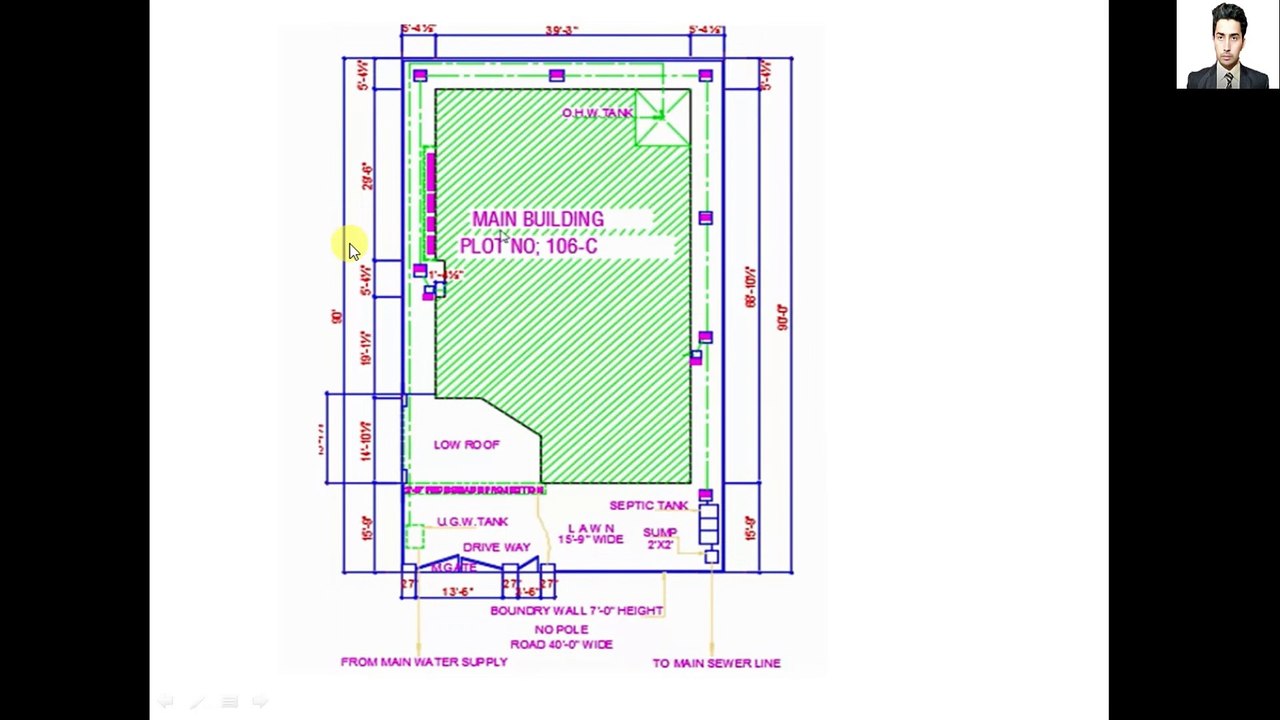
Learn step-by-step how to create submission drawings for building approval in AutoCAD. Perfect for house plans and meeting submission requirements. Watch till the end!
Saqib ALi Chaudary
5 views • Jul 26, 2021
About this video
watch till the end.<br /><br />Assalam O Alikum! AutoCAD CLASS 60.<br /> In this Video I Am Going to Tell You guys that how we can prepare submission drawing for approval and what are the basic requirements for a drawing of house plan.<br /><br />The Main points that I will cover in this video are as following: <br /><br />1- House Plan Requirements & Purpose Complete Presentation Urdu/Hindi<br />2- SUBMISSION Drawing of Building Requirements & Purpose<br />3- Submission Drawing Submission Drawing Format<br />4- How to Make a House Plan Step by Step?<br />5- Location Plan of building<br />6- Site Plan of a Building<br />7- Foundation Drawings of building<br />8- Elevation of building<br />9-Section of a Building<br />10-Other Requirements of Submission drawings<br />#submissiondrawing#civilengineering#houseplan#autocad #saqibalichaudary #architecture
Video Information
Views
5
Duration
15:00
Published
Jul 26, 2021
Related Trending Topics
LIVE TRENDSRelated trending topics. Click any trend to explore more videos.
No specific trending topics match this video yet.
Explore All Trends