Assembly Design Tables | SOLIDWORKS BEGINNER | Chapter 03: Lesson 06 | CSWA COURSE
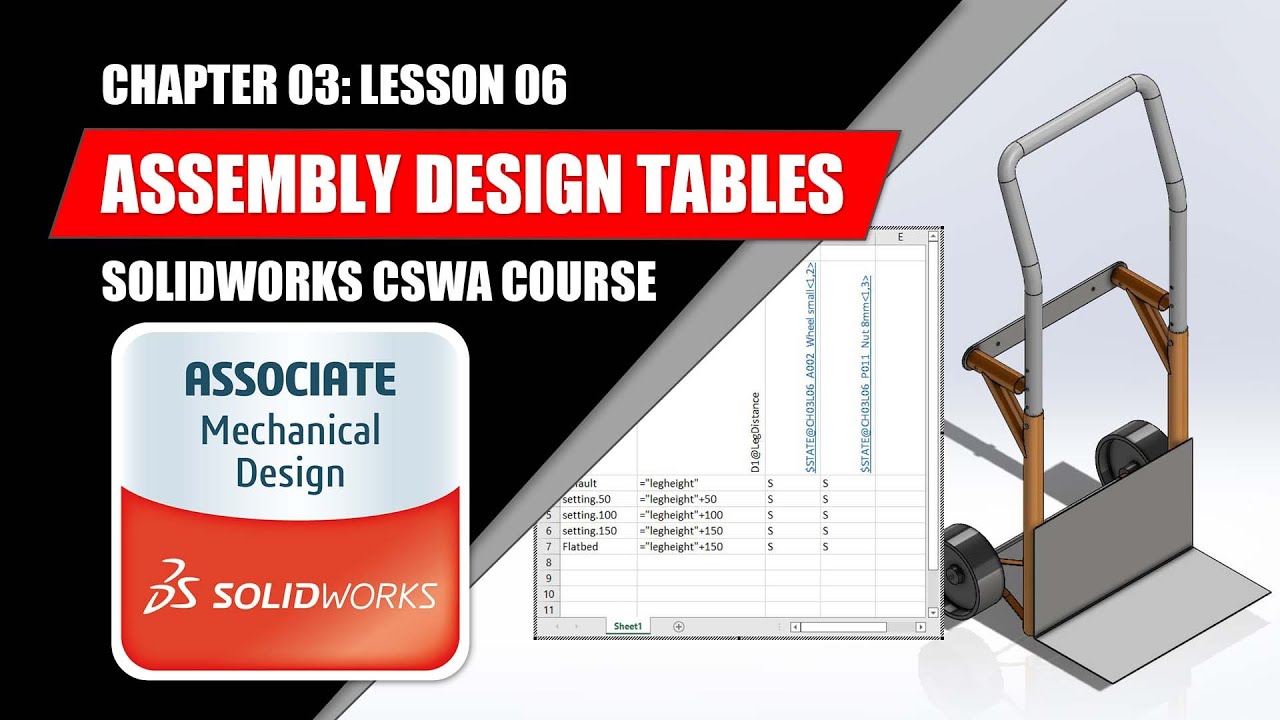
Assembly design tables allow you to create and control configurations of the assembly using an excel spreadsheet. They control suppression of components, mat...
DraftID
10.4K views • Mar 13, 2022
About this video
Assembly design tables allow you to create and control configurations of the assembly using an excel spreadsheet. They control suppression of components, mates, assembly features, configurations of parts, and numeric values of distance and angle mates. Assembly design tables are used to create and document configurations and can be a powerful tool to use.
In this lesson we will be using a design table to quickly create configurations of an assembly to represent several different versions of it, all within the same assembly file. Check in the description of this video for a link to download the exercise files. These files were created in SW 2020 so you will need 2020 or later to open the files.
If you found this lesson valuable, like the video and subscribe to the channel so you will be notified when the next video is released.
TOPICS COVERED
• How to create a design table
• How to edit an existing design table
• Adding components to the design table
• Linking dimensions to components
• Suppressing and Resolving components & mates
• Controlling multiple instances of a component
∾∾∾∾∾∾∾∾∾∾∾∾∾∾∾∾∾∾∾∾∾∾∾∾∾∾∾∾∾∾∾∾∾∾∾∾∾∾∾∾∾
EXERCISE FILES - SOLIDWORKS 2020
★Download the lesson part file here:
https://drive.google.com/file/d/1HeKYKxEAV4PBKiZ3vFfEw0b6lRgXi9Sf/view?usp=sharing
∾∾∾∾∾∾∾∾∾∾∾∾∾∾∾∾∾∾∾∾∾∾∾∾∾∾∾∾∾∾∾∾∾∾∾∾∾∾∾∾∾
Subscribe for more completely FREE SolidWorks lessons at: https://bit.ly/2GNqkgb
This video is Chapter 03: Lesson 06 of my CSWA (Certified SolidWorks Associate) course which is completely FREE on YouTube. I only ask in return is that if you please like the video and subscribe to the channel to show your support.
🎤 Connect with Me 🎤
Instagram: https://www.instagram.com/draftid_au/
Facebook: https://www.facebook.com/DraftIDAU
Discord: https://discord.gg/ddhmRbDSQE
💬 Join Our Community 💬
Let's discuss more on 3D printing at the DraftID Design Studio Discord: https://discord.gg/ddhmRbDSQE
In this lesson we will be using a design table to quickly create configurations of an assembly to represent several different versions of it, all within the same assembly file. Check in the description of this video for a link to download the exercise files. These files were created in SW 2020 so you will need 2020 or later to open the files.
If you found this lesson valuable, like the video and subscribe to the channel so you will be notified when the next video is released.
TOPICS COVERED
• How to create a design table
• How to edit an existing design table
• Adding components to the design table
• Linking dimensions to components
• Suppressing and Resolving components & mates
• Controlling multiple instances of a component
∾∾∾∾∾∾∾∾∾∾∾∾∾∾∾∾∾∾∾∾∾∾∾∾∾∾∾∾∾∾∾∾∾∾∾∾∾∾∾∾∾
EXERCISE FILES - SOLIDWORKS 2020
★Download the lesson part file here:
https://drive.google.com/file/d/1HeKYKxEAV4PBKiZ3vFfEw0b6lRgXi9Sf/view?usp=sharing
∾∾∾∾∾∾∾∾∾∾∾∾∾∾∾∾∾∾∾∾∾∾∾∾∾∾∾∾∾∾∾∾∾∾∾∾∾∾∾∾∾
Subscribe for more completely FREE SolidWorks lessons at: https://bit.ly/2GNqkgb
This video is Chapter 03: Lesson 06 of my CSWA (Certified SolidWorks Associate) course which is completely FREE on YouTube. I only ask in return is that if you please like the video and subscribe to the channel to show your support.
🎤 Connect with Me 🎤
Instagram: https://www.instagram.com/draftid_au/
Facebook: https://www.facebook.com/DraftIDAU
Discord: https://discord.gg/ddhmRbDSQE
💬 Join Our Community 💬
Let's discuss more on 3D printing at the DraftID Design Studio Discord: https://discord.gg/ddhmRbDSQE
Tags and Topics
Browse our collection to discover more content in these categories.
Video Information
Views
10.4K
Likes
162
Duration
14:09
Published
Mar 13, 2022
User Reviews
4.6
(2) Related Trending Topics
LIVE TRENDSRelated trending topics. Click any trend to explore more videos.