AE Tutorial Part 9: CC Cylinder & Motion Tile 🎥
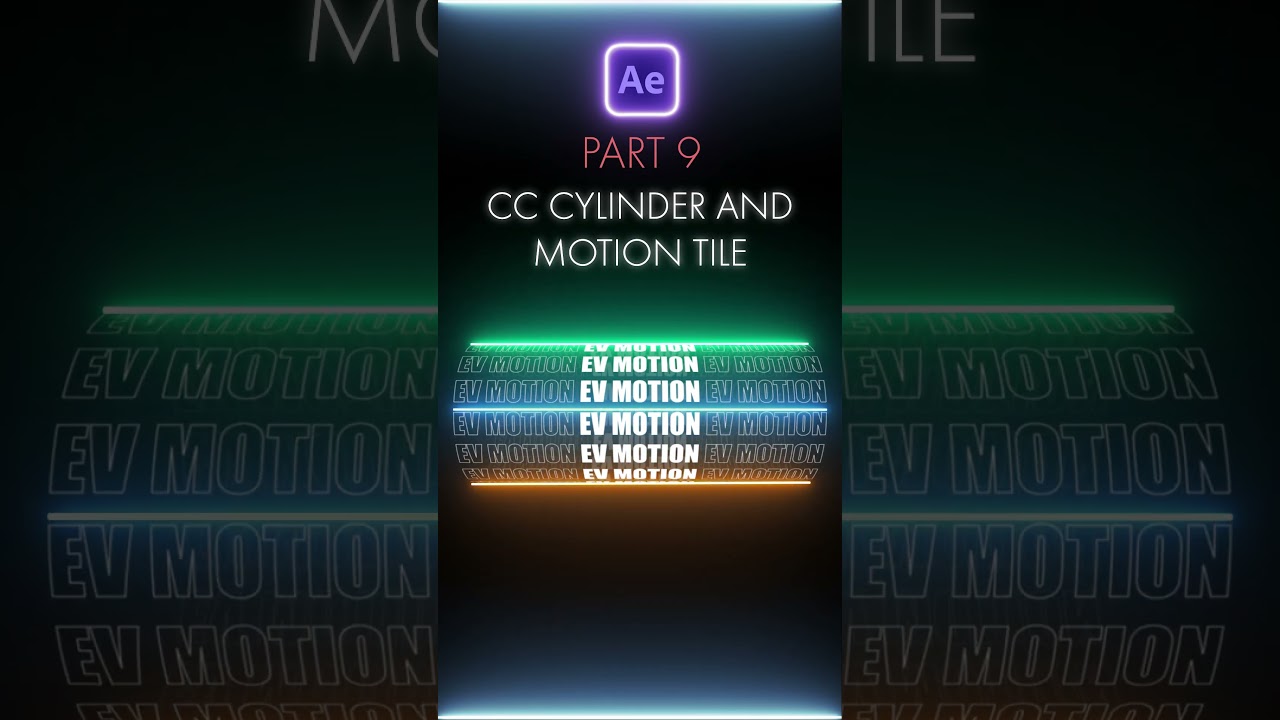
Learn how to create stunning effects with CC Cylinder and Motion Tile in After Effects. Perfect for enhancing your projects!

EV Motion
815 views • Jul 18, 2024
About this video
#learn #aftereffects #adobe #ae
Welcome to our latest After Effects tutorial! In this episode, we’ll explore two powerful effects: CC Cylinder and Motion Tile. These effects are essential tools for creating dynamic 3D animations and seamless patterns, elevating your motion graphics to new heights.
CC Cylinder Effect:
The CC Cylinder effect in After Effects is a versatile tool that transforms your 2D layers into a 3D cylinder. It’s perfect for creating rotating objects, text animations, and wrapping visuals around cylindrical shapes.
Specialties:
3D Transformation: CC Cylinder wraps a 2D layer into a 3D cylindrical shape, giving you the ability to create rotating objects like globes, cans, or animated text cylinders. This adds depth and realism to your compositions.
Customizable Parameters: You can adjust the cylinder's rotation, radius, and position, as well as control the lighting and shading to achieve the desired look. This flexibility allows for precise control over the appearance and behavior of the cylinder.
Interactive Lighting: The effect includes built-in lighting options, allowing you to add highlights and shadows to your cylinder. This makes your 3D object more realistic and visually appealing.
Versatile Applications: Use CC Cylinder for a variety of creative projects, such as spinning logos, 3D text animations, and wrapping video clips around a cylinder. The effect can be applied to any 2D layer, making it incredibly versatile.
Motion Tile Effect:
The Motion Tile effect is a powerful tool for creating seamless patterns and extending layers. It’s perfect for generating repeating textures, creating infinite backgrounds, and adding motion to static elements.
Specialties:
Seamless Tiling: The Motion Tile effect allows you to tile layers seamlessly, creating infinite patterns and textures. This is perfect for extending backgrounds or creating repeating designs without visible seams.
Mirror Edges: Use the mirror edges option to create a mirrored tiling effect, ensuring that the edges of your tiles blend smoothly. This can add a professional touch to your compositions and make your patterns look more polished.
Animation and Offset: Animate the tile center and adjust the output width and height to create dynamic motion within your tiled layers. This can be used to create scrolling backgrounds, moving textures, and other eye-catching effects.
Efficiency: Motion Tile is an efficient way to fill your composition with patterns without duplicating layers manually. It’s ideal for creating endless loops and backgrounds that need to cover large areas seamlessly.
Welcome to our latest After Effects tutorial! In this episode, we’ll explore two powerful effects: CC Cylinder and Motion Tile. These effects are essential tools for creating dynamic 3D animations and seamless patterns, elevating your motion graphics to new heights.
CC Cylinder Effect:
The CC Cylinder effect in After Effects is a versatile tool that transforms your 2D layers into a 3D cylinder. It’s perfect for creating rotating objects, text animations, and wrapping visuals around cylindrical shapes.
Specialties:
3D Transformation: CC Cylinder wraps a 2D layer into a 3D cylindrical shape, giving you the ability to create rotating objects like globes, cans, or animated text cylinders. This adds depth and realism to your compositions.
Customizable Parameters: You can adjust the cylinder's rotation, radius, and position, as well as control the lighting and shading to achieve the desired look. This flexibility allows for precise control over the appearance and behavior of the cylinder.
Interactive Lighting: The effect includes built-in lighting options, allowing you to add highlights and shadows to your cylinder. This makes your 3D object more realistic and visually appealing.
Versatile Applications: Use CC Cylinder for a variety of creative projects, such as spinning logos, 3D text animations, and wrapping video clips around a cylinder. The effect can be applied to any 2D layer, making it incredibly versatile.
Motion Tile Effect:
The Motion Tile effect is a powerful tool for creating seamless patterns and extending layers. It’s perfect for generating repeating textures, creating infinite backgrounds, and adding motion to static elements.
Specialties:
Seamless Tiling: The Motion Tile effect allows you to tile layers seamlessly, creating infinite patterns and textures. This is perfect for extending backgrounds or creating repeating designs without visible seams.
Mirror Edges: Use the mirror edges option to create a mirrored tiling effect, ensuring that the edges of your tiles blend smoothly. This can add a professional touch to your compositions and make your patterns look more polished.
Animation and Offset: Animate the tile center and adjust the output width and height to create dynamic motion within your tiled layers. This can be used to create scrolling backgrounds, moving textures, and other eye-catching effects.
Efficiency: Motion Tile is an efficient way to fill your composition with patterns without duplicating layers manually. It’s ideal for creating endless loops and backgrounds that need to cover large areas seamlessly.
Tags and Topics
Browse our collection to discover more content in these categories.
Video Information
Views
815
Likes
22
Duration
0:09
Published
Jul 18, 2024
Related Trending Topics
LIVE TRENDSRelated trending topics. Click any trend to explore more videos.
No specific trending topics match this video yet.
Explore All Trends