iPhone Action Button Shortcuts Menu 📲
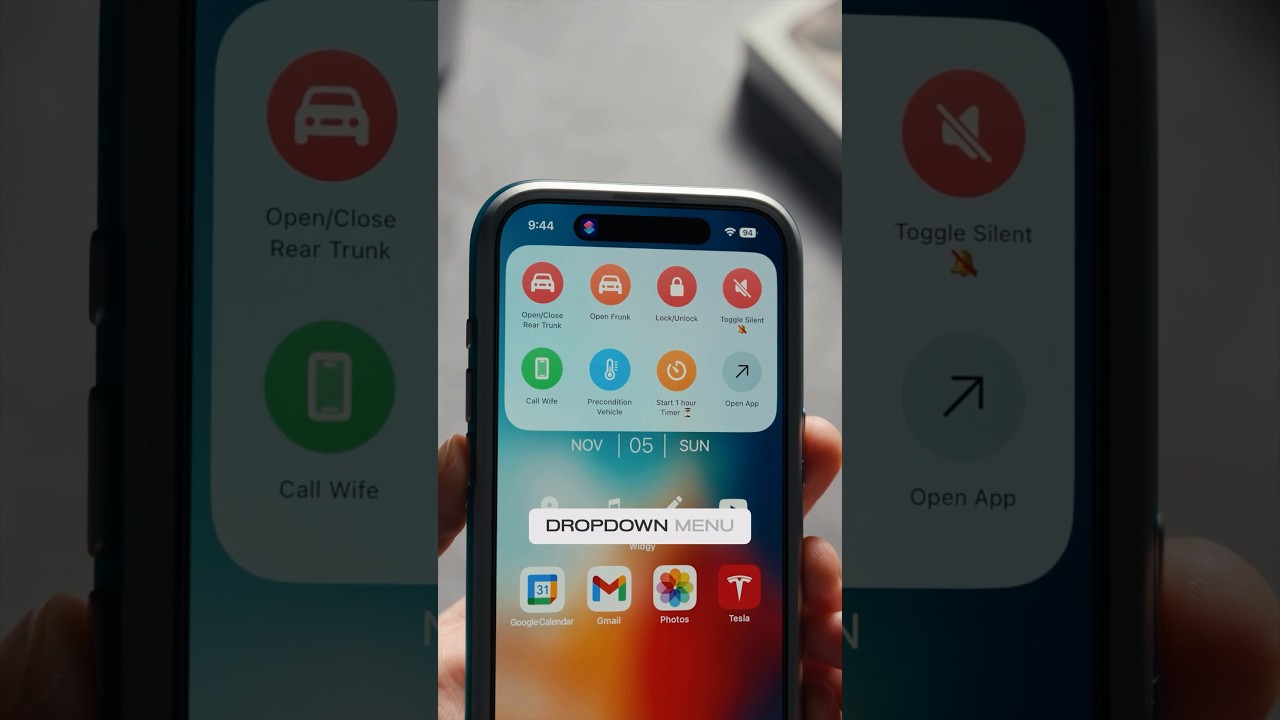
Learn how to create a shortcuts dropdown for the Action Button. A game-changing hack to expand its use! 🤔

Renz Sadiwa
480.9K views • Nov 6, 2023
About this video
The BEST way to use the Action Button? 🤔📲
Heres how to create this dropdown menu for shortcuts.
Seriously a game changer and expands the use of the Action Button.
1. Open the Shortcuts app on your iPhone.
2. Create a new folder in the Shortcuts app, naming it for easy identification.
3. Populate the folder with the shortcuts you want (e.g., silent mode toggle or a timer).
4. Assign the newly created folder to your action button.
5. Now, with a tap, access your handy shortcuts on the home and lock screens! 🚀
#iphone15pro #iphone15promax
Heres how to create this dropdown menu for shortcuts.
Seriously a game changer and expands the use of the Action Button.
1. Open the Shortcuts app on your iPhone.
2. Create a new folder in the Shortcuts app, naming it for easy identification.
3. Populate the folder with the shortcuts you want (e.g., silent mode toggle or a timer).
4. Assign the newly created folder to your action button.
5. Now, with a tap, access your handy shortcuts on the home and lock screens! 🚀
#iphone15pro #iphone15promax
Tags and Topics
Browse our collection to discover more content in these categories.
Video Information
Views
480.9K
Likes
10.2K
Duration
0:27
Published
Nov 6, 2023
User Reviews
4.8
(96)