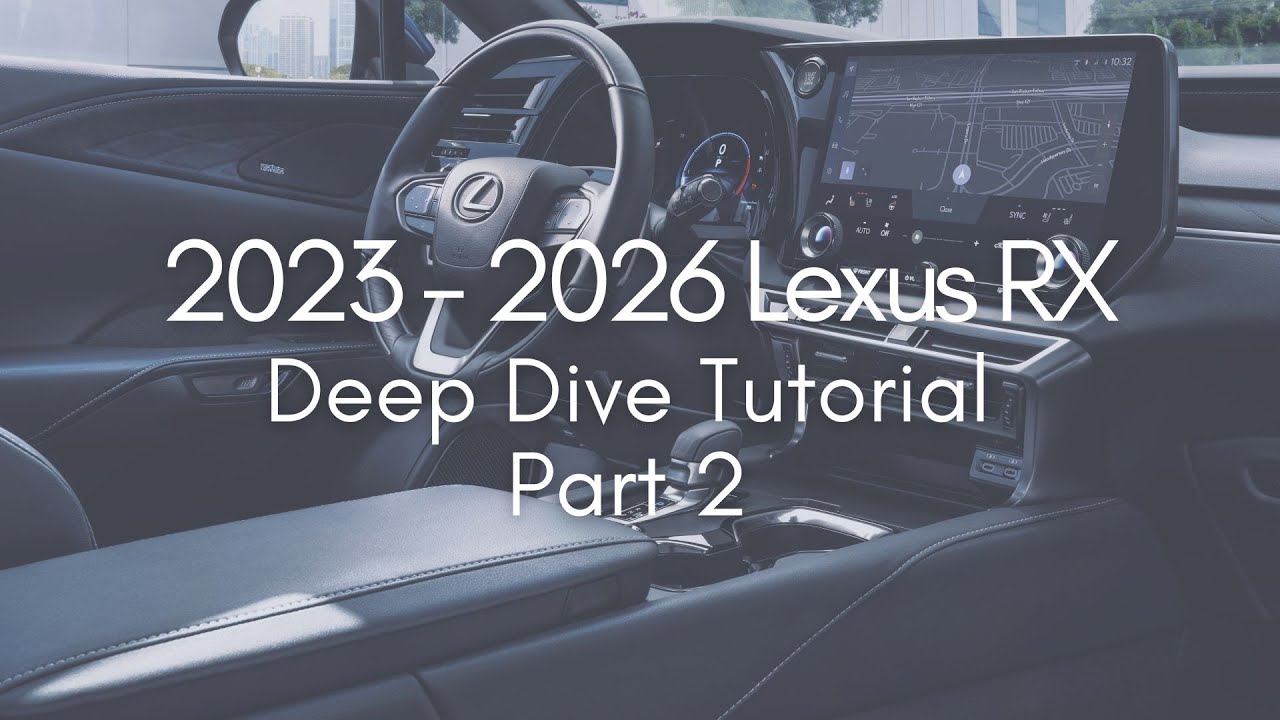
2023 Lexus RX 2023-2026 Deep Dive Part 2 🚗
Explore the Lexus RX 2023-2026, including the new 12.3” display in 2025. Part 1 link: https://youtu.be/ToLr5nIPVIo

Northside Lexus
341.8K views • May 18, 2023
About this video
Link to 2023 - 2025 Lexus RX Deep Dive - Part 1: https://youtu.be/ToLr5nIPVIo
For 2025 the RX has received a new Customizable 12.3” Multi-Information Display. Enjoy this tutorial from the TX Deep Dive series: https://youtu.be/H5lbHZAmDSs?t=6205
--------------------------------------------------
Important changes for 2026:
TECHNOLOGY
- Wireless phone charger now standard on all grades
- On vehicles equipped with Head-Up Display (HUD), adjusting features using the steering-wheel-mounted touch sensor switches now displays content changes in both the HUD and the multi-information display (MID). Previously, these changes appeared only in the HUD.
- Favorite function registration for the steering wheel switches can now be assigned to either the left or right side, offering more flexibility. Previously, the left side was limited to comfort features and the right side to driving assist features.
PERFORMANCE
- On RX 450h+ models, charging current setting function has been updated, allowing Guests to select a maximum charging current from Max, 24A, 16A or 8A. Previously it was Max, 16A or 8A.
- AC dual-voltage charging cable now standard for RX PHEV model; supports Level 1 (120 volts) and Level 2 (240 volts) input using included cable ends.
------------
INDEX
0:00 Start
Link to Profile Setup (https://youtu.be/ToLr5nIPVIo?t=2331)
1:11 Main Display Basics
2:00 Lexus Menu & How to get back to Lexus menu
4:27 Voice Command Tips
Phone’s Connected System Icon:
6:50 Apple CarPlay
13:59 Android Auto
Lexus Map Icon:
18:11 Lexus NAV Basics*
22:27 Expand Lexus Map Screen to Full (Lexus)*
23:03 Search Icon on Screen (Lexus)*
24:57 Add & Edit Stops (Lexus)*
27:44 Address Search (Lexus)*
28:27 How to save Home location - Lexus App*
31:55 Low Fuel msg w/NAV
Music Notes Icon:
32:36 Audio System
33:36 How to Tune the Radio on Screen
34:12 Radio Favorites
35:59 FM/AM Radio Tune by Station List
37:49 SiriusXM Tune & Operation Tips
41:20 How to find SiriusXM Radio ID
42:04 Audio Sources
Phone Icon:
43:46 Phone Basics
44:39 Phone w/ Bluetooth Only Connection
45:55 Change phone connection from Bluetooth to Apple CarPlay/Android Auto
46:22 Phone w/ Apple CarPlay
47:16 Phone w/ Android Auto
Car Icon:
48:07 Vehicle Features Menu
48:36 Drive Mode Selector
51:03 How to fold down back seats from front screen w/ optional power back seats*
52:58 Driving Assist (In Vehicle Features Menu)
53:44 Lane Departure Alert
55:12 Parking Sensors*
55:54 Parking Support Brake*
56:52 Blind Spot Monitor
57:44 Safe Exit Assist
57:57 Rear Cross Traffic Alert
58:18 Rear Camera Detection
58:39 Proactive Driving Assist
59:51 Road Sign Assist
1:00:34 Pre-Collision System
1:01:02 Trip Information
1:01:33 Energy Monitor (Hybrid only)
1:01:53 AWD Monitor Screen*
1:02:07 Tire Pressure Monitor
Settings Gear Icon:
1:02:31 Settings Menu: profile tips, edit & add profiles
1:03:21 Detected Profiles
1:04:50 PIN Prompt and how to set or reset PIN
1:05:40 How to switch between profiles
1:06:12 Do this if you Valet Park
1:07:27 Personal Info (see Part 1 for more details)
1:08:05 Bluetooth & Devices (see Part 1 for more details)
1:08:16 General Settings (turn off screen beep, etc)
1:08:42 Clock Settings
1:11:40 Keyboard, Language & Units
1:12:21 Notifications
1:13:58 Wi-Fi & Hotspot
1:15:29 Display
1:16:45 Sound & Media
1:18:18 Surround Sound, Balance & Fade for Audio
1:18:44 Media & Radio Customizations
1:20:30 SiriusXM Customizations & Radio ID
1:22:48 Lexus NAV Settings
1:24:56 Vehicle Customize - HUD
1:25:28 Meter Customize
1:27:45 Lights & Thematic Light Settings
1:30:07 Door Customizations
1:33:51 Boarding & Exit: Driver’s Easy Exit
1:34:49 Custom Drive Mode*
1:35:00 Program Tire Pressure
1:35:31 HUD Buttons Operation
1:38:35 Climate Customizations
1:39:20 Utility: Turn off Rear Seat Reminder
1:39:58 Rear Power Outlet*
1:40:21 ACC Customize Explained
1:41:05 Active Sound Control
1:41:22 Maintenance Reminders
1:41:39 Driving Assist Settings
1:41:54 Traffic Jam Assist*
1:42:53 Proactive Driving Assist Settings
1:43:57 Radar Cruise Settings
1:44:44 Lane Departure Alert Settings
1:45:02 Lane Change Assist*
1:45:31 Turn Off Driver Monitor Alert*
1:45:59 Collision Mitigation: Parking Sensor, BSM, etc. Settings
1:47:33 Driving Assist Notifications (Speed limit, etc.)
1:49:06 How to turn off wake words & prompts
1:50:26 Dealer Info
1:50:40 Info & Security: System Reset
1:52:05 Software Updates
1:52:35 Apps & Remote Code on Screen
1:53:29 Climate Control
1:54:51 S-Flow (turn off for full air)
1:55:53 Shortcut Menu (“Ice Cube Tray”)
1:57:49 Rear Climate Control
1:58:55 Front Climate Tips & Sync Mode
2:00:50 Defrost/Defoggers
2:01:44 Panoramic 360 Camera Monitor* (2025 Update - An on-screen activation button for the camera washer system is included for the Panoramic View Monitor (PVM) and backup camera, enabling the driver to activate the washer when needed)
2:10:17 Advanced Park*
2:24:26 9.8” Screen Tips
2:26:31 Bloopers
* If Equipped
For 2025 the RX has received a new Customizable 12.3” Multi-Information Display. Enjoy this tutorial from the TX Deep Dive series: https://youtu.be/H5lbHZAmDSs?t=6205
--------------------------------------------------
Important changes for 2026:
TECHNOLOGY
- Wireless phone charger now standard on all grades
- On vehicles equipped with Head-Up Display (HUD), adjusting features using the steering-wheel-mounted touch sensor switches now displays content changes in both the HUD and the multi-information display (MID). Previously, these changes appeared only in the HUD.
- Favorite function registration for the steering wheel switches can now be assigned to either the left or right side, offering more flexibility. Previously, the left side was limited to comfort features and the right side to driving assist features.
PERFORMANCE
- On RX 450h+ models, charging current setting function has been updated, allowing Guests to select a maximum charging current from Max, 24A, 16A or 8A. Previously it was Max, 16A or 8A.
- AC dual-voltage charging cable now standard for RX PHEV model; supports Level 1 (120 volts) and Level 2 (240 volts) input using included cable ends.
------------
INDEX
0:00 Start
Link to Profile Setup (https://youtu.be/ToLr5nIPVIo?t=2331)
1:11 Main Display Basics
2:00 Lexus Menu & How to get back to Lexus menu
4:27 Voice Command Tips
Phone’s Connected System Icon:
6:50 Apple CarPlay
13:59 Android Auto
Lexus Map Icon:
18:11 Lexus NAV Basics*
22:27 Expand Lexus Map Screen to Full (Lexus)*
23:03 Search Icon on Screen (Lexus)*
24:57 Add & Edit Stops (Lexus)*
27:44 Address Search (Lexus)*
28:27 How to save Home location - Lexus App*
31:55 Low Fuel msg w/NAV
Music Notes Icon:
32:36 Audio System
33:36 How to Tune the Radio on Screen
34:12 Radio Favorites
35:59 FM/AM Radio Tune by Station List
37:49 SiriusXM Tune & Operation Tips
41:20 How to find SiriusXM Radio ID
42:04 Audio Sources
Phone Icon:
43:46 Phone Basics
44:39 Phone w/ Bluetooth Only Connection
45:55 Change phone connection from Bluetooth to Apple CarPlay/Android Auto
46:22 Phone w/ Apple CarPlay
47:16 Phone w/ Android Auto
Car Icon:
48:07 Vehicle Features Menu
48:36 Drive Mode Selector
51:03 How to fold down back seats from front screen w/ optional power back seats*
52:58 Driving Assist (In Vehicle Features Menu)
53:44 Lane Departure Alert
55:12 Parking Sensors*
55:54 Parking Support Brake*
56:52 Blind Spot Monitor
57:44 Safe Exit Assist
57:57 Rear Cross Traffic Alert
58:18 Rear Camera Detection
58:39 Proactive Driving Assist
59:51 Road Sign Assist
1:00:34 Pre-Collision System
1:01:02 Trip Information
1:01:33 Energy Monitor (Hybrid only)
1:01:53 AWD Monitor Screen*
1:02:07 Tire Pressure Monitor
Settings Gear Icon:
1:02:31 Settings Menu: profile tips, edit & add profiles
1:03:21 Detected Profiles
1:04:50 PIN Prompt and how to set or reset PIN
1:05:40 How to switch between profiles
1:06:12 Do this if you Valet Park
1:07:27 Personal Info (see Part 1 for more details)
1:08:05 Bluetooth & Devices (see Part 1 for more details)
1:08:16 General Settings (turn off screen beep, etc)
1:08:42 Clock Settings
1:11:40 Keyboard, Language & Units
1:12:21 Notifications
1:13:58 Wi-Fi & Hotspot
1:15:29 Display
1:16:45 Sound & Media
1:18:18 Surround Sound, Balance & Fade for Audio
1:18:44 Media & Radio Customizations
1:20:30 SiriusXM Customizations & Radio ID
1:22:48 Lexus NAV Settings
1:24:56 Vehicle Customize - HUD
1:25:28 Meter Customize
1:27:45 Lights & Thematic Light Settings
1:30:07 Door Customizations
1:33:51 Boarding & Exit: Driver’s Easy Exit
1:34:49 Custom Drive Mode*
1:35:00 Program Tire Pressure
1:35:31 HUD Buttons Operation
1:38:35 Climate Customizations
1:39:20 Utility: Turn off Rear Seat Reminder
1:39:58 Rear Power Outlet*
1:40:21 ACC Customize Explained
1:41:05 Active Sound Control
1:41:22 Maintenance Reminders
1:41:39 Driving Assist Settings
1:41:54 Traffic Jam Assist*
1:42:53 Proactive Driving Assist Settings
1:43:57 Radar Cruise Settings
1:44:44 Lane Departure Alert Settings
1:45:02 Lane Change Assist*
1:45:31 Turn Off Driver Monitor Alert*
1:45:59 Collision Mitigation: Parking Sensor, BSM, etc. Settings
1:47:33 Driving Assist Notifications (Speed limit, etc.)
1:49:06 How to turn off wake words & prompts
1:50:26 Dealer Info
1:50:40 Info & Security: System Reset
1:52:05 Software Updates
1:52:35 Apps & Remote Code on Screen
1:53:29 Climate Control
1:54:51 S-Flow (turn off for full air)
1:55:53 Shortcut Menu (“Ice Cube Tray”)
1:57:49 Rear Climate Control
1:58:55 Front Climate Tips & Sync Mode
2:00:50 Defrost/Defoggers
2:01:44 Panoramic 360 Camera Monitor* (2025 Update - An on-screen activation button for the camera washer system is included for the Panoramic View Monitor (PVM) and backup camera, enabling the driver to activate the washer when needed)
2:10:17 Advanced Park*
2:24:26 9.8” Screen Tips
2:26:31 Bloopers
* If Equipped
Tags and Topics
Browse our collection to discover more content in these categories.
Video Information
Views
341.8K
Likes
2.3K
Duration
02:27:19
Published
May 18, 2023
User Reviews
4.3
(68) Related Trending Topics
LIVE TRENDSRelated trending topics. Click any trend to explore more videos.