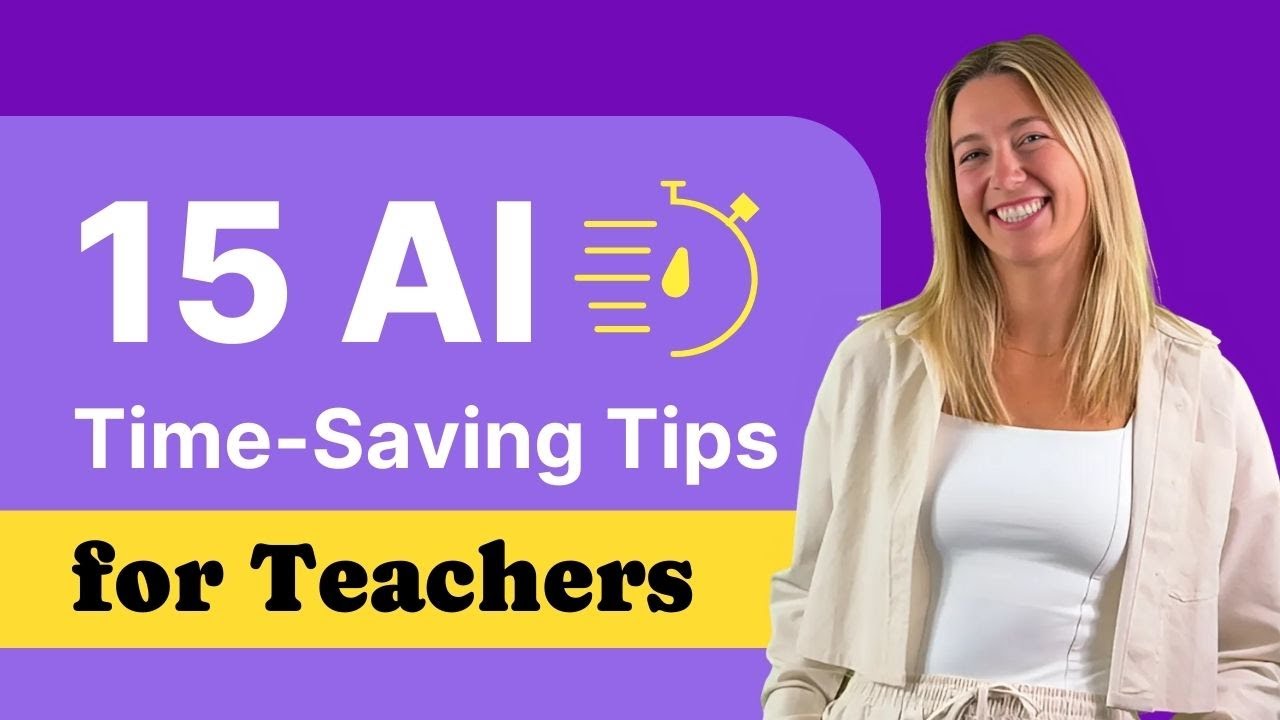
15 AI Tips to Save Time for Teachers ⏱️
Learn 15 AI tips to help teachers save time, improve lesson planning, and personalize student learning efficiently.

ClassPoint
15.3K views • Dec 1, 2024
About this video
Discover how AI empowers teachers quicky! Learn how teachers can save time, enhance lesson planning, and create personalized learning experiences with the power of AI tools.
🔔 Subscribe to stay updated: ► https://www.youtube.com/@ClassPoint/
Read the Blog: ► https://www.classpoint.io/blog/how-can-ai-help-teachers
🔗 Links
~~~~~~
Learn more about Edcafe AI!: ► https://www.edcafe.ai/
~~~~~~
* Related Videos **
🎬 Create Interactive PowerPoint Presentations with GPT-4o ► https://youtu.be/xNlblseLPkM
🎬 12 Ways to Use Chat GPT in the Classroom [ 100 ChatGPT Prompts for Teachers ] ► https://youtu.be/UnzZWqBciG0
🎬 46 Best ChatGPT Alternatives - Useful AI Tools for Teachers ► https://youtu.be/DKmvJMQ3uv0
Time Stamps:
[ 0:00 ] - Intro
[ 0:22 ] - Tip #1 - Use AI-generated lesson plans
[ 1:11 ] - Tip #2 - Create differentiated materials
[ 1:45 ] - Tip #3 - Generate slide decks and visuals
[ 2:17 ] - Tip #4 - AI writing assistants
[ 2:37 ] - Tip #5 - Quickly find curated teaching resources
[ 3:01 ] - Tip #6 - Batch tasking
[ 3:22 ] - Tip #7 - Use AI grading tools
[ 4:00 ] - Tip #8 - Automate feedback generation
[ 4:15 ] - Tip #9 - Automate your reminders
[ 4:33 ] - Tip #10 - Voice-to-text
[ 5:00 ] - Tip #11 - Track student progress effortlessly
[ 5:34 ] - Tip #12 - Create virtual teaching assistants
[ 6:32 ] - Tip #13 - Enhance SEL with AI-driven activities
[ 6:56 ] - Tip #14 - Create reusable assessments and materials
[ 7:28 ] - Tip #15 - Self-Care and Set Boundaries
[ 7:50 ] - End
#ClassPoint #PowerPoint #interactiveteaching
🚩 ClassPoint on Social Media:
YouTube: 👉🏻 / classpoint
Facebook: 👉🏻 / classpoint.io
Twitter: 👉🏻 / classpointio
📢 📢 About This Channel
_________________________________
ClassPoint (https://www.classpoint.io/) seamlessly integrates with Microsoft PowerPoint to turn presentations into interactive lessons, enhancing engagement through live student response tools.
In this channel, we provide tutorials on ClassPoint, but also tutorials to help teachers use technology in their classrooms to engage students.
We aim to be a welcoming community for teachers around the world to learn and ask questions about different EdTech solutions.
SUBSCRIBE and tap the BELL for videos on learning to use technology to help you better connect and engage with your students. Plus, check out Edcafe AI - EdCafe (https://www.edcafe.ai/) is our AI-driven platform built specifically for teachers, offering advanced tools for lesson planning, personalized learning, and student interaction.
🔔 Subscribe to stay updated: ► https://www.youtube.com/@ClassPoint/
Read the Blog: ► https://www.classpoint.io/blog/how-can-ai-help-teachers
🔗 Links
~~~~~~
Learn more about Edcafe AI!: ► https://www.edcafe.ai/
~~~~~~
* Related Videos **
🎬 Create Interactive PowerPoint Presentations with GPT-4o ► https://youtu.be/xNlblseLPkM
🎬 12 Ways to Use Chat GPT in the Classroom [ 100 ChatGPT Prompts for Teachers ] ► https://youtu.be/UnzZWqBciG0
🎬 46 Best ChatGPT Alternatives - Useful AI Tools for Teachers ► https://youtu.be/DKmvJMQ3uv0
Time Stamps:
[ 0:00 ] - Intro
[ 0:22 ] - Tip #1 - Use AI-generated lesson plans
[ 1:11 ] - Tip #2 - Create differentiated materials
[ 1:45 ] - Tip #3 - Generate slide decks and visuals
[ 2:17 ] - Tip #4 - AI writing assistants
[ 2:37 ] - Tip #5 - Quickly find curated teaching resources
[ 3:01 ] - Tip #6 - Batch tasking
[ 3:22 ] - Tip #7 - Use AI grading tools
[ 4:00 ] - Tip #8 - Automate feedback generation
[ 4:15 ] - Tip #9 - Automate your reminders
[ 4:33 ] - Tip #10 - Voice-to-text
[ 5:00 ] - Tip #11 - Track student progress effortlessly
[ 5:34 ] - Tip #12 - Create virtual teaching assistants
[ 6:32 ] - Tip #13 - Enhance SEL with AI-driven activities
[ 6:56 ] - Tip #14 - Create reusable assessments and materials
[ 7:28 ] - Tip #15 - Self-Care and Set Boundaries
[ 7:50 ] - End
#ClassPoint #PowerPoint #interactiveteaching
🚩 ClassPoint on Social Media:
YouTube: 👉🏻 / classpoint
Facebook: 👉🏻 / classpoint.io
Twitter: 👉🏻 / classpointio
📢 📢 About This Channel
_________________________________
ClassPoint (https://www.classpoint.io/) seamlessly integrates with Microsoft PowerPoint to turn presentations into interactive lessons, enhancing engagement through live student response tools.
In this channel, we provide tutorials on ClassPoint, but also tutorials to help teachers use technology in their classrooms to engage students.
We aim to be a welcoming community for teachers around the world to learn and ask questions about different EdTech solutions.
SUBSCRIBE and tap the BELL for videos on learning to use technology to help you better connect and engage with your students. Plus, check out Edcafe AI - EdCafe (https://www.edcafe.ai/) is our AI-driven platform built specifically for teachers, offering advanced tools for lesson planning, personalized learning, and student interaction.
Tags and Topics
Browse our collection to discover more content in these categories.
Video Information
Views
15.3K
Likes
382
Duration
8:21
Published
Dec 1, 2024
User Reviews
4.6
(3) Related Trending Topics
LIVE TRENDSRelated trending topics. Click any trend to explore more videos.
No specific trending topics match this video yet.
Explore All Trends