12 Essential Security Tools I Use Daily
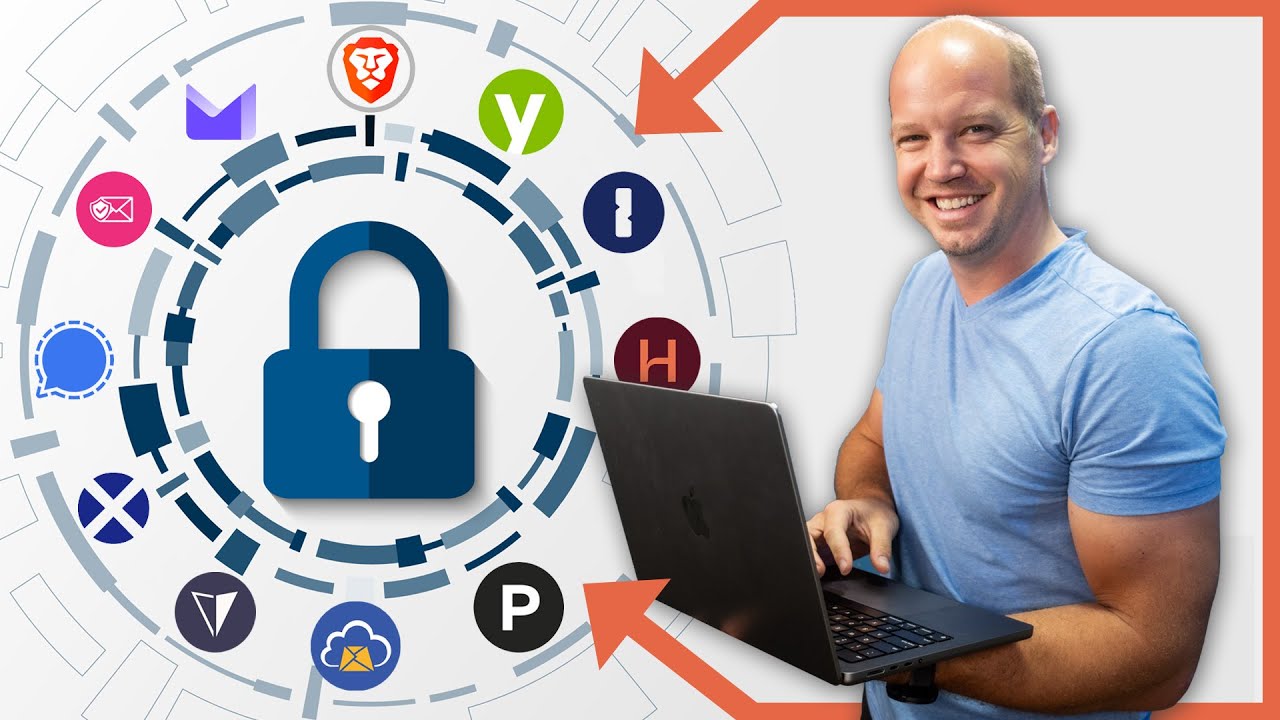
As a privacy and security enthusiast, I share the 12 security tools I rely on every day to protect my accounts and safeguard my private information. Feel free to adopt these tools for your own security.

All Things Secured
202.1K views • Apr 4, 2024
About this video
I'm a privacy and security nut. Discover the tools I use on a daily basis to secure my accounts and cloak my private information. You're welcome to copy what I do or find what works for you.
*NOTE: This video is not sponsored nor did any company pay to have their product listed. These are what I actually use for my personal and business use.*
🔹My Privacy & Security Stack🔹
▶ Password Manager (1Password): https://www.allthingssecured.com/yt/1password
▶ 2FA Security Key (YubiKey): https://geni.us/yubico-store
▶ Secure Email (Proton Mail): https://www.allthingssecured.com/try/protonmail-yt
▶ Email Aliasing (SimpleLogin): https://simplelogin.io/
▶ Private Communication (Signal): https://signal.org/
▶ Internet Browser (Brave): https://www.brave.com
▶ Virtual Address (Postscan Mail): https://www.allthingssecured.com/try/postscanmail
▶ Virtual Credit Card (Privacy): https://www.privacy.com
▶ Virtual Phone Number (Hushed): https://www.allthingssecured.com/try/hushed-yt
▶ Data Deletion (DeleteMe): https://www.joindeleteme.com/allthingssecured
▶ Identity Monitoring (Identity Guard): https://www.allthingssecured.com/try/identity-guard-yt
*Some of the links above are affiliate links
If you care about your personal security and privacy online, download my free security checklist here:
✅ Security Checklist: https://www.allthingssecured.com/security-checklist-pdf/
🔹🔹🔹What You Should Watch Next🔹🔹🔹
We've got a lot of great privacy- and security-related content here on the All Things Secured YouTube channel (although we admit we're a bit biased). If you're wanting to increase your online cybersecurity, here's what's next:
✅ Change these 7 Facebook Privacy Settings NOW! https://www.youtube.com/watch?v=KBdFF2Bm5jg&list=PLaqdQkNDSk04eyZ_s6TH5tHIbJBE28H9W&index=4
✅ STOP Using VPNs! (here's why): https://www.youtube.com/watch?v=8x1BJCKwqpI&list=PLaqdQkNDSk045WN0t6hkJBPgkstq78gtb
✅ Are spy apps safe? https://www.youtube.com/watch?v=UtwKMBNrl58&list=PLaqdQkNDSk045WN0t6hkJBPgkstq78gtb&index=4
*********************
Video Timestamps
*********************
0:00 - My Privacy & Security Stack
0:18 - This Video is NOT Sponsored
0:39 - Password Manager Tool
1:24 - 2FA Security Key
1:57 - Private Internet Browser
2:24 - Email Privacy Tools (Secure email & aliasing)
3:18 - Secure Messaging App
4:03 - Data Masking Tools (address, phone, credit card)
5:09 - Data Monitoring Tools
*********************
Everybody has a different "tech stack" that they use. In this video, Josh explains the tech stack he uses to maintain privacy and security for both his personal and business use.
#techstack #onlinesecurity #onlineprivacy
*NOTE: This video is not sponsored nor did any company pay to have their product listed. These are what I actually use for my personal and business use.*
🔹My Privacy & Security Stack🔹
▶ Password Manager (1Password): https://www.allthingssecured.com/yt/1password
▶ 2FA Security Key (YubiKey): https://geni.us/yubico-store
▶ Secure Email (Proton Mail): https://www.allthingssecured.com/try/protonmail-yt
▶ Email Aliasing (SimpleLogin): https://simplelogin.io/
▶ Private Communication (Signal): https://signal.org/
▶ Internet Browser (Brave): https://www.brave.com
▶ Virtual Address (Postscan Mail): https://www.allthingssecured.com/try/postscanmail
▶ Virtual Credit Card (Privacy): https://www.privacy.com
▶ Virtual Phone Number (Hushed): https://www.allthingssecured.com/try/hushed-yt
▶ Data Deletion (DeleteMe): https://www.joindeleteme.com/allthingssecured
▶ Identity Monitoring (Identity Guard): https://www.allthingssecured.com/try/identity-guard-yt
*Some of the links above are affiliate links
If you care about your personal security and privacy online, download my free security checklist here:
✅ Security Checklist: https://www.allthingssecured.com/security-checklist-pdf/
🔹🔹🔹What You Should Watch Next🔹🔹🔹
We've got a lot of great privacy- and security-related content here on the All Things Secured YouTube channel (although we admit we're a bit biased). If you're wanting to increase your online cybersecurity, here's what's next:
✅ Change these 7 Facebook Privacy Settings NOW! https://www.youtube.com/watch?v=KBdFF2Bm5jg&list=PLaqdQkNDSk04eyZ_s6TH5tHIbJBE28H9W&index=4
✅ STOP Using VPNs! (here's why): https://www.youtube.com/watch?v=8x1BJCKwqpI&list=PLaqdQkNDSk045WN0t6hkJBPgkstq78gtb
✅ Are spy apps safe? https://www.youtube.com/watch?v=UtwKMBNrl58&list=PLaqdQkNDSk045WN0t6hkJBPgkstq78gtb&index=4
*********************
Video Timestamps
*********************
0:00 - My Privacy & Security Stack
0:18 - This Video is NOT Sponsored
0:39 - Password Manager Tool
1:24 - 2FA Security Key
1:57 - Private Internet Browser
2:24 - Email Privacy Tools (Secure email & aliasing)
3:18 - Secure Messaging App
4:03 - Data Masking Tools (address, phone, credit card)
5:09 - Data Monitoring Tools
*********************
Everybody has a different "tech stack" that they use. In this video, Josh explains the tech stack he uses to maintain privacy and security for both his personal and business use.
#techstack #onlinesecurity #onlineprivacy
Tags and Topics
Browse our collection to discover more content in these categories.
Video Information
Views
202.1K
Likes
8.1K
Duration
6:14
Published
Apr 4, 2024
User Reviews
4.7
(40) Related Trending Topics
LIVE TRENDSRelated trending topics. Click any trend to explore more videos.
No specific trending topics match this video yet.
Explore All Trends