1.4 Show and hide a UIButton with animation
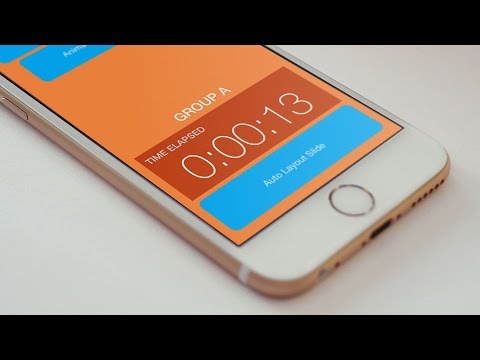
Download the videos and source code from http://iphonedev.tv/AutoLayoutUIButton Now that you have Auto Layout defining the size and position of the button, ...

Paul Solt
14.2K views • Jul 22, 2015
About this video
Download the videos and source code from http://iphonedev.tv/AutoLayoutUIButton
Now that you have Auto Layout defining the size and position of the button, you can animate it using UIView animation blocks.
Add an animation block and make sure that you force immediate layout updates by calling self.view.layoutIfNeeded() in your animation block.
--
Click here to Subscribe to learn how to make iPhone apps. http://www.youtube.com/subscription_center?add_user=PaulSolt
Website: http://iPhoneDev.tv
iPhone App Courses: http://learn.iphonedev.tv/course/pro/
Now that you have Auto Layout defining the size and position of the button, you can animate it using UIView animation blocks.
Add an animation block and make sure that you force immediate layout updates by calling self.view.layoutIfNeeded() in your animation block.
--
Click here to Subscribe to learn how to make iPhone apps. http://www.youtube.com/subscription_center?add_user=PaulSolt
Website: http://iPhoneDev.tv
iPhone App Courses: http://learn.iphonedev.tv/course/pro/
Tags and Topics
Browse our collection to discover more content in these categories.
Video Information
Views
14.2K
Likes
45
Duration
10:21
Published
Jul 22, 2015
User Reviews
4.0
(2) Related Trending Topics
LIVE TRENDSRelated trending topics. Click any trend to explore more videos.
No specific trending topics match this video yet.
Explore All Trends